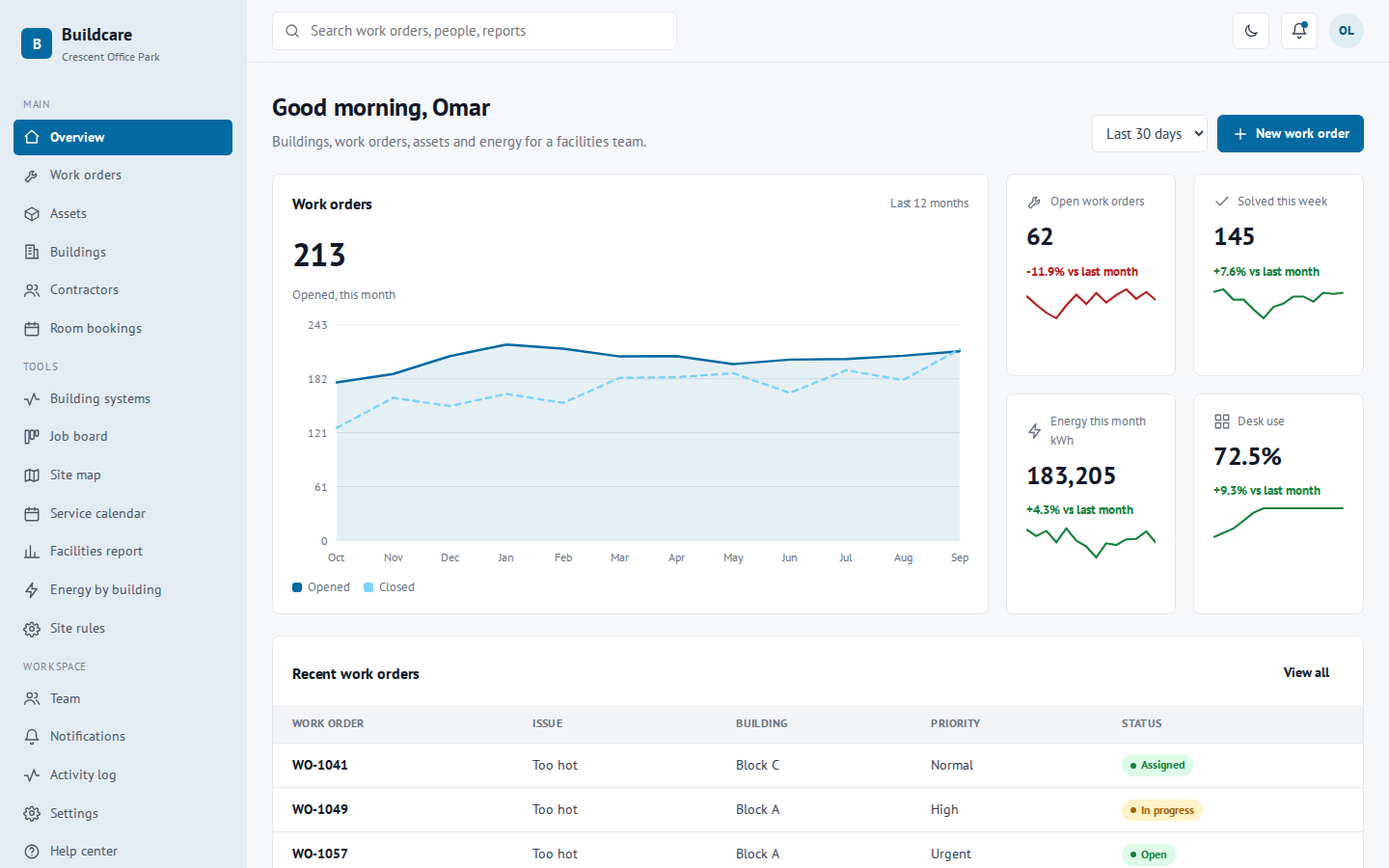
Buildcare: Facility Management dashboard template
Buildings, work orders, assets and energy for a facilities team.
34 pages. Light and dark themes. MIT license, free for business use.
- 34pages included
- 5things you can manage
- 2themes, light and dark
- MITlicense
What you can manage
- Work orders – Repairs and jobs.
- Assets – Equipment you look after.
- Buildings – Buildings on the site.
- Contractors – Companies that do the work.
- Room bookings – Meeting rooms and spaces.
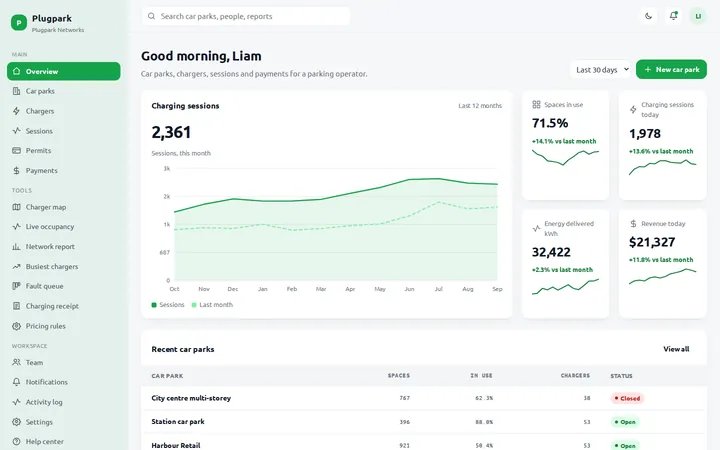
At a glance on the overview page
- Open work orders
- Solved this week
- Energy this month kWh
- Desk use
Extra tools
- Building systems – Live status of key systems.
- Job board – Work orders from report to done.
- Site map – Open jobs across the site.
- Service calendar – Planned maintenance and tests.
- Facilities report – Jobs, costs and energy.
- Energy by building – Which buildings use the most power.
- Site rules – Rules for the facilities team.
What is inside the 34 pages
- Overview1 page
A live dashboard home with charts and key numbers.
- 5 record types15 pages
A list, a detail page and a form for each one.
- Special tools7 pages
A calendar, kanban board, report or similar view for each.
- Workspace7 pages
Team, notifications, activity log, settings, profile, help and a UI kit.
- Sign in4 pages
Login, sign up, forgot password and a 404 page.
Example organization used in the demo: Crescent Office Park.
More more business dashboards
FAQ
Questions about this template
Is this dashboard free to use?
Yes. It uses the MIT license, so you can use it in personal, client and commercial projects at no cost.
Does it need a framework or build step?
No. It is plain HTML, CSS and JavaScript. Open a page in a browser, or upload the folder to any host.
Can I connect it to my own data?
The pages use realistic sample data so you can see every screen. Replace it with your own API or database when you build your app.
Can I change the colors and text?
Yes. Colors are CSS variables at the top of each stylesheet, and all text is plain HTML you can edit directly.