Deskside: IT Helpdesk dashboard template
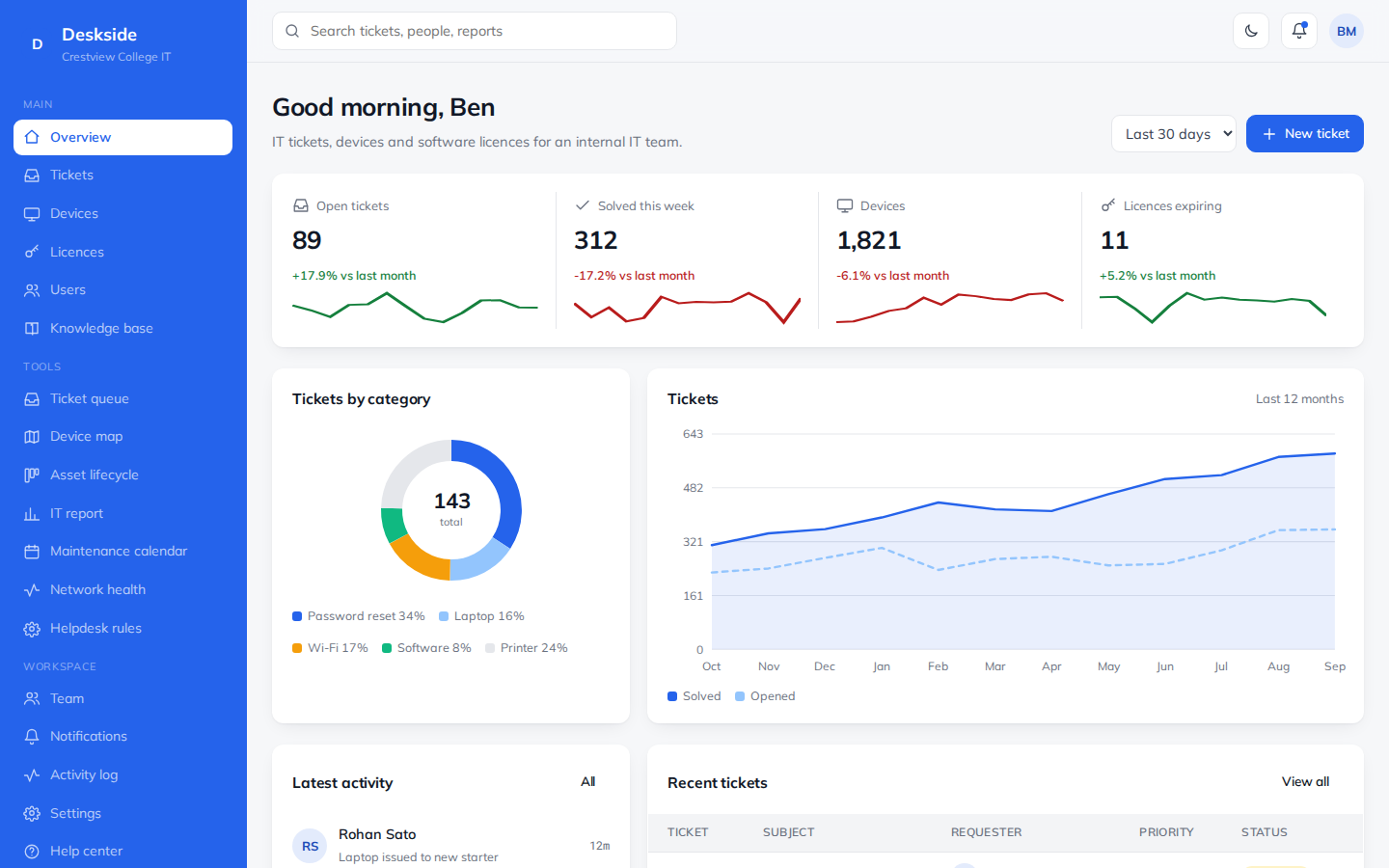
IT tickets, devices and software licences for an internal IT team.
34 pages. Light and dark themes. MIT license, free for business use.
- 34pages included
- 5things you can manage
- 2themes, light and dark
- MITlicense
What you can manage
- Tickets – Requests from staff and students.
- Devices – Laptops, desktops and phones.
- Licences – Software you pay for.
- Users – Staff and student accounts.
- Knowledge base – How-to guides for common problems.
At a glance on the overview page
- Open tickets
- Solved this week
- Devices
- Licences expiring
Extra tools
- Ticket queue – Work through requests one by one.
- Device map – Devices by building.
- Asset lifecycle – Devices from order to retirement.
- IT report – Tickets, speed and satisfaction.
- Maintenance calendar – Updates and planned work.
- Network health – Live status of core systems.
- Helpdesk rules – How tickets are handled.
What is inside the 34 pages
- Overview1 page
A live dashboard home with charts and key numbers.
- 5 record types15 pages
A list, a detail page and a form for each one.
- Special tools7 pages
A calendar, kanban board, report or similar view for each.
- Workspace7 pages
Team, notifications, activity log, settings, profile, help and a UI kit.
- Sign in4 pages
Login, sign up, forgot password and a 404 page.
Example organization used in the demo: Crestview College IT.
More tech dashboards
FAQ
Questions about this template
Is this dashboard free to use?
Yes. It uses the MIT license, so you can use it in personal, client and commercial projects at no cost.
Does it need a framework or build step?
No. It is plain HTML, CSS and JavaScript. Open a page in a browser, or upload the folder to any host.
Can I connect it to my own data?
The pages use realistic sample data so you can see every screen. Replace it with your own API or database when you build your app.
Can I change the colors and text?
Yes. Colors are CSS variables at the top of each stylesheet, and all text is plain HTML you can edit directly.