Floating Chat Widget
A round chat button in the corner that opens a small chat panel, with an unread badge. Escape or the close button hides it again.
One HTML file with the CSS and JavaScript inside. No library needed. MIT license.
How to use it
- Click Copy the code, or download the file.
- Paste the CSS into your stylesheet, the HTML where you want the component, and the script before the closing body tag.
- Change
--accentat the top of the CSS to your brand color, then connect the events to your AI service.
What you get
- Works in light and dark mode automatically
- Keyboard friendly, with labels for screen readers
- Fits phones, tablets and desktops
- Respects the reduced motion setting
- No framework, so it works with any stack
The code
<!DOCTYPE html>
<!--
  Floating Chat Widget: a free AI UI component
  From 100 Free AI UI Components by MM Rahman Bappi, MIT license
  https://mmrahmanbappi.github.io/100-free-ai-ui-components/

  How to use: copy the CSS, HTML and JavaScript below into your page.
  Colors are CSS variables at the top. Change --accent to match your brand.
  Light and dark themes follow the visitor's system setting, or set
  data-theme="dark" or data-theme="light" on the html element.
-->
<html lang="en">
<head>
<meta charset="UTF-8">
<meta name="viewport" content="width=device-width, initial-scale=1">
<title>Floating Chat Widget | Free AI UI Component</title>
<meta name="description" content="A round chat button in the corner that opens a small chat panel, with an unread badge. Escape or the close button hides it again.">
<meta name="robots" content="noindex, follow">
<style>
:root{
  --accent:#5b5bd6; --accent-ink:#fff; --accent-soft:#ececfc;
  --bg:#f7f7f8; --surface:#fff; --surface-2:#f1f1f4; --ink:#17171c; --text:#3a3a44; --muted:#6c6c78;
  --line:#e3e3e8; --good:#15803d; --warn:#b45309; --bad:#c62828;
  --radius:14px; --shadow:0 1px 2px rgba(20,20,30,.06),0 8px 24px -12px rgba(20,20,30,.18);
  --font:system-ui,-apple-system,"Segoe UI",Roboto,Ubuntu,sans-serif; --mono:ui-monospace,"Cascadia Code",Menlo,Consolas,monospace;
}
@media (prefers-color-scheme:dark){:root:not([data-theme=light]){
  --accent:#8b8bff; --accent-ink:#0f0f16; --accent-soft:#25254a;
  --bg:#0f0f13; --surface:#18181f; --surface-2:#212129; --ink:#f3f3f6; --text:#d4d4dc; --muted:#9a9aa8;
  --line:#2c2c36; --good:#4ade80; --warn:#fbbf24; --bad:#f87171; --shadow:0 1px 2px rgba(0,0,0,.4),0 10px 30px -12px rgba(0,0,0,.6);
}}
:root[data-theme=dark]{
  --accent:#8b8bff; --accent-ink:#0f0f16; --accent-soft:#25254a;
  --bg:#0f0f13; --surface:#18181f; --surface-2:#212129; --ink:#f3f3f6; --text:#d4d4dc; --muted:#9a9aa8;
  --line:#2c2c36; --good:#4ade80; --warn:#fbbf24; --bad:#f87171; --shadow:0 1px 2px rgba(0,0,0,.4),0 10px 30px -12px rgba(0,0,0,.6);
}
*{box-sizing:border-box}
html,body{margin:0}
body{min-height:100vh;display:grid;grid-template-columns:minmax(0,1fr);place-items:center;padding:24px;background:var(--bg);color:var(--text);font:15px/1.5 var(--font);-webkit-font-smoothing:antialiased}
button,input,textarea,select{font:inherit;color:inherit}
:focus-visible{outline:2px solid var(--accent);outline-offset:2px}
[hidden]{display:none!important}
.sr{position:absolute;width:1px;height:1px;overflow:hidden;clip:rect(0 0 0 0);white-space:nowrap}
@media (prefers-reduced-motion:reduce){*,*::before,*::after{animation-duration:.01ms!important;animation-iteration-count:1!important;transition:none!important}}
/* ---- component ---- */
.msgs{flex:1;overflow-y:auto;padding:16px;display:flex;flex-direction:column;gap:12px;scroll-behavior:smooth}
.m{max-width:80%;padding:9px 13px;border-radius:14px;line-height:1.55;font-size:14px;overflow-wrap:anywhere;animation:pop .2s ease}
.m.u{align-self:flex-end;background:var(--accent);color:var(--accent-ink);border-bottom-right-radius:4px}
.m.a{align-self:flex-start;background:var(--surface-2);color:var(--text);border-bottom-left-radius:4px}
@keyframes pop{from{opacity:0;transform:translateY(5px)}}
.pb{display:flex;gap:8px;align-items:flex-end;padding:10px;border-top:1px solid var(--line);background:var(--surface)}
.pb textarea{flex:1;border:1px solid var(--line);border-radius:12px;padding:9px 12px;resize:none;background:var(--surface);color:var(--ink);max-height:120px;line-height:1.45;min-width:0}
.pb textarea:focus{outline:0;border-color:var(--accent)}
.send{width:38px;height:38px;border-radius:11px;border:0;background:var(--accent);color:var(--accent-ink);display:grid;place-items:center;cursor:pointer;flex:none}
.send:disabled{opacity:.35;cursor:not-allowed}
.ib{width:34px;height:34px;display:grid;place-items:center;border:0;background:none;color:var(--muted);border-radius:9px;cursor:pointer;flex:none}
.ib:hover{background:var(--surface-2);color:var(--ink)}
.page{width:min(100%,640px);color:var(--muted);text-align:center}
.page h1{color:var(--ink);font-size:22px;margin:0 0 6px}
.fab{position:fixed;right:22px;bottom:22px;width:56px;height:56px;border-radius:50%;border:0;background:var(--accent);color:var(--accent-ink);display:grid;place-items:center;cursor:pointer;box-shadow:0 10px 30px -8px color-mix(in srgb,var(--accent) 70%,transparent);z-index:3;transition:transform .15s}
.fab:hover{transform:scale(1.05)}
.badge{position:absolute;top:-2px;right:-2px;min-width:20px;height:20px;border-radius:99px;background:#dc2626;color:#fff;font-size:11.5px;font-weight:700;display:grid;place-items:center;padding:0 5px;border:2px solid var(--bg)}
.panel{position:fixed;right:22px;bottom:90px;width:min(360px,calc(100vw - 32px));height:min(460px,calc(100vh - 120px));background:var(--surface);border:1px solid var(--line);border-radius:18px;box-shadow:0 24px 60px -20px rgba(0,0,0,.45);display:flex;flex-direction:column;overflow:hidden;z-index:3;transform-origin:bottom right;animation:open .18s ease}
@keyframes open{from{opacity:0;transform:scale(.9)}}
.ph{display:flex;align-items:center;gap:10px;padding:12px 14px;background:var(--accent);color:var(--accent-ink)}
.ph b{display:block;font-size:14.5px}.ph small{opacity:.85;font-size:12px}.ph .sp{flex:1}
.ph .ib{color:inherit}.ph .ib:hover{background:rgba(255,255,255,.15);color:inherit}
</style>
</head>
<body>
<div class="page"><h1>Your website</h1><p>The chat button sits in the bottom right corner.</p></div>
<button class="fab" id="fab" type="button" aria-label="Open chat" aria-expanded="false" aria-controls="panel"><svg viewBox="0 0 24 24" width="22" height="22" fill="none" stroke="currentColor" stroke-width="2" stroke-linecap="round" stroke-linejoin="round" aria-hidden="true"><path d="M21 12a8 8 0 01-11.6 7.1L4 20l1-4.5A8 8 0 1121 12z"/></svg><span class="badge" id="badge">1</span></button>
<section class="panel" id="panel" role="dialog" aria-labelledby="pt" hidden>
  <div class="ph"><div><b id="pt">Help assistant</b><small>Usually replies in a few seconds</small></div><span class="sp"></span><button class="ib" id="cls" type="button" aria-label="Close chat"><svg viewBox="0 0 24 24" width="14" height="14" fill="none" stroke="currentColor" stroke-width="2.2" stroke-linecap="round" aria-hidden="true"><path d="M6 6l12 12M18 6L6 18"/></svg></button></div>
  <div class="msgs" id="msgs" role="log" aria-live="polite" aria-label="Messages"></div>
<form class="pb" id="pf"><label class="sr" for="pq">Message</label><textarea id="pq" rows="1" placeholder="Message the assistant"></textarea><button class="send" id="ps" type="submit" aria-label="Send message" disabled><svg viewBox="0 0 24 24" width="18" height="18" fill="none" stroke="currentColor" stroke-width="2" stroke-linecap="round" stroke-linejoin="round" aria-hidden="true"><path d="M12 19V5M5 12l7-7 7 7"/></svg></button></form>
</section>
<script>
// Demo helper: add ?theme=dark or ?theme=light to the address to preview a theme.
(function(){var t=new URLSearchParams(location.search).get('theme');if(t)document.documentElement.dataset.theme=t;})();
var REPLIES=['Good question. Here is a short answer you can use right away.','Sure. I would start with the simplest option and adjust from there.','Here is a quick plan: first list what you need, then pick one small step for today.'];
function chat(root,seed){var msgs=root.querySelector('#msgs'),f=root.querySelector('#pf'),q=root.querySelector('#pq'),s=root.querySelector('#ps'),busy=false,n=0;
  function add(role,text){var d=document.createElement('div');d.className='m '+role;d.textContent=text;msgs.appendChild(d);msgs.scrollTop=msgs.scrollHeight;return d;}
  function grow(){q.style.height='auto';q.style.height=Math.min(q.scrollHeight,120)+'px';}
  (seed||[]).forEach(function(p){add(p[0],p[1]);});
  q.addEventListener('input',function(){grow();s.disabled=!q.value.trim()||busy;});
  q.addEventListener('keydown',function(e){if(e.key==='Enter'&&!e.shiftKey&&!e.isComposing){e.preventDefault();f.requestSubmit();}});
  f.addEventListener('submit',function(e){e.preventDefault();var t=q.value.trim();if(!t||busy)return;add('u',t);q.value='';grow();s.disabled=true;busy=true;
    var d=add('a',''),words=REPLIES[n++%REPLIES.length].split(' '),i=0;
    (function tick(){if(i<words.length){d.textContent+=(i?' ':'')+words[i++];msgs.scrollTop=msgs.scrollHeight;setTimeout(tick,60);}else{busy=false;s.disabled=!q.value.trim();}})();});
  return {add:add};}
var fab=document.getElementById('fab'),panel=document.getElementById('panel'),badge=document.getElementById('badge');
var c=chat(panel,[['a','Hi! Looking for something? I can help you find it.']]);
function open(v){panel.hidden=!v;fab.setAttribute('aria-expanded',v);fab.setAttribute('aria-label',v?'Close chat':'Open chat');if(v){badge.hidden=true;document.getElementById('pq').focus();}else fab.focus();}
fab.addEventListener('click',function(){open(panel.hidden);});
document.getElementById('cls').addEventListener('click',function(){open(false);});
document.addEventListener('keydown',function(e){if(e.key==='Escape'&&!panel.hidden)open(false);});
</script>
</body>
</html>
More chat layouts components
Full Chat Window
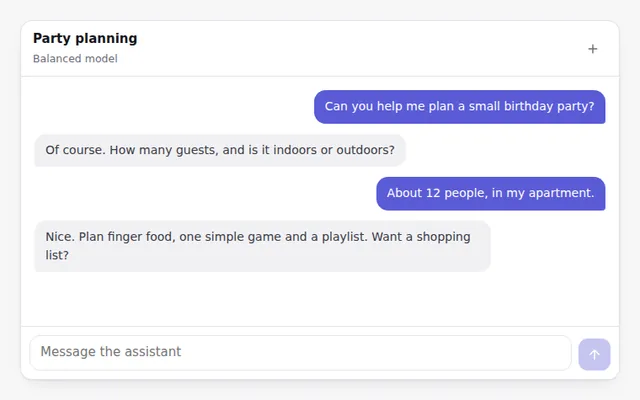
A complete chat screen with a header, scrolling messages and a prompt box at the bottom. Replies stream in, and the view follows along.
Chat Sidebar
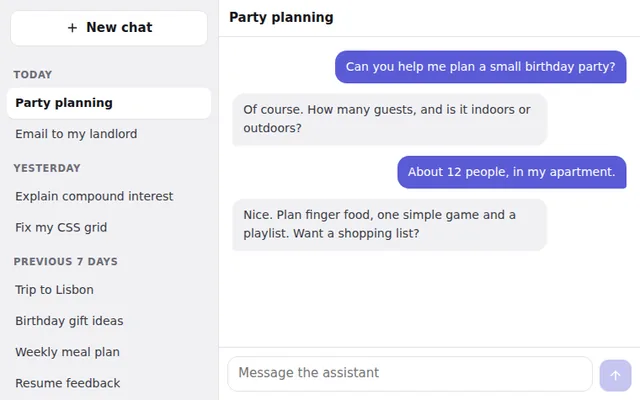
A sidebar with past chats grouped by date, a New chat button and the current chat highlighted. On phones it slides in from a menu button.
Empty Chat Welcome Screen
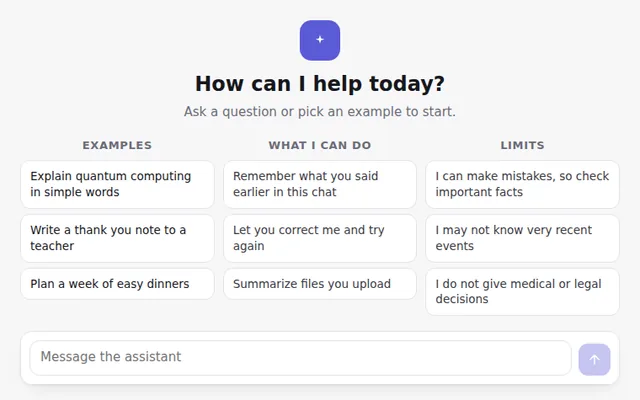
The first screen of a new chat: a greeting, example prompts, what the assistant can do and its limits, with the prompt box ready below.
Split View: Chat and Document
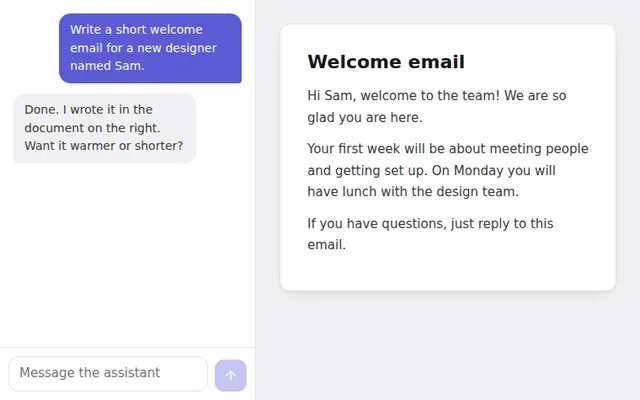
Chat on one side and a live document on the other, the layout used by AI writing tools. On phones it switches to two tabs.
Mobile Chat Screen
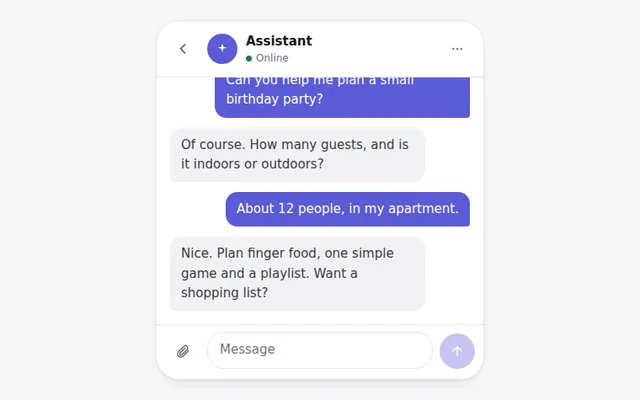
A phone-sized chat with a back button, assistant name and status, messages, and a prompt bar with an attach button, sized for thumbs.
Conversation Search
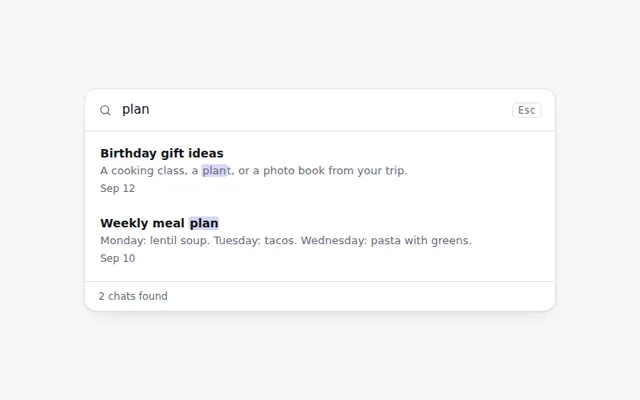
Search through past chats as you type. Matching words are highlighted, and a friendly message appears when nothing is found.