Message Action Bar
A row of actions under an answer: copy the text, read it aloud with the browser voice, and share it.
One HTML file with the CSS and JavaScript inside. No library needed. MIT license.
How to use it
- Click Copy the code, or download the file.
- Paste the CSS into your stylesheet, the HTML where you want the component, and the script before the closing body tag.
- Change
--accentat the top of the CSS to your brand color, then connect the events to your AI service.
What you get
- Works in light and dark mode automatically
- Keyboard friendly, with labels for screen readers
- Fits phones, tablets and desktops
- Respects the reduced motion setting
- No framework, so it works with any stack
The code
<!DOCTYPE html>
<!--
  Message Action Bar: a free AI UI component
  From 100 Free AI UI Components by MM Rahman Bappi, MIT license
  https://mmrahmanbappi.github.io/100-free-ai-ui-components/

  How to use: copy the CSS, HTML and JavaScript below into your page.
  Colors are CSS variables at the top. Change --accent to match your brand.
  Light and dark themes follow the visitor's system setting, or set
  data-theme="dark" or data-theme="light" on the html element.
-->
<html lang="en">
<head>
<meta charset="UTF-8">
<meta name="viewport" content="width=device-width, initial-scale=1">
<title>Message Action Bar | Free AI UI Component</title>
<meta name="description" content="A row of actions under an answer: copy the text, read it aloud with the browser voice, and share it.">
<meta name="robots" content="noindex, follow">
<style>
:root{
  --accent:#5b5bd6; --accent-ink:#fff; --accent-soft:#ececfc;
  --bg:#f7f7f8; --surface:#fff; --surface-2:#f1f1f4; --ink:#17171c; --text:#3a3a44; --muted:#6c6c78;
  --line:#e3e3e8; --good:#15803d; --warn:#b45309; --bad:#c62828;
  --radius:14px; --shadow:0 1px 2px rgba(20,20,30,.06),0 8px 24px -12px rgba(20,20,30,.18);
  --font:system-ui,-apple-system,"Segoe UI",Roboto,Ubuntu,sans-serif; --mono:ui-monospace,"Cascadia Code",Menlo,Consolas,monospace;
}
@media (prefers-color-scheme:dark){:root:not([data-theme=light]){
  --accent:#8b8bff; --accent-ink:#0f0f16; --accent-soft:#25254a;
  --bg:#0f0f13; --surface:#18181f; --surface-2:#212129; --ink:#f3f3f6; --text:#d4d4dc; --muted:#9a9aa8;
  --line:#2c2c36; --good:#4ade80; --warn:#fbbf24; --bad:#f87171; --shadow:0 1px 2px rgba(0,0,0,.4),0 10px 30px -12px rgba(0,0,0,.6);
}}
:root[data-theme=dark]{
  --accent:#8b8bff; --accent-ink:#0f0f16; --accent-soft:#25254a;
  --bg:#0f0f13; --surface:#18181f; --surface-2:#212129; --ink:#f3f3f6; --text:#d4d4dc; --muted:#9a9aa8;
  --line:#2c2c36; --good:#4ade80; --warn:#fbbf24; --bad:#f87171; --shadow:0 1px 2px rgba(0,0,0,.4),0 10px 30px -12px rgba(0,0,0,.6);
}
*{box-sizing:border-box}
html,body{margin:0}
body{min-height:100vh;display:grid;grid-template-columns:minmax(0,1fr);place-items:center;padding:24px;background:var(--bg);color:var(--text);font:15px/1.5 var(--font);-webkit-font-smoothing:antialiased}
button,input,textarea,select{font:inherit;color:inherit}
:focus-visible{outline:2px solid var(--accent);outline-offset:2px}
[hidden]{display:none!important}
.sr{position:absolute;width:1px;height:1px;overflow:hidden;clip:rect(0 0 0 0);white-space:nowrap}
@media (prefers-reduced-motion:reduce){*,*::before,*::after{animation-duration:.01ms!important;animation-iteration-count:1!important;transition:none!important}}
/* ---- component ---- */
.wrap{width:min(100%,660px);display:flex;flex-direction:column;gap:16px}
.ai,.me{display:flex;gap:12px;align-items:flex-start}
.me{flex-direction:row-reverse}
.av{width:32px;height:32px;border-radius:50%;display:grid;place-items:center;flex:none;font-size:13px;font-weight:700}
.ai .av{background:var(--accent);color:var(--accent-ink)}.me .av{background:var(--surface-2);color:var(--ink);border:1px solid var(--line)}
.col{display:flex;flex-direction:column;gap:6px;min-width:0;max-width:calc(100% - 44px)}
.me .col{align-items:flex-end}
.bubble{background:var(--surface);border:1px solid var(--line);border-radius:4px 16px 16px 16px;padding:11px 15px;color:var(--text);box-shadow:var(--shadow);min-width:0;overflow-wrap:anywhere}
.me .bubble{background:var(--accent);border-color:var(--accent);color:var(--accent-ink);border-radius:16px 4px 16px 16px;box-shadow:none}
.meta{font-size:12px;color:var(--muted)}
.tb{display:flex;gap:2px;align-items:center}
.tb button{display:inline-flex;align-items:center;gap:6px;border:0;background:none;color:var(--muted);height:30px;min-width:30px;padding:0 7px;border-radius:8px;cursor:pointer;font-size:13px}
.tb button:hover{background:var(--surface-2);color:var(--ink)}
.tb{margin-left:-6px}
.tb button[aria-pressed=true]{color:var(--accent);background:var(--accent-soft)}
.toast{position:fixed;left:50%;bottom:24px;transform:translateX(-50%);background:var(--ink);color:var(--bg);padding:8px 16px;border-radius:999px;font-size:13px;opacity:0;transition:opacity .2s;pointer-events:none}
.toast.on{opacity:1}
</style>
</head>
<body>
<div class="wrap">
  <div class="ai"><div class="av" aria-hidden="true"><svg viewBox="0 0 24 24" width="16" height="16" fill="currentColor" aria-hidden="true"><path d="M12 2l1.8 6.2L20 10l-6.2 1.8L12 18l-1.8-6.2L4 10l6.2-1.8z"/></svg></div><div class="col"><div class="bubble" id="txt">A good first step to learn a language is 15 minutes a day. Short, daily practice builds the habit faster than one long weekly session.</div>
    <div class="tb" role="toolbar" aria-label="Message actions">
      <button type="button" id="cp" aria-label="Copy"><svg viewBox="0 0 24 24" width="16" height="16" fill="none" stroke="currentColor" stroke-width="2" stroke-linecap="round" stroke-linejoin="round" aria-hidden="true"><rect x="9" y="9" width="12" height="12" rx="2"/><path d="M5 15V5a2 2 0 012-2h10"/></svg><span class="sr">Copy</span></button>
      <button type="button" id="rd" aria-label="Read aloud" aria-pressed="false"><svg viewBox="0 0 24 24" width="16" height="16" fill="none" stroke="currentColor" stroke-width="2" stroke-linecap="round" stroke-linejoin="round" aria-hidden="true"><path d="M11 5L6 9H3v6h3l5 4z"/><path d="M15.5 8.5a5 5 0 010 7M18.5 5.5a9 9 0 010 13"/></svg></button>
      <button type="button" id="sh" aria-label="Share"><svg viewBox="0 0 24 24" width="16" height="16" fill="none" stroke="currentColor" stroke-width="2" stroke-linecap="round" stroke-linejoin="round" aria-hidden="true"><circle cx="18" cy="5" r="3"/><circle cx="6" cy="12" r="3"/><circle cx="18" cy="19" r="3"/><path d="M8.6 13.5l6.8 4M15.4 6.5l-6.8 4"/></svg></button>
    </div></div></div>
  <div class="toast" id="toast" role="status" aria-live="polite"></div>
</div>
<script>
// Demo helper: add ?theme=dark or ?theme=light to the address to preview a theme.
(function(){var t=new URLSearchParams(location.search).get('theme');if(t)document.documentElement.dataset.theme=t;})();
function copyText(text){if(navigator.clipboard&&window.isSecureContext){return navigator.clipboard.writeText(text).catch(fallback);}return Promise.resolve(fallback());
  function fallback(){var t=document.createElement('textarea');t.value=text;t.setAttribute('readonly','');t.style.position='fixed';t.style.opacity='0';document.body.appendChild(t);t.select();try{document.execCommand('copy');}catch(e){}document.body.removeChild(t);}}
function flash(btn,label){var span=btn.querySelector('span')||btn,old=span.textContent;span.textContent=label;btn.setAttribute('aria-live','polite');setTimeout(function(){span.textContent=old;},1500);}
var txt=document.getElementById('txt'),toast=document.getElementById('toast'),rd=document.getElementById('rd'),tt=null;
function say(m){toast.textContent=m;toast.classList.add('on');clearTimeout(tt);tt=setTimeout(function(){toast.classList.remove('on');},1600);}
document.getElementById('cp').addEventListener('click',function(){copyText(txt.textContent).then(function(){say('Copied to clipboard');});});
rd.addEventListener('click',function(){if(!('speechSynthesis' in window)){say('Reading aloud is not supported here');return;}
  if(speechSynthesis.speaking){speechSynthesis.cancel();rd.setAttribute('aria-pressed','false');return;}
  var u=new SpeechSynthesisUtterance(txt.textContent);u.onend=u.onerror=function(){rd.setAttribute('aria-pressed','false');};rd.setAttribute('aria-pressed','true');speechSynthesis.speak(u);});
document.getElementById('sh').addEventListener('click',function(){var data={title:'Answer',text:txt.textContent};
  if(navigator.share){navigator.share(data).catch(function(){});}else{copyText(txt.textContent).then(function(){say('Sharing is not available, so the text was copied');});}});
</script>
</body>
</html>
More chat messages components
Chat Bubbles
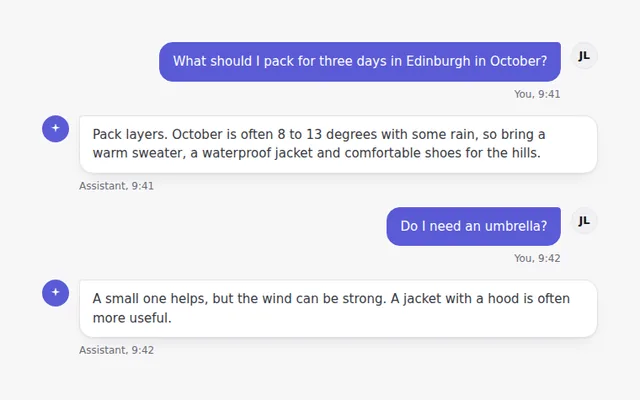
A simple conversation with user and assistant bubbles, avatars and times. The user sits on the right in the brand color.
Formatted Answer
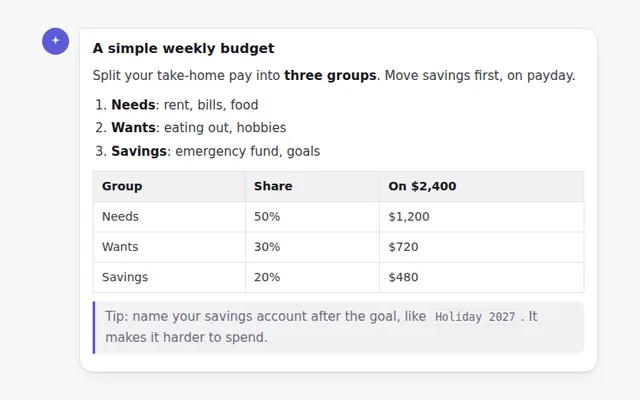
A styled answer with headings, lists, bold text, inline code, a quote and a table, ready for text your AI returns as Markdown.
Code Block with Copy Button
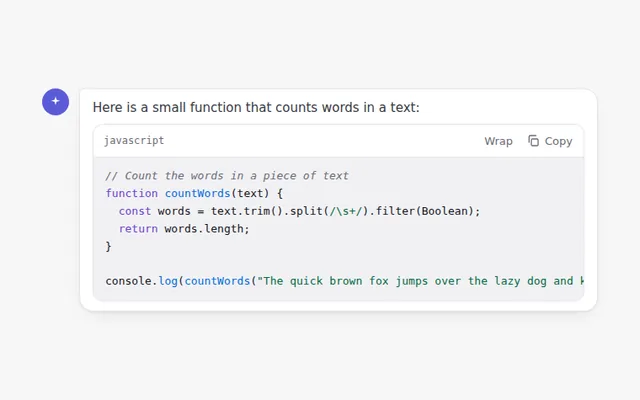
A code block with a language label, a copy button that confirms when done, and a button to wrap long lines.
Answer Versions
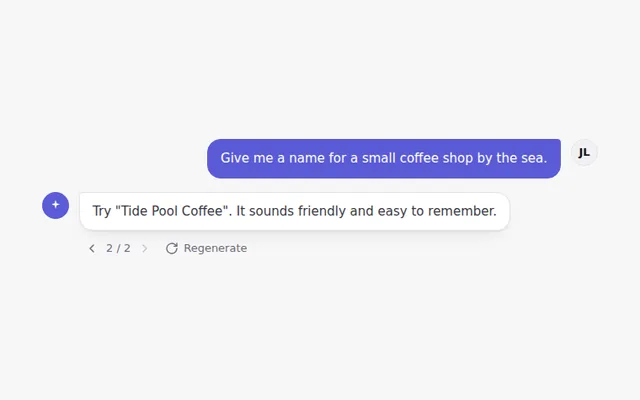
Regenerate an answer and move between versions with small arrows showing 1 of 3, like popular chat apps do.
Inline Citations
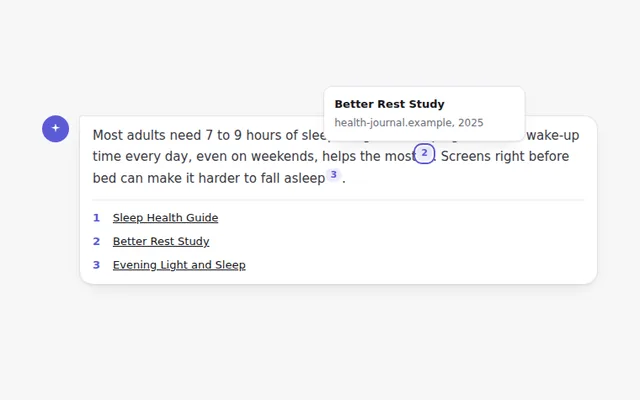
Numbered source markers inside an answer. Hover or focus a number to see the source, and find the full list below.
Editable User Message
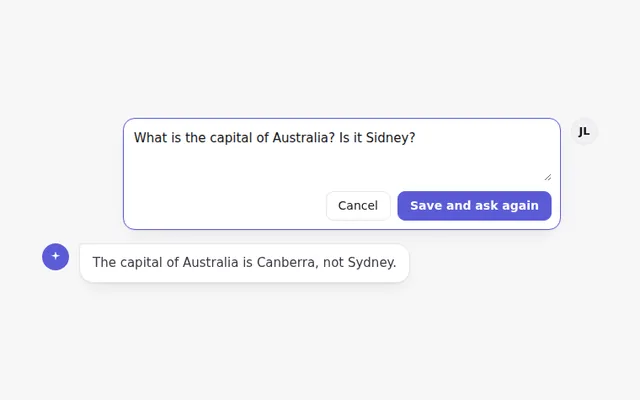
An edit button on the user message turns it into a text box with Save and Cancel, so people can fix a question and ask again.