100Free HTML Templates
All templates / AI & SaaS
FreeMIT license, no sign up

Free ai & saas website templates

Landing pages for AI tools, software products and mobile apps. Each one has pricing, FAQ and signup sections ready to go, so you can launch your product page in an afternoon.

  • 10templates
  • 1HTML file each
  • MITlicense

10 free ai & saas templates

Click a template to see the live demo, or download it straight away.
All 100 templates
Mira, free ai chatbot website template
AI Chatbot

Mira

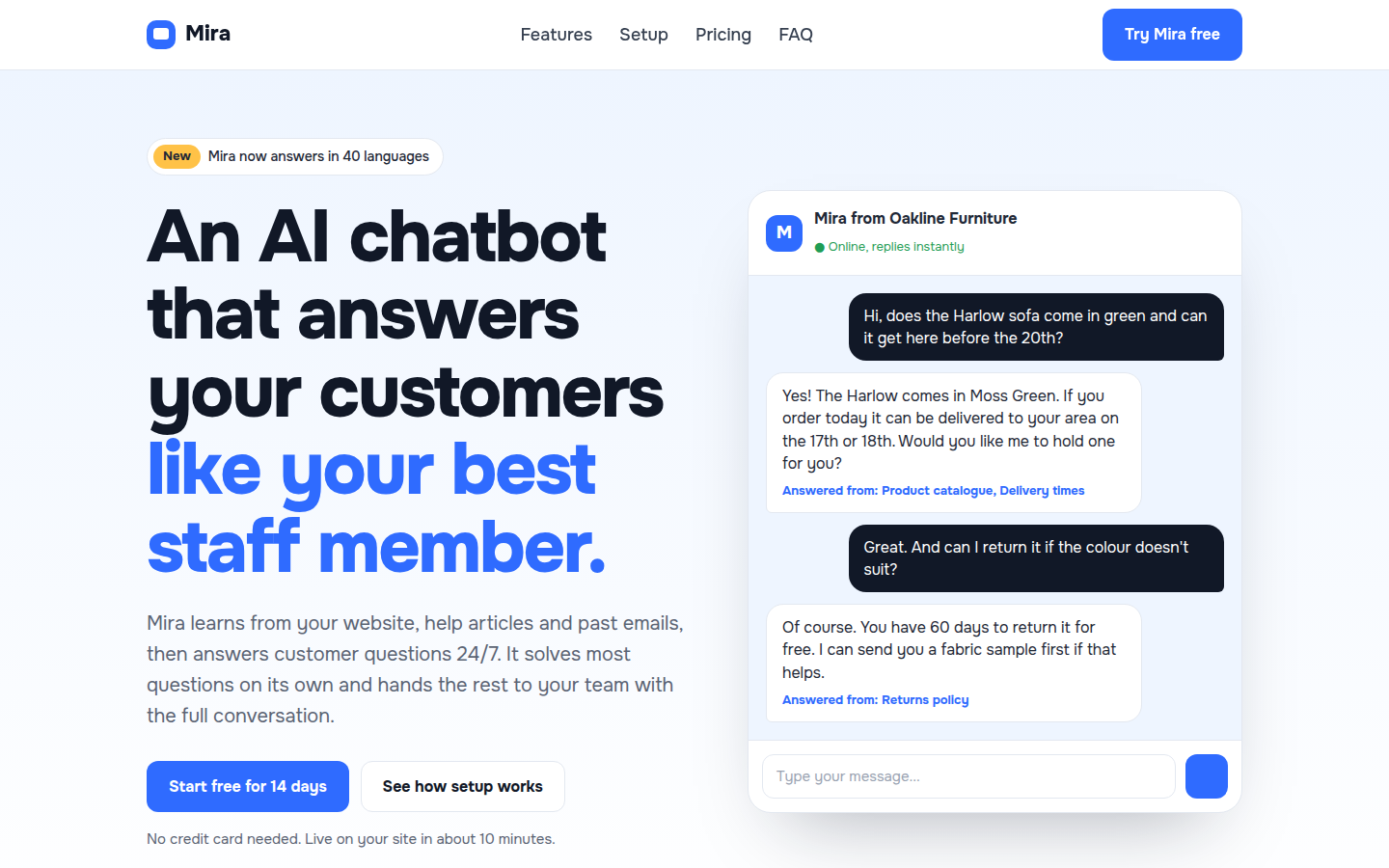
A bright, friendly landing page for an AI chatbot or AI tool. The hero shows a live chat demo, followed by features, 3-step setup with install code, integrations, use cases, pricing, data safety and FAQ.

Onest
Relay, free saas product website template
SaaS Product

Relay

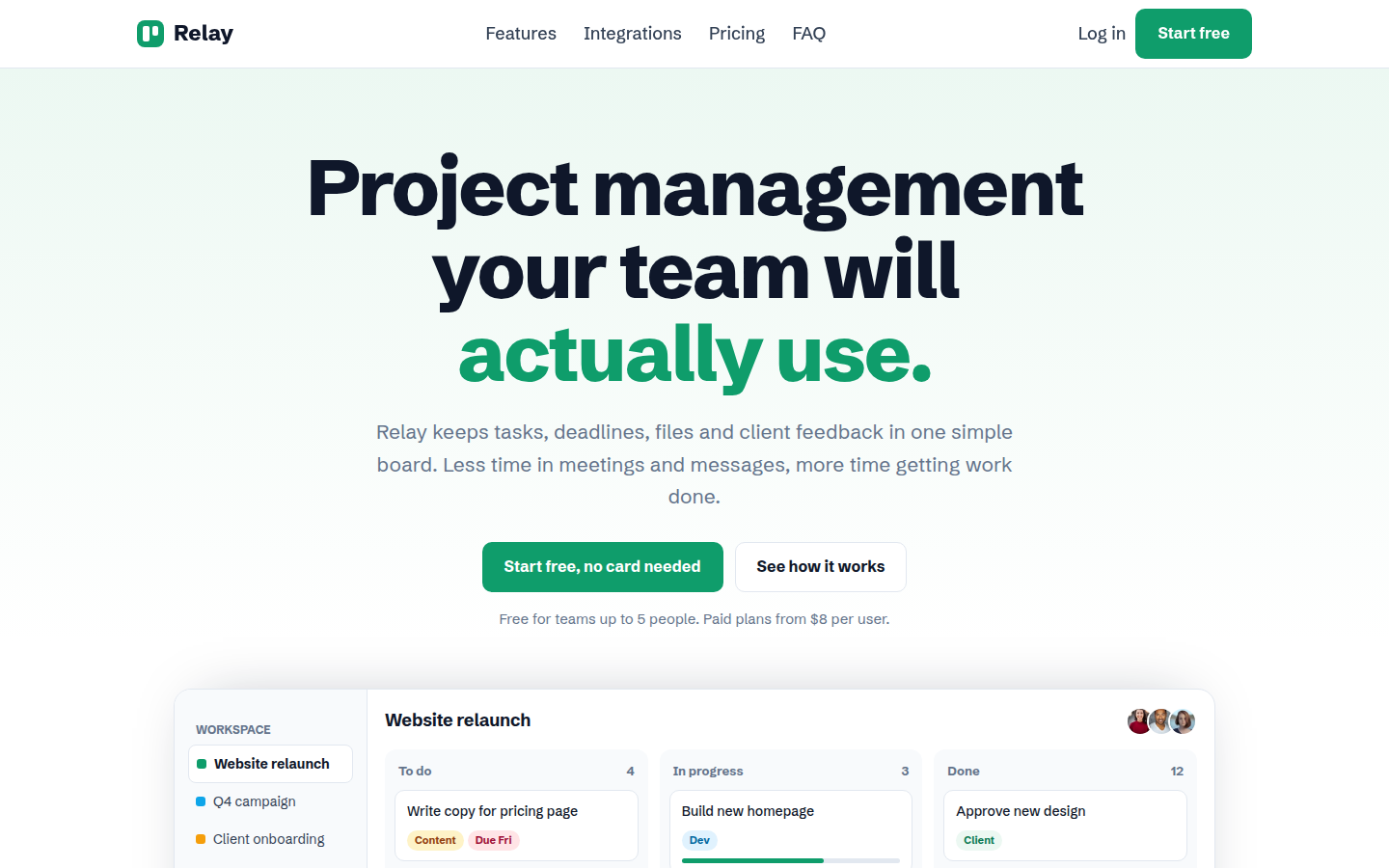
A clean, green landing page for a software product. It has a full app preview built in HTML, feature sections with images, integrations, pricing with a monthly and yearly switch, a comparison table and FAQ.

Schibsted Grotesk
Habitly, free mobile app website template
Mobile App

Habitly

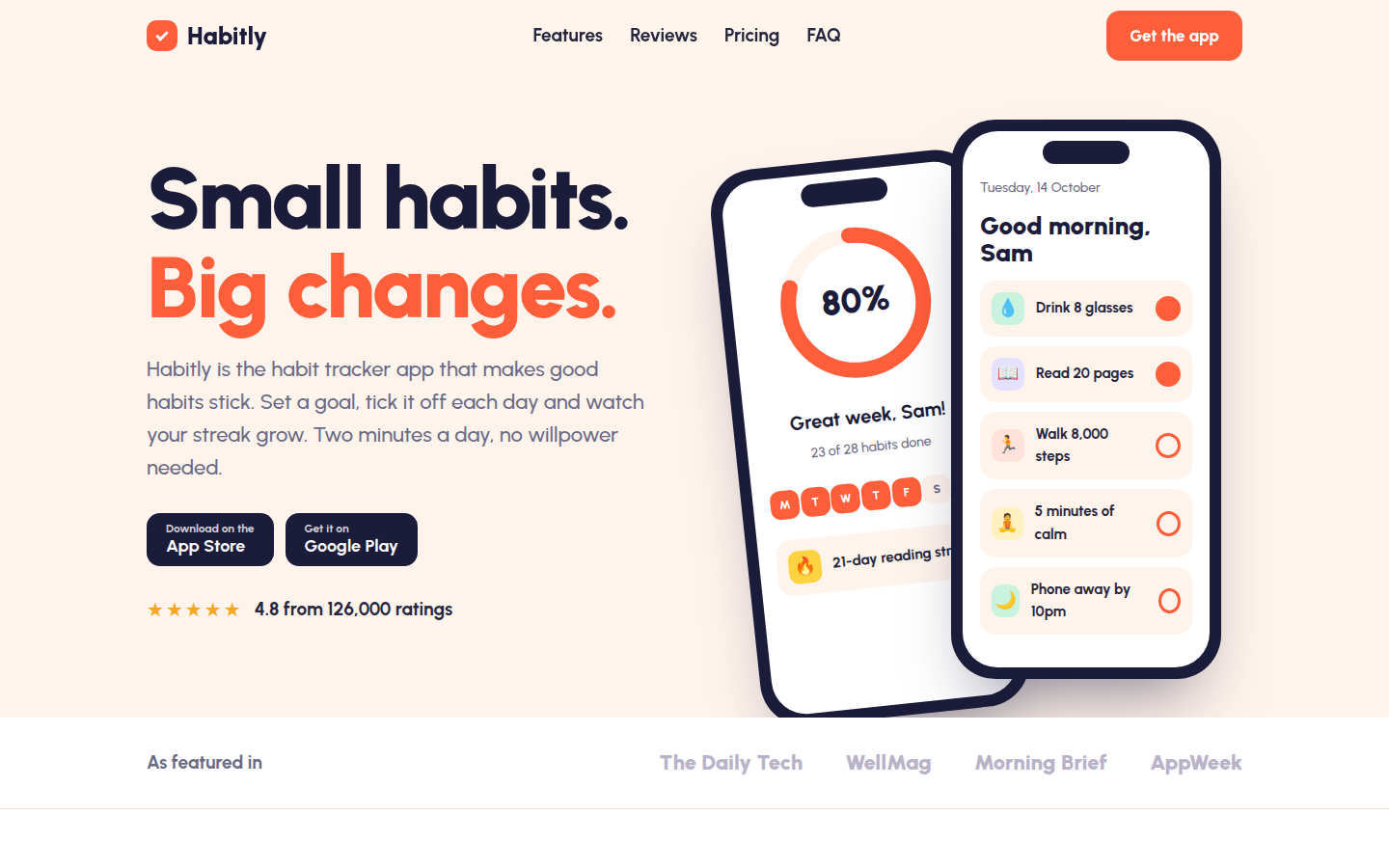
A cheerful landing page for a mobile app. Two phone mockups built in HTML show real app screens, with app store buttons, features, reviews, free and premium plans, FAQ and a QR code download box.

Urbanist
Prismo, free ai image generator website template
AI Image Generator

Prismo

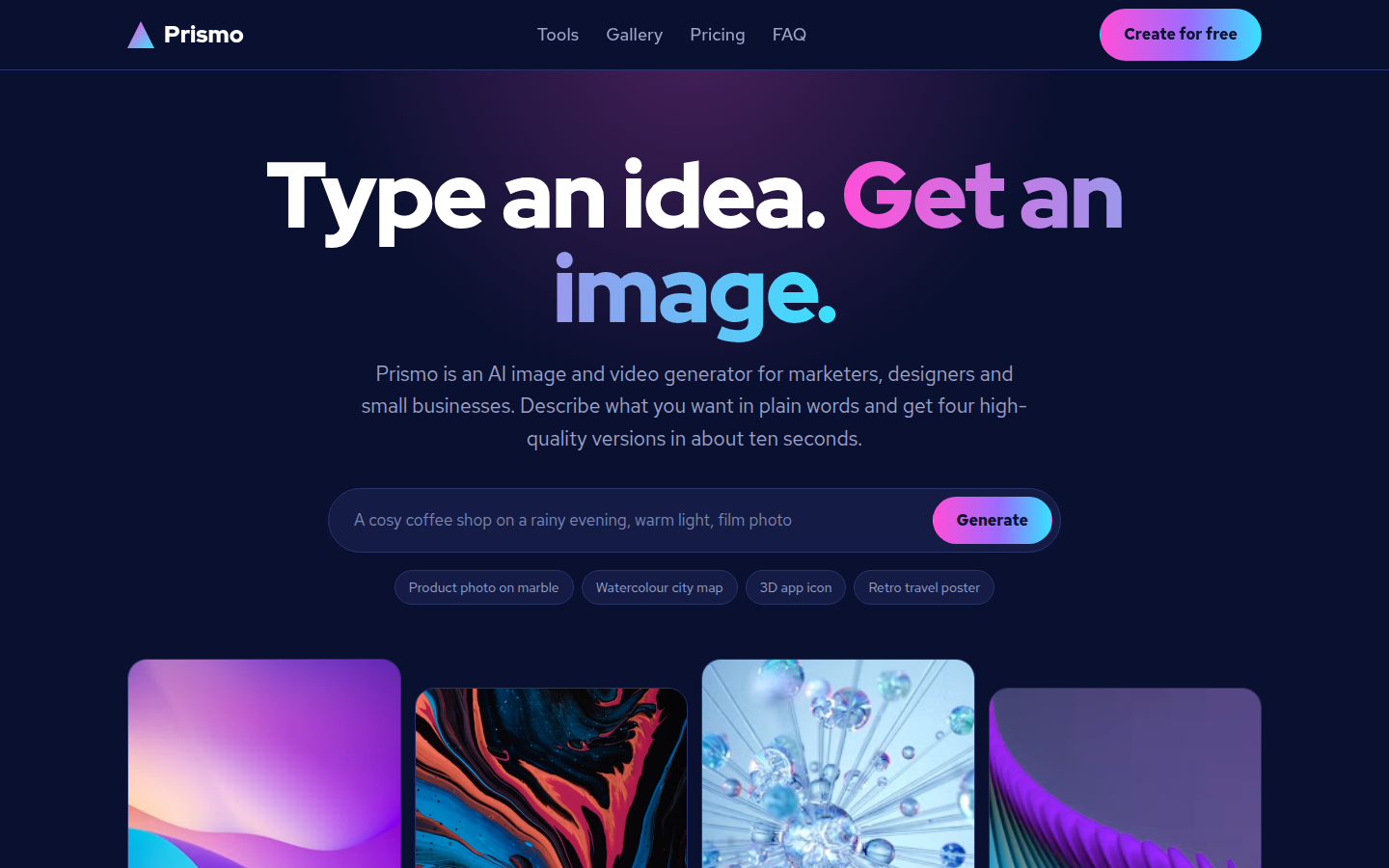
A dark, colourful landing page for an AI image or video generator. It has a working prompt box with example prompts, a generated image grid, tools, a masonry gallery, credit-based pricing and FAQ.

Red Hat Display + Red Hat Text
Stillday, free productivity app website template
Productivity App

Stillday

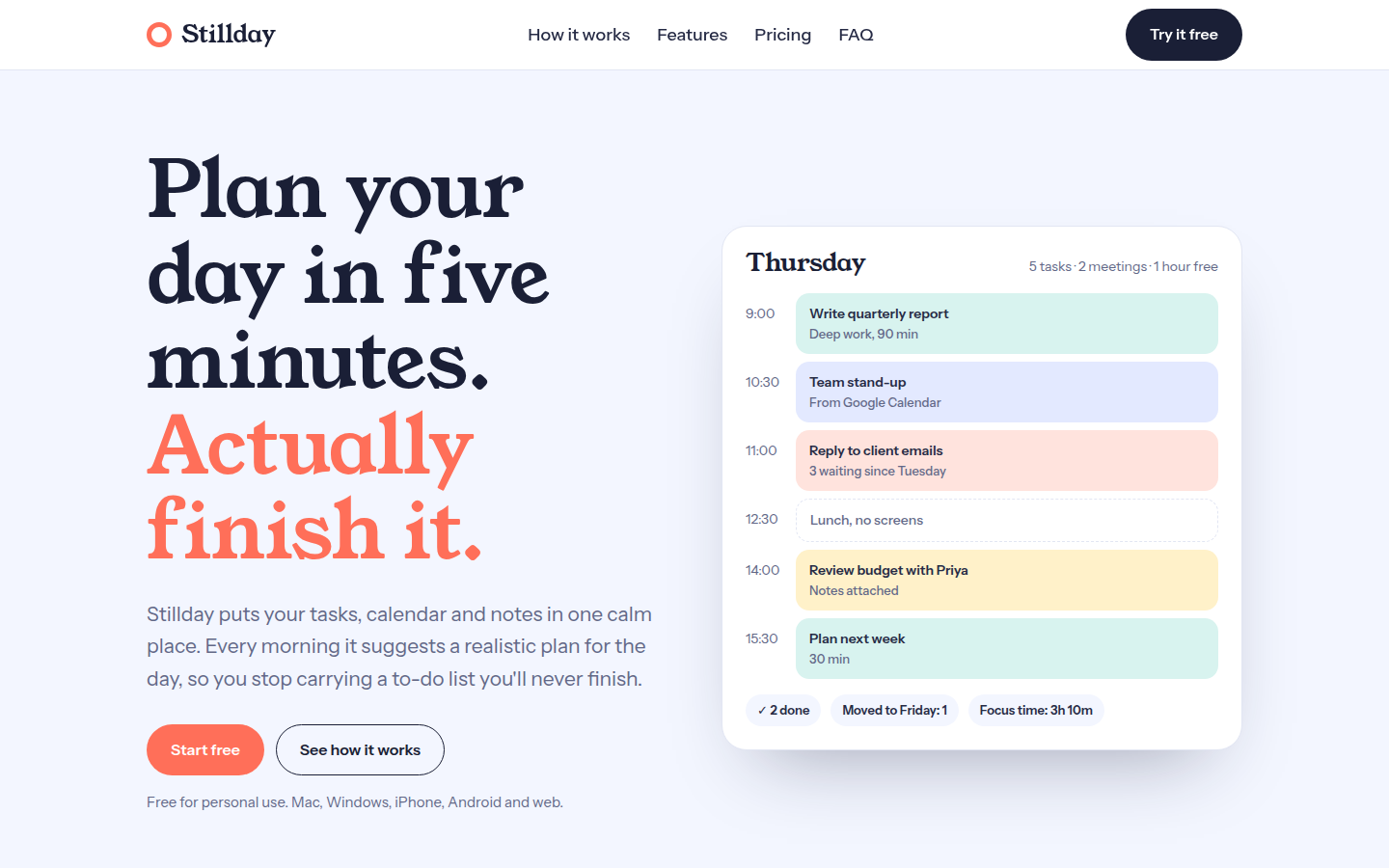
A calm, friendly landing page for a planner, to-do or notes app. The hero shows a full day plan built in HTML, with a 3-step method, feature sections, results, reviews, pricing and FAQ.

Young Serif + Instrument Sans
Sendwell, free developer tool and api website template
Developer Tool and API

Sendwell

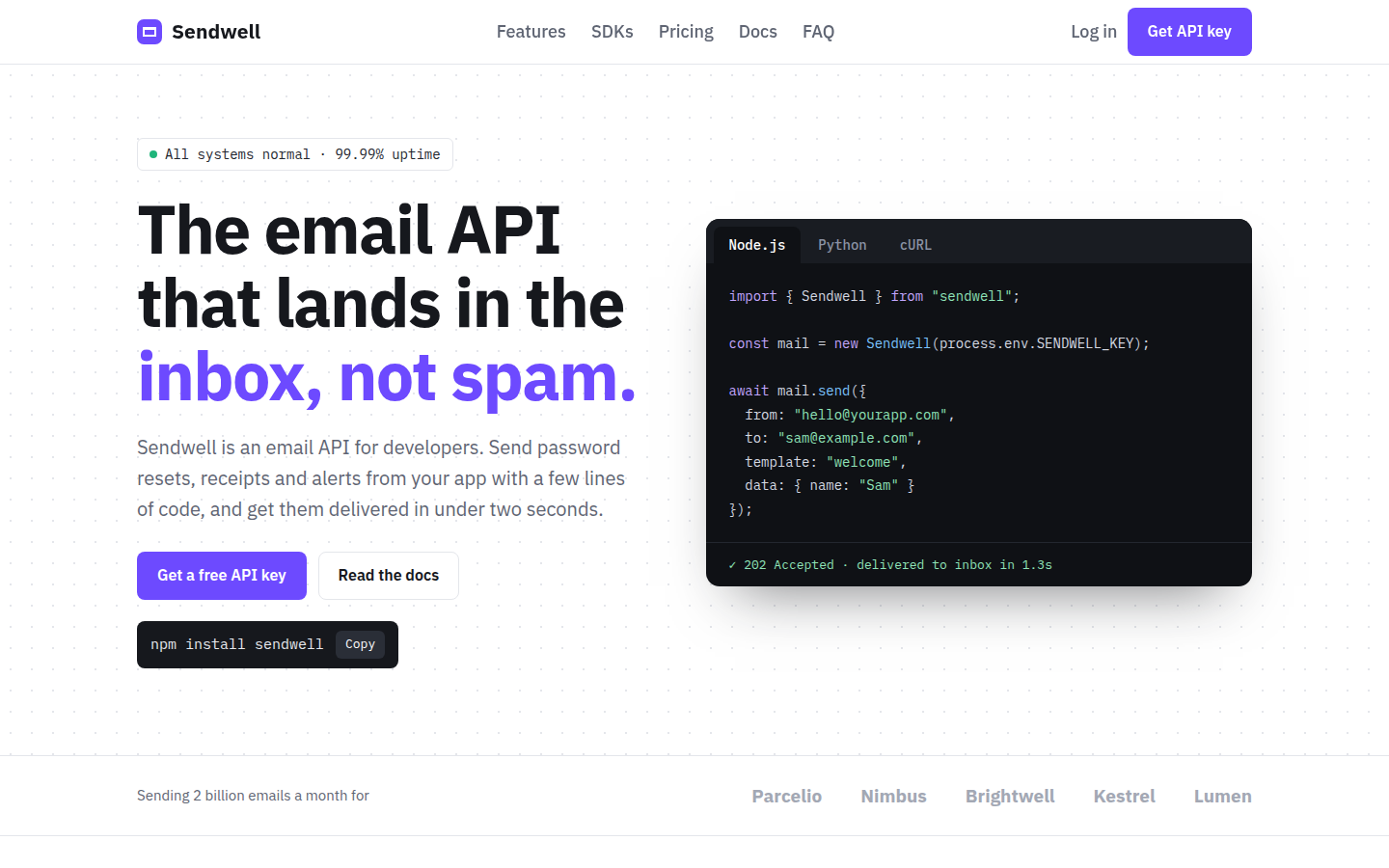
A clean landing page for an API or developer tool. It has code examples with working Node.js, Python and cURL tabs, a copy-to-clipboard install command, uptime bars, SDK list, usage pricing and FAQ.

IBM Plex Sans + IBM Plex Mono
Bastion, free cyber security website template
Cyber Security

Bastion

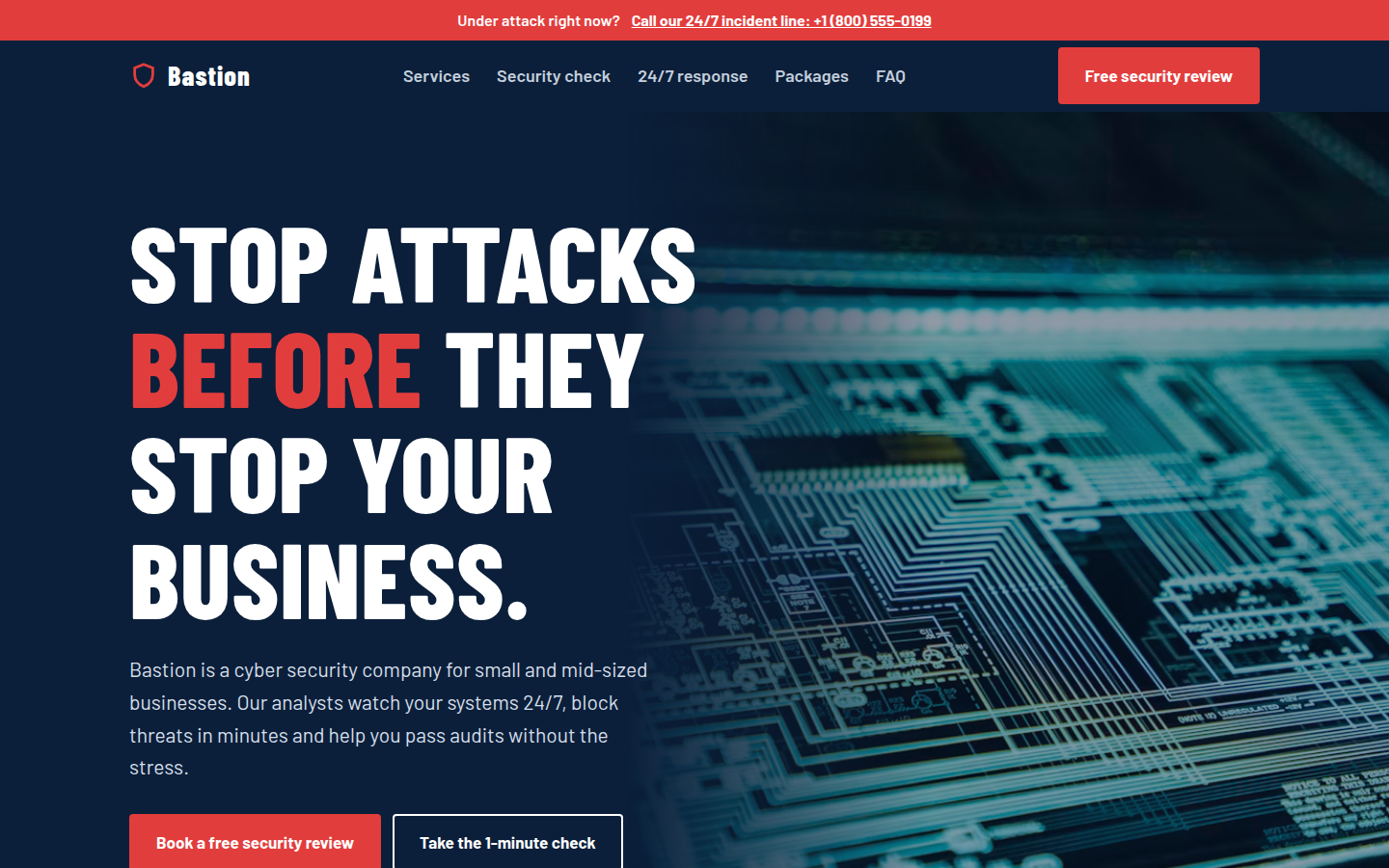
A strong, serious website for a cyber security company. It has an emergency hotline bar, threat numbers, services, a working 1-minute security self-check with score, incident timeline, packages and FAQ.

Barlow Condensed + Barlow
Nimbus Cloud, free cloud hosting website template
Cloud Hosting

Nimbus Cloud

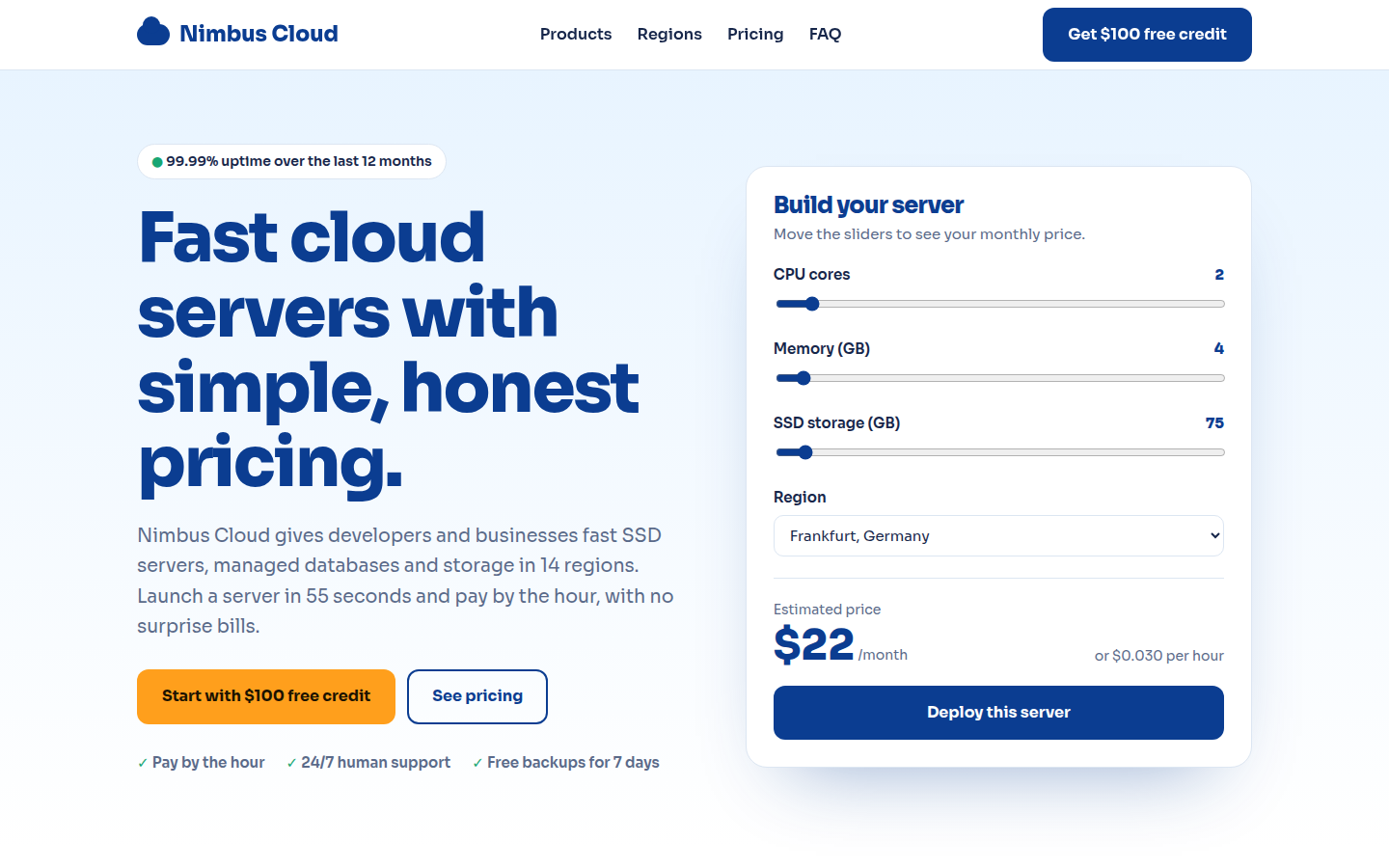
A bright landing page for a cloud hosting or VPS company. The hero has a working server price calculator with sliders, followed by products, data centre regions, server plans, reviews and FAQ.

Sora
Tabnook, free chrome extension website template
Chrome Extension

Tabnook

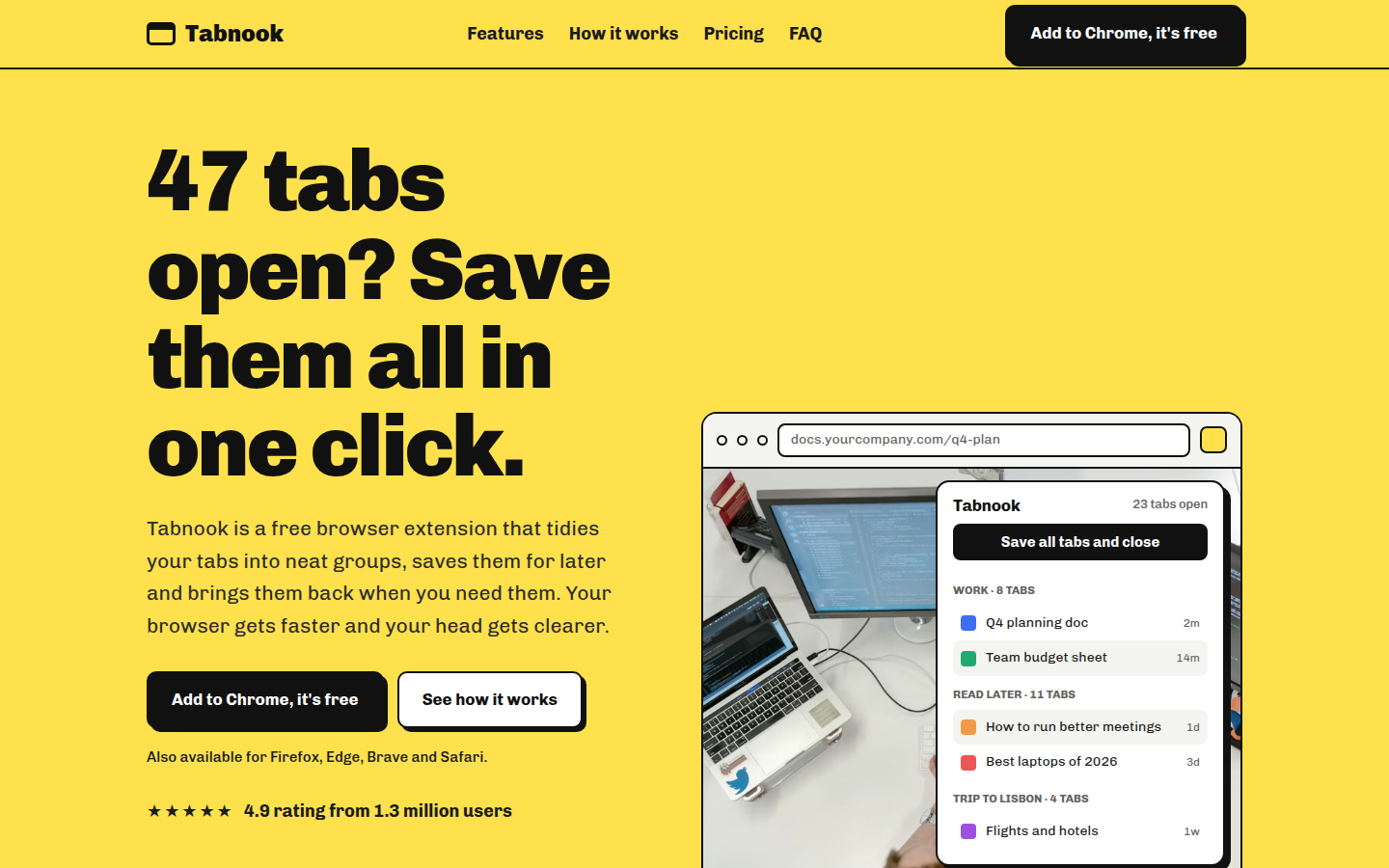
A bold, playful landing page for a browser extension. A browser window built in HTML shows the extension popup, with features, a before and after comparison, install steps, reviews, plans and FAQ.

Chivo
The Sunday Sum, free newsletter and waitlist website template
Newsletter and Waitlist

The Sunday Sum

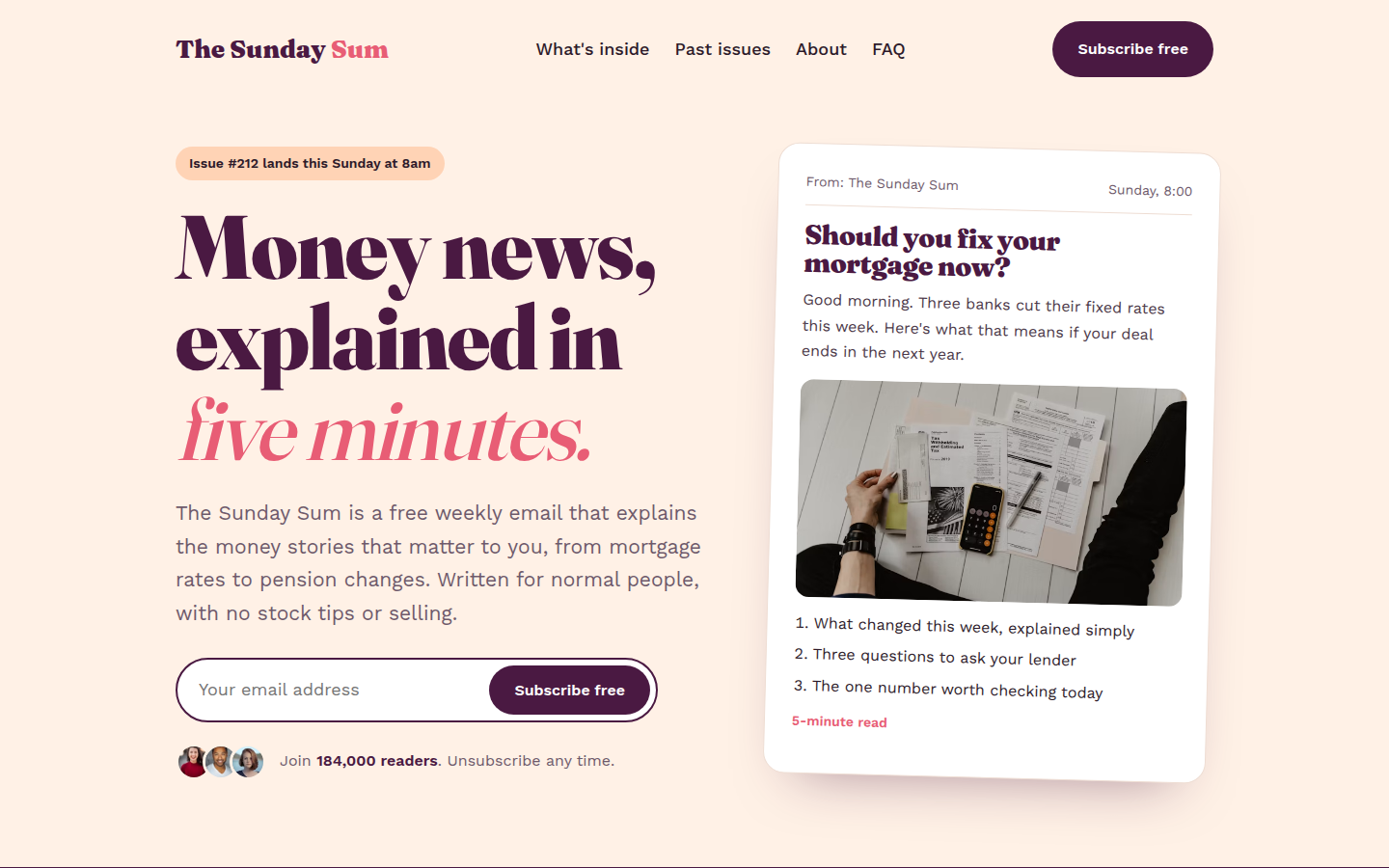
A warm, readable landing page for an email newsletter or product waitlist. It has a signup box, a sample issue preview, reader numbers, past issues, an author section, referral rewards and FAQ.

Fraunces + Work Sans

How to use a template

Three steps, no special software.

1Download

Pick a template, open the live demo and click Download. You get one HTML file.

2Edit

Open the file in any text editor and change the words, colours and photos to match your business.

3Publish

Upload the file to GitHub Pages, Netlify or your own web host. Your site is live.

Questions people ask

Are these HTML templates really free?

Yes. Every template is free for personal and commercial use under the MIT license. You don't need to sign up, pay or add a credit link.

Do I need to know coding to use them?

No. Basic editing is enough. Open the index.html file in a text editor such as VS Code or Notepad, change the words, phone numbers and image links, then save the file.

How do I put a template online for free?

Upload the index.html file to GitHub Pages, Netlify or Cloudflare Pages. All three have free plans and take about ten minutes to set up.

Can I use a template for a client's website?

Yes. The MIT license lets you use, change and sell websites built with these templates, including work you do for clients.

Are the templates good for SEO?

Yes. Each template has a page title and description, social sharing tags, schema markup, alt text on every image and a clear heading order, so Google can read and rank the page.

Will the templates work on mobile phones?

Yes. Every template adjusts to phones, tablets and desktop screens, and has been checked at common screen sizes.