Assistant Persona Cards
Cards for different assistant roles, like tutor, editor or coach. Picking one changes how the assistant greets you.
One HTML file with the CSS and JavaScript inside. No library needed. MIT license.
How to use it
- Click Copy the code, or download the file.
- Paste the CSS into your stylesheet, the HTML where you want the component, and the script before the closing body tag.
- Change
--accentat the top of the CSS to your brand color, then connect the events to your AI service.
What you get
- Works in light and dark mode automatically
- Keyboard friendly, with labels for screen readers
- Fits phones, tablets and desktops
- Respects the reduced motion setting
- No framework, so it works with any stack
The code
<!DOCTYPE html>
<!--
  Assistant Persona Cards: a free AI UI component
  From 100 Free AI UI Components by MM Rahman Bappi, MIT license
  https://mmrahmanbappi.github.io/100-free-ai-ui-components/

  How to use: copy the CSS, HTML and JavaScript below into your page.
  Colors are CSS variables at the top. Change --accent to match your brand.
  Light and dark themes follow the visitor's system setting, or set
  data-theme="dark" or data-theme="light" on the html element.
-->
<html lang="en">
<head>
<meta charset="UTF-8">
<meta name="viewport" content="width=device-width, initial-scale=1">
<title>Assistant Persona Cards | Free AI UI Component</title>
<meta name="description" content="Cards for different assistant roles, like tutor, editor or coach. Picking one changes how the assistant greets you.">
<meta name="robots" content="noindex, follow">
<style>
:root{
  --accent:#5b5bd6; --accent-ink:#fff; --accent-soft:#ececfc;
  --bg:#f7f7f8; --surface:#fff; --surface-2:#f1f1f4; --ink:#17171c; --text:#3a3a44; --muted:#6c6c78;
  --line:#e3e3e8; --good:#15803d; --warn:#b45309; --bad:#c62828;
  --radius:14px; --shadow:0 1px 2px rgba(20,20,30,.06),0 8px 24px -12px rgba(20,20,30,.18);
  --font:system-ui,-apple-system,"Segoe UI",Roboto,Ubuntu,sans-serif; --mono:ui-monospace,"Cascadia Code",Menlo,Consolas,monospace;
}
@media (prefers-color-scheme:dark){:root:not([data-theme=light]){
  --accent:#8b8bff; --accent-ink:#0f0f16; --accent-soft:#25254a;
  --bg:#0f0f13; --surface:#18181f; --surface-2:#212129; --ink:#f3f3f6; --text:#d4d4dc; --muted:#9a9aa8;
  --line:#2c2c36; --good:#4ade80; --warn:#fbbf24; --bad:#f87171; --shadow:0 1px 2px rgba(0,0,0,.4),0 10px 30px -12px rgba(0,0,0,.6);
}}
:root[data-theme=dark]{
  --accent:#8b8bff; --accent-ink:#0f0f16; --accent-soft:#25254a;
  --bg:#0f0f13; --surface:#18181f; --surface-2:#212129; --ink:#f3f3f6; --text:#d4d4dc; --muted:#9a9aa8;
  --line:#2c2c36; --good:#4ade80; --warn:#fbbf24; --bad:#f87171; --shadow:0 1px 2px rgba(0,0,0,.4),0 10px 30px -12px rgba(0,0,0,.6);
}
*{box-sizing:border-box}
html,body{margin:0}
body{min-height:100vh;display:grid;grid-template-columns:minmax(0,1fr);place-items:center;padding:24px;background:var(--bg);color:var(--text);font:15px/1.5 var(--font);-webkit-font-smoothing:antialiased}
button,input,textarea,select{font:inherit;color:inherit}
:focus-visible{outline:2px solid var(--accent);outline-offset:2px}
[hidden]{display:none!important}
.sr{position:absolute;width:1px;height:1px;overflow:hidden;clip:rect(0 0 0 0);white-space:nowrap}
@media (prefers-reduced-motion:reduce){*,*::before,*::after{animation-duration:.01ms!important;animation-iteration-count:1!important;transition:none!important}}
/* ---- component ---- */
.wrap{width:min(100%,580px);display:flex;flex-direction:column;gap:14px}
.card{background:var(--surface);border:1px solid var(--line);border-radius:var(--radius);box-shadow:var(--shadow);padding:18px 20px}
.card h2{font-size:15.5px;margin:0 0 4px;color:var(--ink)}
.muted{color:var(--muted);font-size:13px}
.num{font-variant-numeric:tabular-nums}
.btn{display:inline-flex;align-items:center;justify-content:center;gap:6px;border:1px solid var(--line);background:var(--surface);color:var(--ink);border-radius:10px;padding:8px 14px;font-size:14px;font-weight:600;cursor:pointer}
.btn:hover{border-color:var(--accent)}.btn.pri{background:var(--accent);border-color:var(--accent);color:var(--accent-ink)}.btn:disabled{opacity:.45;cursor:not-allowed}
.btn.danger{color:var(--bad)}.btn.danger:hover{border-color:var(--bad)}
.tg{width:40px;height:23px;border-radius:99px;background:var(--line);position:relative;flex:none;border:0;cursor:pointer;padding:0;transition:background .15s}
.tg::after{content:"";position:absolute;top:3px;left:3px;width:17px;height:17px;border-radius:50%;background:#fff;transition:left .15s;box-shadow:0 1px 2px rgba(0,0,0,.2)}
.tg[aria-checked=true]{background:var(--accent)}.tg[aria-checked=true]::after{left:20px}
.row{display:flex;justify-content:space-between;align-items:center;gap:14px;padding:12px 0;border-top:1px solid var(--line)}
.row:first-of-type{border-top:0}
.row b{display:block;color:var(--ink);font-size:14px;font-weight:600}.row small{display:block;color:var(--muted);font-size:12.5px;margin-top:1px}
.seg{display:flex;background:var(--surface-2);border-radius:12px;padding:4px;gap:4px}
.seg button{flex:1;border:0;background:none;padding:8px 10px;border-radius:9px;font-size:14px;color:var(--muted);cursor:pointer;font-weight:500}
.seg button[aria-checked=true]{background:var(--surface);color:var(--ink);font-weight:700;box-shadow:0 1px 3px rgba(0,0,0,.12)}
.sample{margin:14px 0 0;padding:12px 14px;border-radius:12px;background:var(--surface-2);font-size:14px;line-height:1.6;color:var(--text);transition:opacity .2s}
.sample small{display:block;color:var(--muted);font-size:12px;margin-bottom:4px}
.wrap{width:min(100%,700px)}
.pg{display:grid;grid-template-columns:repeat(2,1fr);gap:10px;margin-top:14px}
.p{display:flex;gap:12px;align-items:flex-start;text-align:left;border:1.5px solid var(--line);background:var(--surface);border-radius:14px;padding:14px;cursor:pointer}
.p[aria-checked=true]{border-color:var(--accent);background:color-mix(in srgb,var(--accent) 6%,var(--surface))}
.p .a{width:40px;height:40px;border-radius:12px;display:grid;place-items:center;font-weight:800;color:#fff;flex:none}
.p b{display:block;color:var(--ink);font-size:14.5px}.p span{font-size:13px;color:var(--muted);line-height:1.45}
.greet{display:flex;gap:10px;align-items:flex-start;margin-top:14px}
.greet .a{width:30px;height:30px;border-radius:9px;display:grid;place-items:center;color:#fff;font-weight:800;font-size:12px;flex:none}
.greet p{margin:0;background:var(--surface-2);border-radius:4px 14px 14px 14px;padding:10px 13px;font-size:14px}
@media(max-width:560px){.pg{grid-template-columns:1fr}}
</style>
</head>
<body>
<div class="wrap"><div class="card">
  <h2 id="lb">Choose an assistant</h2><p class="muted" style="margin:0">Each one has its own style and focus.</p>
  <div class="pg" role="radiogroup" aria-labelledby="lb" id="g">
    <button class="p" type="button" role="radio" aria-checked="true" data-c="#4f46e5" data-g="Hi! What would you like to learn today? We can go one step at a time."><span class="a" style="background:#4f46e5">T</span><span><b>Tutor</b><span>Explains ideas slowly with examples.</span></span></button>
    <button class="p" type="button" role="radio" aria-checked="false" data-c="#0f766e" data-g="Paste your text and I will make it clearer and shorter."><span class="a" style="background:#0f766e">E</span><span><b>Editor</b><span>Tightens writing and fixes grammar.</span></span></button>
    <button class="p" type="button" role="radio" aria-checked="false" data-c="#c2410c" data-g="What goal are you working on this week? Let us make a simple plan."><span class="a" style="background:#c2410c">C</span><span><b>Coach</b><span>Helps you set goals and keep going.</span></span></button>
    <button class="p" type="button" role="radio" aria-checked="false" data-c="#1d4ed8" data-g="Share your numbers and I will find the trends that matter."><span class="a" style="background:#1d4ed8">A</span><span><b>Analyst</b><span>Reads data and explains what it means.</span></span></button>
  </div>
  <div class="greet" aria-live="polite"><span class="a" id="ga" aria-hidden="true"></span><p id="gp"></p></div>
</div></div>
<script>
// Demo helper: add ?theme=dark or ?theme=light to the address to preview a theme.
(function(){var t=new URLSearchParams(location.search).get('theme');if(t)document.documentElement.dataset.theme=t;})();
function radioGroup(group,onPick){var items=[].slice.call(group.querySelectorAll('[role=radio]'));
  function pick(it,focus){items.forEach(function(x){var on=x===it;x.setAttribute('aria-checked',on);x.tabIndex=on?0:-1;});if(focus)it.focus();onPick(it);}
  items.forEach(function(it,i){it.addEventListener('click',function(){pick(it,false);});
    it.addEventListener('keydown',function(e){var n=null;if(e.key==='ArrowRight'||e.key==='ArrowDown')n=items[(i+1)%items.length];if(e.key==='ArrowLeft'||e.key==='ArrowUp')n=items[(i-1+items.length)%items.length];
      if(n){e.preventDefault();pick(n,true);}});});
  pick(items.filter(function(x){return x.getAttribute('aria-checked')==='true';})[0]||items[0],false);}
var ga=document.getElementById('ga'),gp=document.getElementById('gp');
radioGroup(document.getElementById('g'),function(it){ga.style.background=it.dataset.c;ga.textContent=it.querySelector('.a').textContent;gp.textContent=it.dataset.g;});
</script>
</body>
</html>
More model and settings components
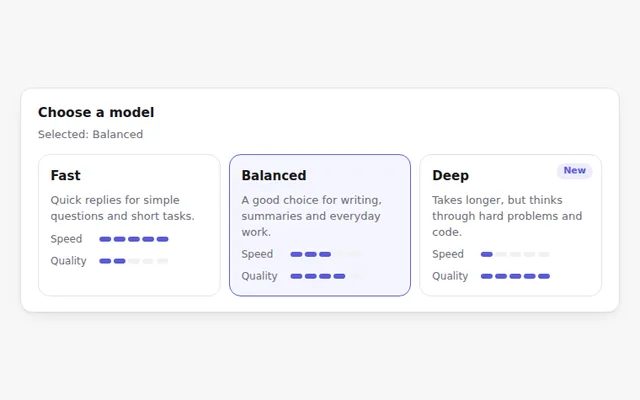
Model Selection Cards
Choose a model from cards that compare speed and quality with small meters. Works with arrow keys like a radio group.
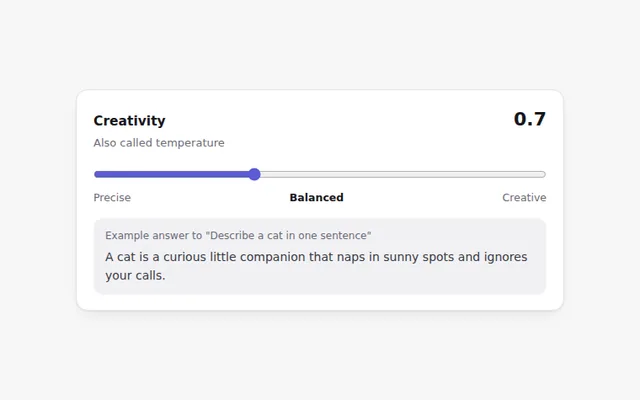
Creativity Slider
A slider for the model temperature with plain labels from Precise to Creative, a live value, and a sample line that shows the effect.
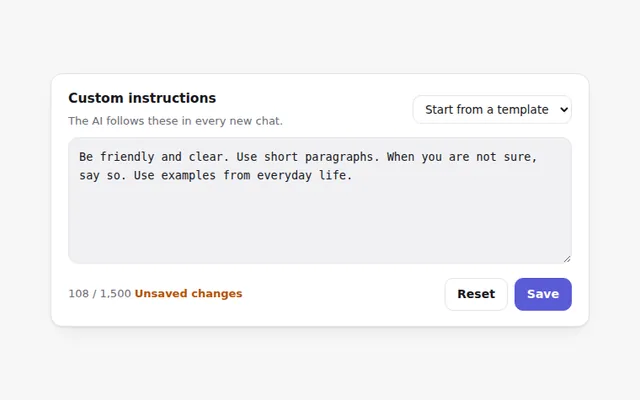
System Prompt Editor
Edit the instructions the AI follows in every chat. Includes ready-made starters, a character count, and Save only when something changed.
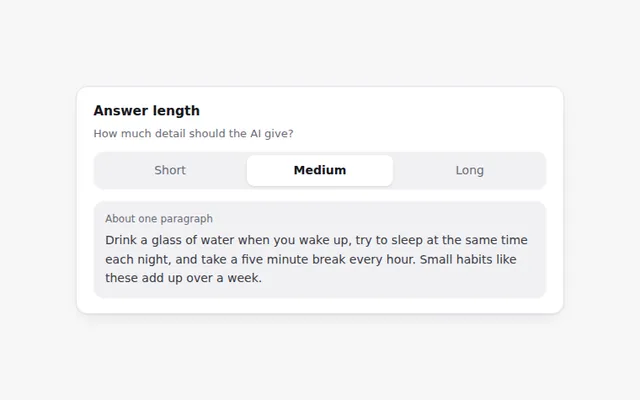
Answer Length Control
A three-way switch for short, medium or long answers, with a preview that shows how much text each choice gives.
Tone Selector
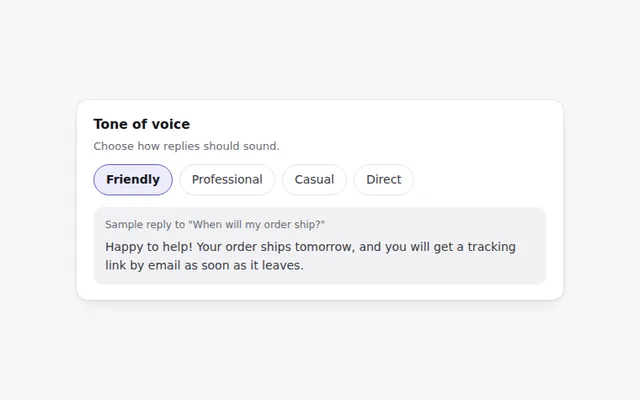
Pick how the AI should sound: friendly, professional, casual or direct. A sample reply updates so people can hear the difference.
Feature Toggles
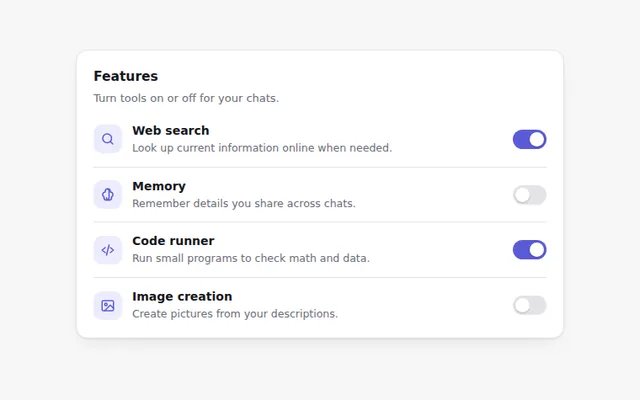
A settings list of switches for AI features like web search, memory and code running, each with a short explanation.