Page Drop Zone with Upload Progress
Drag files anywhere on the page to show a full screen drop area. Each file then uploads with its own progress bar and a cancel button.
One HTML file with the CSS and JavaScript inside. No library needed. MIT license.
How to use it
- Click Copy the code, or download the file.
- Paste the CSS into your stylesheet, the HTML where you want the component, and the script before the closing body tag.
- Change
--accentat the top of the CSS to your brand color, then connect the events to your AI service.
What you get
- Works in light and dark mode automatically
- Keyboard friendly, with labels for screen readers
- Fits phones, tablets and desktops
- Respects the reduced motion setting
- No framework, so it works with any stack
The code
<!DOCTYPE html>
<!--
  Page Drop Zone with Upload Progress: a free AI UI component
  From 100 Free AI UI Components by MM Rahman Bappi, MIT license
  https://mmrahmanbappi.github.io/100-free-ai-ui-components/

  How to use: copy the CSS, HTML and JavaScript below into your page.
  Colors are CSS variables at the top. Change --accent to match your brand.
  Light and dark themes follow the visitor's system setting, or set
  data-theme="dark" or data-theme="light" on the html element.
-->
<html lang="en">
<head>
<meta charset="UTF-8">
<meta name="viewport" content="width=device-width, initial-scale=1">
<title>Page Drop Zone with Upload Progress | Free AI UI Component</title>
<meta name="description" content="Drag files anywhere on the page to show a full screen drop area. Each file then uploads with its own progress bar and a cancel button.">
<meta name="robots" content="noindex, follow">
<style>
:root{
  --accent:#5b5bd6; --accent-ink:#fff; --accent-soft:#ececfc;
  --bg:#f7f7f8; --surface:#fff; --surface-2:#f1f1f4; --ink:#17171c; --text:#3a3a44; --muted:#6c6c78;
  --line:#e3e3e8; --good:#15803d; --warn:#b45309; --bad:#c62828;
  --radius:14px; --shadow:0 1px 2px rgba(20,20,30,.06),0 8px 24px -12px rgba(20,20,30,.18);
  --font:system-ui,-apple-system,"Segoe UI",Roboto,Ubuntu,sans-serif; --mono:ui-monospace,"Cascadia Code",Menlo,Consolas,monospace;
}
@media (prefers-color-scheme:dark){:root:not([data-theme=light]){
  --accent:#8b8bff; --accent-ink:#0f0f16; --accent-soft:#25254a;
  --bg:#0f0f13; --surface:#18181f; --surface-2:#212129; --ink:#f3f3f6; --text:#d4d4dc; --muted:#9a9aa8;
  --line:#2c2c36; --good:#4ade80; --warn:#fbbf24; --bad:#f87171; --shadow:0 1px 2px rgba(0,0,0,.4),0 10px 30px -12px rgba(0,0,0,.6);
}}
:root[data-theme=dark]{
  --accent:#8b8bff; --accent-ink:#0f0f16; --accent-soft:#25254a;
  --bg:#0f0f13; --surface:#18181f; --surface-2:#212129; --ink:#f3f3f6; --text:#d4d4dc; --muted:#9a9aa8;
  --line:#2c2c36; --good:#4ade80; --warn:#fbbf24; --bad:#f87171; --shadow:0 1px 2px rgba(0,0,0,.4),0 10px 30px -12px rgba(0,0,0,.6);
}
*{box-sizing:border-box}
html,body{margin:0}
body{min-height:100vh;display:grid;grid-template-columns:minmax(0,1fr);place-items:center;padding:24px;background:var(--bg);color:var(--text);font:15px/1.5 var(--font);-webkit-font-smoothing:antialiased}
button,input,textarea,select{font:inherit;color:inherit}
:focus-visible{outline:2px solid var(--accent);outline-offset:2px}
[hidden]{display:none!important}
.sr{position:absolute;width:1px;height:1px;overflow:hidden;clip:rect(0 0 0 0);white-space:nowrap}
@media (prefers-reduced-motion:reduce){*,*::before,*::after{animation-duration:.01ms!important;animation-iteration-count:1!important;transition:none!important}}
/* ---- component ---- */
.wrap{width:min(100%,560px);display:flex;flex-direction:column;gap:14px}
.card{background:var(--surface);border:1px solid var(--line);border-radius:var(--radius);box-shadow:var(--shadow);padding:18px 20px}
.card h2{font-size:15.5px;margin:0 0 4px;color:var(--ink)}
.muted{color:var(--muted);font-size:13px}
.num{font-variant-numeric:tabular-nums}
.btn{display:inline-flex;align-items:center;justify-content:center;gap:6px;border:1px solid var(--line);background:var(--surface);color:var(--ink);border-radius:10px;padding:8px 14px;font-size:14px;font-weight:600;cursor:pointer}
.btn:hover{border-color:var(--accent)}.btn.pri{background:var(--accent);border-color:var(--accent);color:var(--accent-ink)}.btn:disabled{opacity:.45;cursor:not-allowed}
.btn.sm{padding:5px 10px;font-size:13px;border-radius:8px}
.note{font-size:13px;padding:9px 12px;border-radius:10px;background:var(--surface-2);color:var(--text)}
.note.warn{background:color-mix(in srgb,var(--warn) 10%,var(--surface));border:1px solid color-mix(in srgb,var(--warn) 35%,var(--line))}
.ov{position:fixed;inset:0;background:color-mix(in srgb,var(--accent) 18%,rgba(0,0,0,.35));backdrop-filter:blur(2px);display:grid;place-items:center;z-index:9;pointer-events:none}
.ov div{background:var(--surface);border:2px dashed var(--accent);border-radius:20px;padding:34px 44px;text-align:center;color:var(--ink);font-weight:700;font-size:18px}
.ov svg{color:var(--accent);display:block;margin:0 auto 8px}
ul.up{list-style:none;margin:14px 0 0;padding:0;display:flex;flex-direction:column;gap:8px}
ul.up li{display:grid;grid-template-columns:1fr auto auto;gap:4px 10px;align-items:center;border:1px solid var(--line);border-radius:10px;padding:9px 12px}
ul.up b{font-size:14px;color:var(--ink);overflow:hidden;text-overflow:ellipsis;white-space:nowrap;min-width:0}
.bar{grid-column:1/-1;height:6px;border-radius:99px;background:var(--surface-2);overflow:hidden}.bar i{display:block;height:100%;background:var(--accent);transition:width .2s}
li.done .bar i{background:var(--good)}li.cancel{opacity:.55}
.empty{border:1px dashed var(--line);border-radius:12px;padding:18px;text-align:center;font-size:14px;color:var(--muted);margin-top:14px}
</style>
</head>
<body>
<div class="wrap"><div class="card">
  <h2>Files for this chat</h2><p class="muted" style="margin:0">Drag files anywhere on this page, or <label style="color:var(--accent);font-weight:600;cursor:pointer">browse<input id="inp" type="file" multiple hidden></label>.</p>
  <div class="empty" id="empty">No files yet</div><ul class="up" id="up" aria-label="Uploads"></ul>
  <button class="btn sm" type="button" id="demo" style="margin-top:12px">Add sample files</button>
</div></div>
<div class="ov" id="ov" hidden><div><svg viewBox="0 0 24 24" width="26" height="26" fill="none" stroke="currentColor" stroke-width="2" stroke-linecap="round" stroke-linejoin="round" aria-hidden="true"><path d="M12 16V4M6 10l6-6 6 6M4 20h16"/></svg>Drop files to add them to the chat</div></div>
<script>
// Demo helper: add ?theme=dark or ?theme=light to the address to preview a theme.
(function(){var t=new URLSearchParams(location.search).get('theme');if(t)document.documentElement.dataset.theme=t;})();
var up=document.getElementById('up'),ov=document.getElementById('ov'),empty=document.getElementById('empty'),depth=0;
function size(b){return b<1048576?Math.max(1,Math.round(b/1024))+' KB':(b/1048576).toFixed(1)+' MB';}
// Replace this with your real upload (for example fetch with progress). Here progress is simulated.
function upload(name,bytes){empty.hidden=true;var li=document.createElement('li'),p=0,t;li.innerHTML='<b></b><span class="muted num"></span><div class="bar" role="progressbar" aria-valuemin="0" aria-valuemax="100"><i></i></div>';
  li.querySelector('b').textContent=name;var info=li.querySelector('span'),bar=li.querySelector('.bar'),fill=li.querySelector('i'),c=document.createElement('button');c.className='btn sm';c.type='button';c.textContent='Cancel';c.setAttribute('aria-label','Cancel '+name);
  info.after(c);bar.setAttribute('aria-label',name+' upload');
  function show(){fill.style.width=p+'%';bar.setAttribute('aria-valuenow',Math.round(p));info.textContent=Math.round(p)+'% of '+size(bytes);}
  t=setInterval(function(){p=Math.min(100,p+6+Math.random()*14);show();if(p>=100){clearInterval(t);li.className='done';info.textContent='Uploaded, '+size(bytes);c.remove();}},250);
  c.onclick=function(){clearInterval(t);li.className='cancel';info.textContent='Cancelled';c.remove();};up.appendChild(li);show();}
function addFiles(list){[].forEach.call(list,function(f){upload(f.name,f.size);});}
window.addEventListener('dragenter',function(e){if(![].slice.call(e.dataTransfer.types).includes('Files'))return;depth++;ov.hidden=false;});
window.addEventListener('dragleave',function(){depth=Math.max(0,depth-1);if(!depth)ov.hidden=true;});
window.addEventListener('dragover',function(e){e.preventDefault();});
window.addEventListener('drop',function(e){e.preventDefault();depth=0;ov.hidden=true;addFiles(e.dataTransfer.files);});
document.getElementById('inp').addEventListener('change',function(e){addFiles(e.target.files);e.target.value='';});
document.getElementById('demo').addEventListener('click',function(){upload('Quarterly report.pdf',2400000);upload('Team photo.jpg',860000);upload('Budget 2026.xlsx',48000);});
</script>
</body>
</html>
More voice and media components
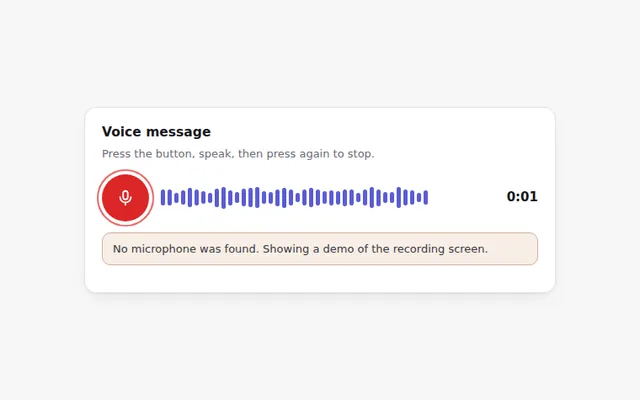
Voice Recorder with Waveform
Record a voice message with live bars that follow your voice. Uses the real microphone when allowed, and explains clearly when it is not.
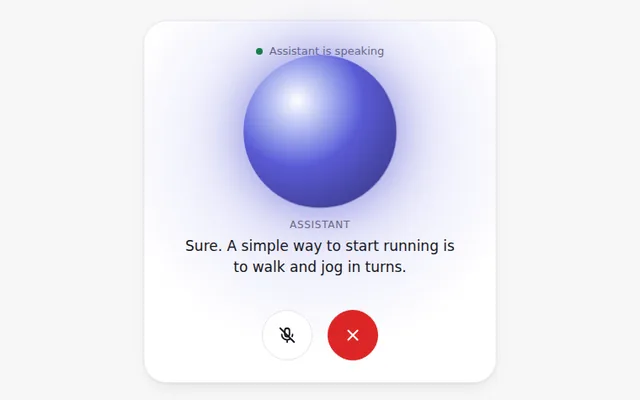
Voice Mode Screen
A full voice conversation screen with a glowing circle that reacts while the AI speaks, live captions, and mute and end buttons.
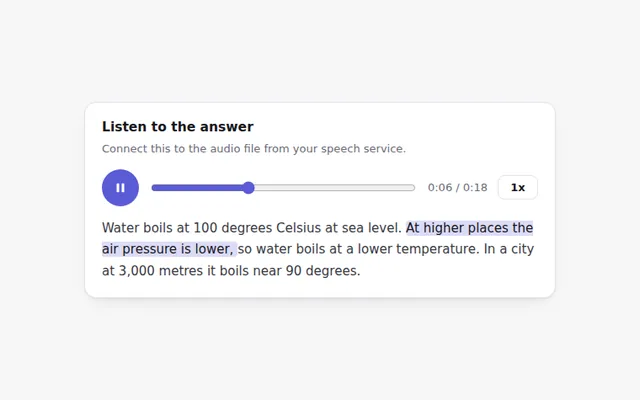
Audio Answer Player
A compact player for spoken answers with play and pause, a seek bar, playback speed and the matching text highlighted as it plays.
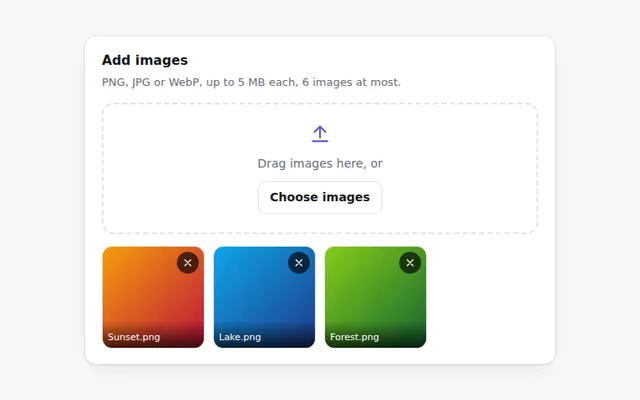
Image Upload with Preview
Add images by button or drag and drop and see thumbnails right away. Checks the file type and size and explains any problem.
Camera Photo Capture
Take a photo with the device camera to ask the AI about it. Shows a live preview, a shutter button and retake, with a clear message if there is no camera.
Live Transcript
Captions that appear as people talk, with speaker names and times. The newest line is highlighted, and the full text can be copied.