Home / Security and Auth / Passkey Login Demo
Passkey Login Demo in JavaScript, Free with Live Demo
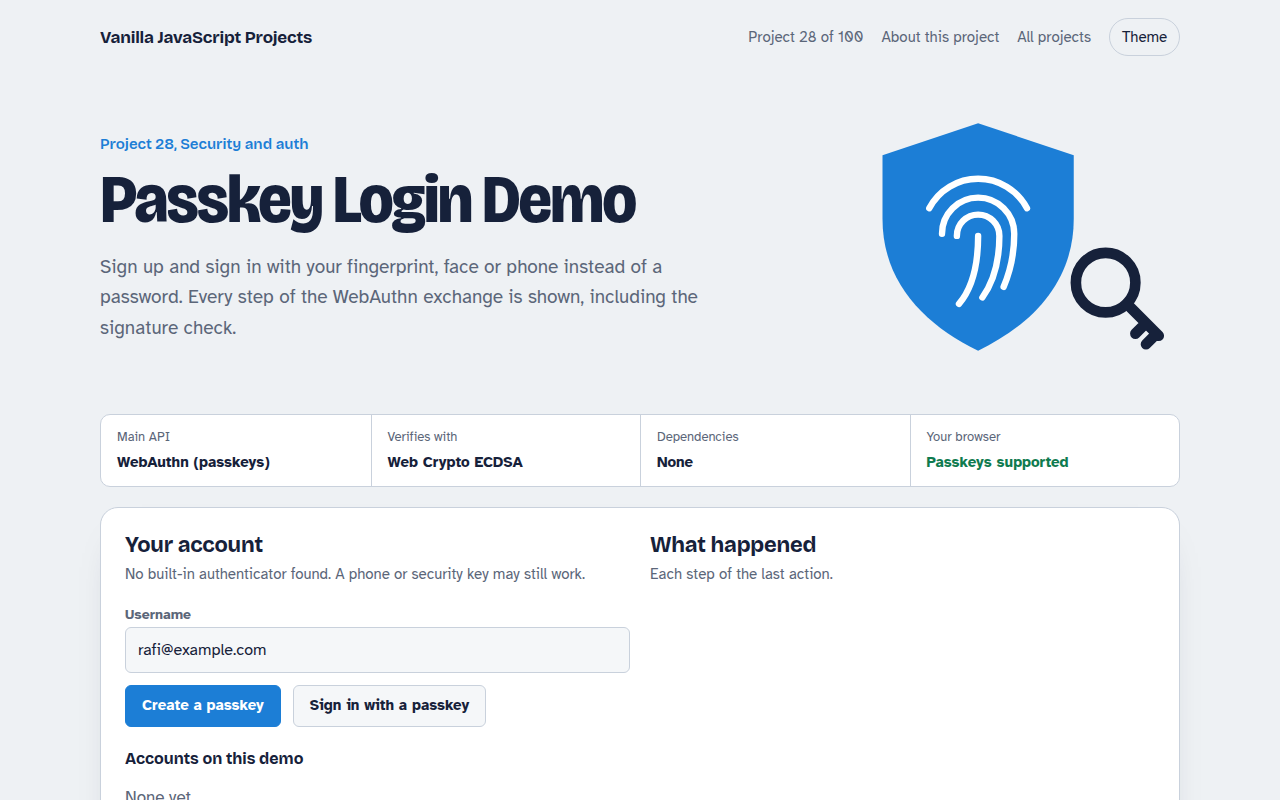
Free passkey login demo in plain JavaScript. Register and sign in with fingerprint, face or PIN using WebAuthn, and see the signature checked step by step.
Runs on: WebAuthn (passkeys). Chrome, Edge, Safari and Firefox on devices with a screen lock, plus password managers that store passkeys. Needs HTTPS or localhost.
What is the Passkey Login Demo?
Passkeys replace passwords with your phone or laptop's screen lock. This demo lets you create one and sign in with it, and shows every step of what happens in between.
It uses the WebAuthn API. Your device makes a key pair, keeps the private key and shares only the public key. At sign in it signs a random challenge, and the page checks that signature with the Web Crypto API.
Good for
- Learning how passkeys really work
- Adding passwordless login to a site
- Security talks and workshops
- Testing authenticators and password managers
What this project does
- Register a passkey with the device's screen lock
- Sign in with it, with or without typing a username
- Signature verified with the stored public key, in the browser
- Step log showing challenge, client data and authenticator data
- Delete local accounts to start over
How it works
- RegisterThe page sends a random challenge. Your device makes a new key pair, keeps the private key, and returns the public key.
- Sign inA new challenge goes to the device, which signs it after you unlock with your fingerprint, face or PIN.
- VerifyThe signature is checked against the saved public key. In a real app your server does this step, never the browser.
The key JavaScript
This is the heart of the project. The full file has the rest, including the screen layout and error handling.
// Register: the device makes a key pair and returns the public key
const cred = await navigator.credentials.create({ publicKey: {
  challenge: crypto.getRandomValues(new Uint8Array(32)),
  rp: { name: "My App" },
  user: { id: userId, name: "rafi@example.com", displayName: "Rafi" },
  pubKeyCredParams: [{ type: "public-key", alg: -7 }],   // ES256
  authenticatorSelection: { residentKey: "required", userVerification: "preferred" },
}});
// Sign in: the device signs a new challenge
const assertion = await navigator.credentials.get({ publicKey: { challenge, userVerification: "preferred" } });
// Server: verify assertion.response.signature with the saved public key
How to use it
- Click Download HTML file above.
- Open the file in a code editor, like VS Code.
- Run it from a local server with
npx serve .so the camera, microphone and AI features are allowed. - Change the text and colors, then upload it to GitHub Pages, Netlify or your own site. It is one file with no build step.
Questions people ask
Are passkeys safer than passwords?
Yes. There is no shared secret to steal or reuse, and they only work on the real site, so phishing pages cannot use them.
Is this demo enough for a real app?
No. In a real app the server makes the challenge and checks the signature. This demo does it in the browser so you can see each step.
Which devices support passkeys?
Almost all current phones and computers with a screen lock, in Chrome, Edge, Safari and Firefox, plus password managers that store passkeys.