Home / Security and Auth / TOTP 2FA Authenticator
TOTP 2FA Authenticator in JavaScript, Free with Live Demo
Free TOTP authenticator in plain JavaScript. Make six digit 2FA codes with HMAC-SHA1, add accounts from a secret or otpauth link, make QR codes and verify codes.
Runs on: TOTP, RFC 6238. Every modern browser. Secrets are stored unencrypted in this demo, so do not use it for real accounts.
What is the TOTP 2FA Authenticator?
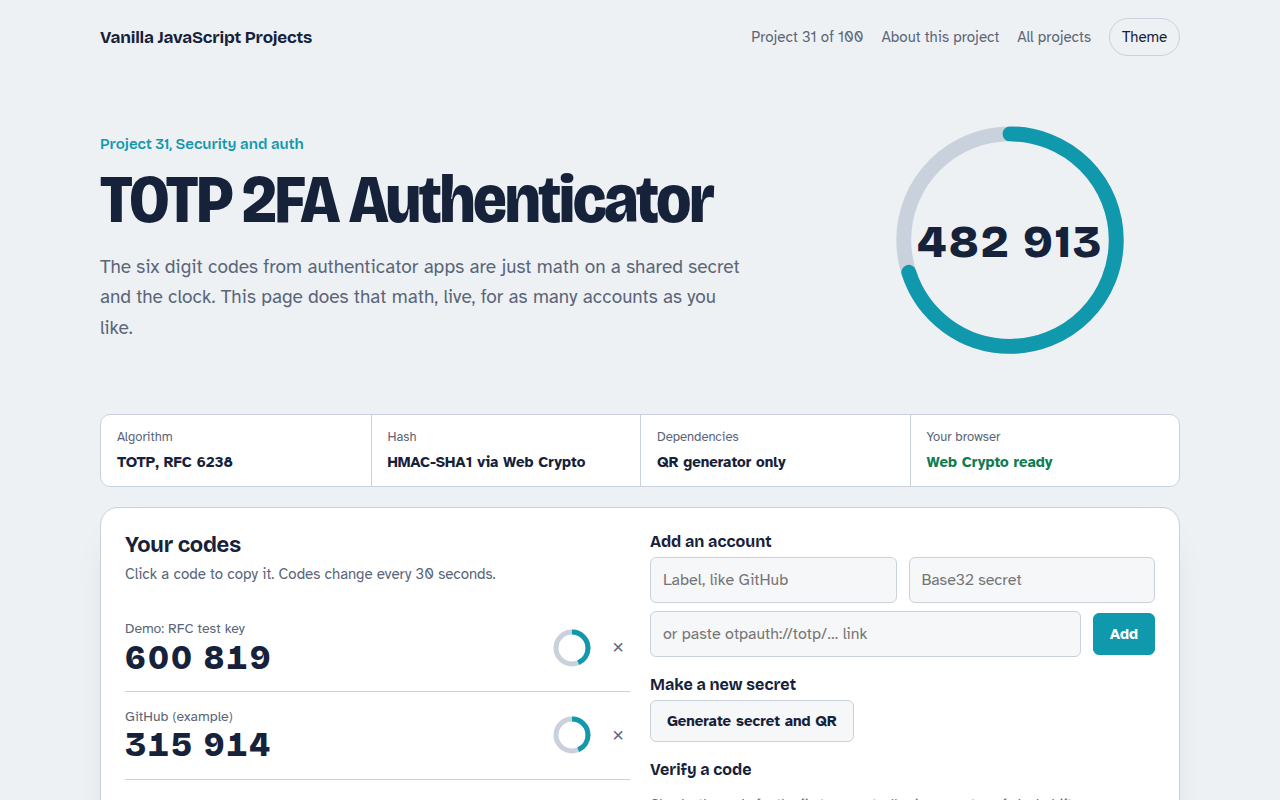
The six digit codes in apps like Google Authenticator come from a shared secret and the current time. This project does that math live for as many accounts as you like, with a countdown ring for each code.
It follows RFC 6238. The current time is split into 30 second steps, the step number is signed with HMAC-SHA1 using your secret, and a short part of the result becomes the code. The page is tested against the official test values.
Good for
- Learning how 2FA codes work
- Adding 2FA to your own app
- Testing login flows
- Security interviews and courses
What this project does
- Live codes with a 30 second countdown ring
- Add accounts by secret or by pasting an otpauth:// link
- Generate a new secret with a QR code to scan into any app
- Check a code against a secret with a time window of plus or minus one step
- Copy a code with one click
How it works
- Count time stepsThe current Unix time is divided by 30 to get a counter that changes every 30 seconds.
- Sign the counterThe counter, as 8 bytes, is signed with HMAC SHA-1 using the account's secret as the key.
- TruncateFour bytes are picked from the signature using its last nibble, turned into a number, and cut to 6 digits.
The key JavaScript
This is the heart of the project. The full file has the rest, including the screen layout and error handling.
async function totp(base32Secret, step = 30, digits = 6) {
  const counter = Math.floor(Date.now() / 1000 / step);
  const msg = new DataView(new ArrayBuffer(8));
  msg.setUint32(4, counter);                              // 8 byte big-endian counter
  const key = await crypto.subtle.importKey("raw", base32Decode(base32Secret),
    { name: "HMAC", hash: "SHA-1" }, false, ["sign"]);
  const h = new Uint8Array(await crypto.subtle.sign("HMAC", key, msg.buffer));
  const o = h[19] & 0xf;                                  // dynamic truncation
  const n = ((h[o] & 0x7f) << 24) | (h[o + 1] << 16) | (h[o + 2] << 8) | h[o + 3];
  return String(n % 10 ** digits).padStart(digits, "0");
}
How to use it
- Click Download HTML file above.
- Open the file in a code editor, like VS Code.
- Run it from a local server with
npx serve .so the camera, microphone and AI features are allowed. - Change the text and colors, then upload it to GitHub Pages, Netlify or your own site. It is one file with no build step.
Questions people ask
How does TOTP work?
The server and your app share a secret. Both sign the current 30 second time step with it, so they get the same six digit code without talking to each other.
Can I use this instead of Google Authenticator?
It is a learning project and stores secrets without encryption, so keep using a real authenticator for your accounts.
Why was my code rejected?
Usually the device clock is off. This project accepts one step before and after to allow for small drift.