Home / Security and Auth / Secure File Encryptor
Secure File Encryptor in JavaScript, Free with Live Demo
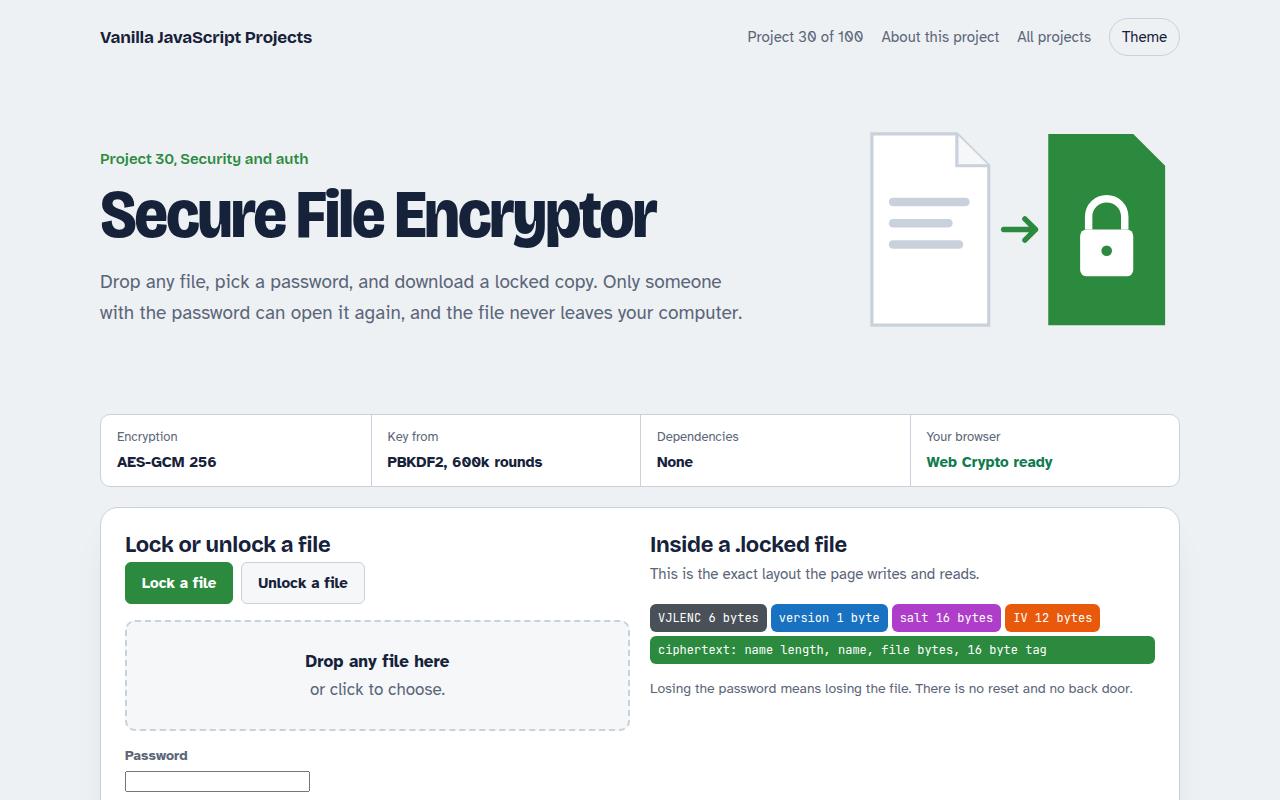
Free file encryptor in plain JavaScript. Lock any file with a password using AES-GCM 256 and PBKDF2, and unlock it later. No upload, the file never leaves your computer.
Runs on: AES-GCM 256. Every modern browser. Large files (over about 1 GB) may run out of memory.
What is the Secure File Encryptor?
Drop any file, like a PDF, photo or zip, pick a password and download a locked copy. Only someone with the password can open it again. The file never leaves your computer.
The page stretches your password with PBKDF2, encrypts the file with AES-GCM and saves a small header with the salt and IV. Unlocking reads that header, rebuilds the key and checks the file was not changed.
Good for
- Sending private files by email or chat
- Backups on cloud storage
- Learning file encryption
- Tools for teams that handle sensitive data
What this project does
- Works with any file type: PDFs, photos, zips, documents
- Keeps the original file name inside the locked file
- Password strength check and a matching confirm field
- Integrity check: a wrong password or a changed file is detected
- Shows the file format byte by byte so you can learn it
How it works
- Make a keyA random 16 byte salt and your password go through PBKDF2 to make an AES key.
- EncryptThe file name and bytes are encrypted together with AES-GCM and a random 12 byte IV.
- Pack the fileOutput is a header (magic word, version, salt, IV) followed by the ciphertext. Unlocking reads the header back.
The key JavaScript
This is the heart of the project. The full file has the rest, including the screen layout and error handling.
const MAGIC = new TextEncoder().encode("VJLENC");
const salt = crypto.getRandomValues(new Uint8Array(16));
const iv = crypto.getRandomValues(new Uint8Array(12));
const key = await deriveKey(password, salt);          // PBKDF2, 600k rounds

const plain = new Uint8Array(await file.arrayBuffer());
const cipher = await crypto.subtle.encrypt({ name: "AES-GCM", iv }, key, plain);

const locked = new Blob([MAGIC, new Uint8Array([1]), salt, iv, cipher]);
// Unlock: read the header back, derive the same key, decrypt()
How to use it
- Click Download HTML file above.
- Open the file in a code editor, like VS Code.
- Run it from a local server with
npx serve .so the camera, microphone and AI features are allowed. - Change the text and colors, then upload it to GitHub Pages, Netlify or your own site. It is one file with no build step.
Questions people ask
How strong is AES-GCM 256?
It is the same encryption used by banks and messaging apps. With a strong password, the locked file cannot be opened by guessing.
Can I unlock the file on another computer?
Yes. Open this page anywhere, drop the .locked file and enter the password.
Is there a file size limit?
The file is read into memory, so very large files, over about 1 GB, may fail on some devices.