Home / Developer Tools / JSON Formatter and Validator
JSON Formatter and Validator in JavaScript, Free with Live Demo
Free JSON formatter in plain JavaScript. Format, minify, sort keys and validate JSON with the exact error line, browse a collapsible tree and search. Large files use a worker.
Runs on: JSON.parse in a Worker. Every modern browser.
What is the JSON Formatter and Validator?
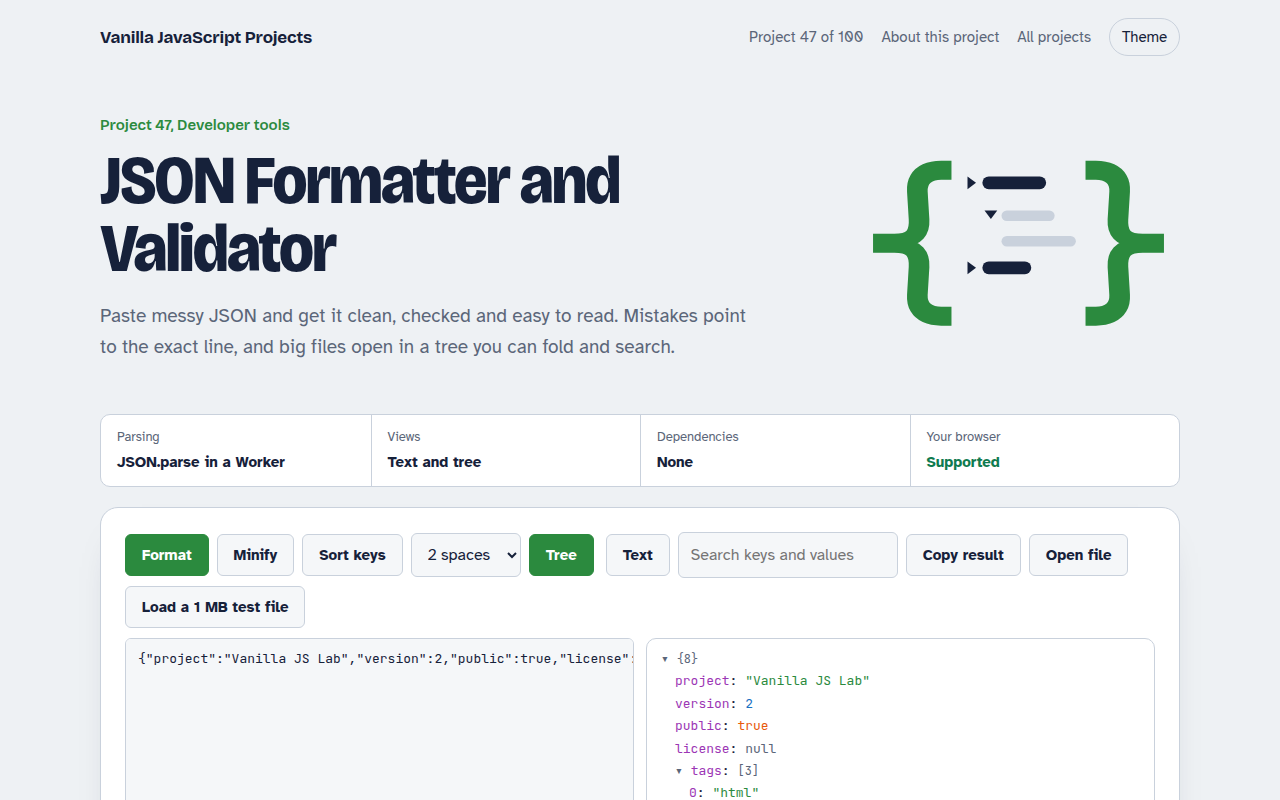
Paste messy JSON and get it clean, checked and easy to read. Mistakes point to the exact line and column, and big files open in a tree you can fold, search and copy paths from.
Parsing uses JSON.parse, moved to a Web Worker for large inputs so typing stays smooth. When the browser's error has no position, a small scanner finds where the JSON breaks.
Good for
- Reading API responses
- Fixing broken config files
- Browsing big data exports
- A private tool that works offline
What this project does
- Format with 2 or 4 spaces or tabs, minify, and sort keys
- Error message with line, column and a pointer to the problem
- Collapsible tree with type colors and item counts
- Search keys and values, click any node to copy its path
- Stats: size, depth, number of keys, arrays and objects
How it works
- ParseThe text goes to JSON.parse. Big inputs go to a Worker first so typing stays smooth.
- Point to the errorIf parsing fails, the error position is turned into a line and column and the line is shown with a marker.
- Build the treeObjects and arrays become folding details elements. Children render only when a branch is opened.
The key JavaScript
This is the heart of the project. The full file has the rest, including the screen layout and error handling.
try {
  const data = JSON.parse(text);
  output.textContent = JSON.stringify(data, null, 2);
} catch (err) {
  // "Unexpected token } in JSON at position 812" becomes a line and column
  const pos = +(/position (\d+)/.exec(err.message)?.[1] ?? 0);
  const before = text.slice(0, pos).split("\n");
  showError(err.message, before.length, before.at(-1).length + 1);
}
// Large inputs: parse in a worker so the page never freezes
const worker = new Worker(URL.createObjectURL(new Blob([`onmessage = (e) => postMessage(JSON.parse(e.data))`])));
How to use it
- Click Download HTML file above.
- Open the file in a code editor, like VS Code.
- Run it from a local server with
npx serve .so the camera, microphone and AI features are allowed. - Change the text and colors, then upload it to GitHub Pages, Netlify or your own site. It is one file with no build step.
Questions people ask
Is my JSON sent anywhere?
No. Everything runs in your browser, so it is safe for private data.
How big a file can it handle?
Files of several megabytes parse fine in the worker. The tree shows 500 items per level so the page stays fast.
How do I copy the path to a value?
Click the value in the tree view. A path like $.users[3].email is copied.