Home / Developer Tools / Mini Postman API Client
Mini Postman API Client in JavaScript, Free with Live Demo
Free API client in plain JavaScript. Send GET, POST, PUT, PATCH and DELETE with params, headers and body, see status, time and pretty JSON, save collections and copy cURL.
Runs on: Fetch with AbortController. Every modern browser. The API you call must allow CORS; many public APIs do, private ones often need a proxy.
What is the Mini Postman API Client?
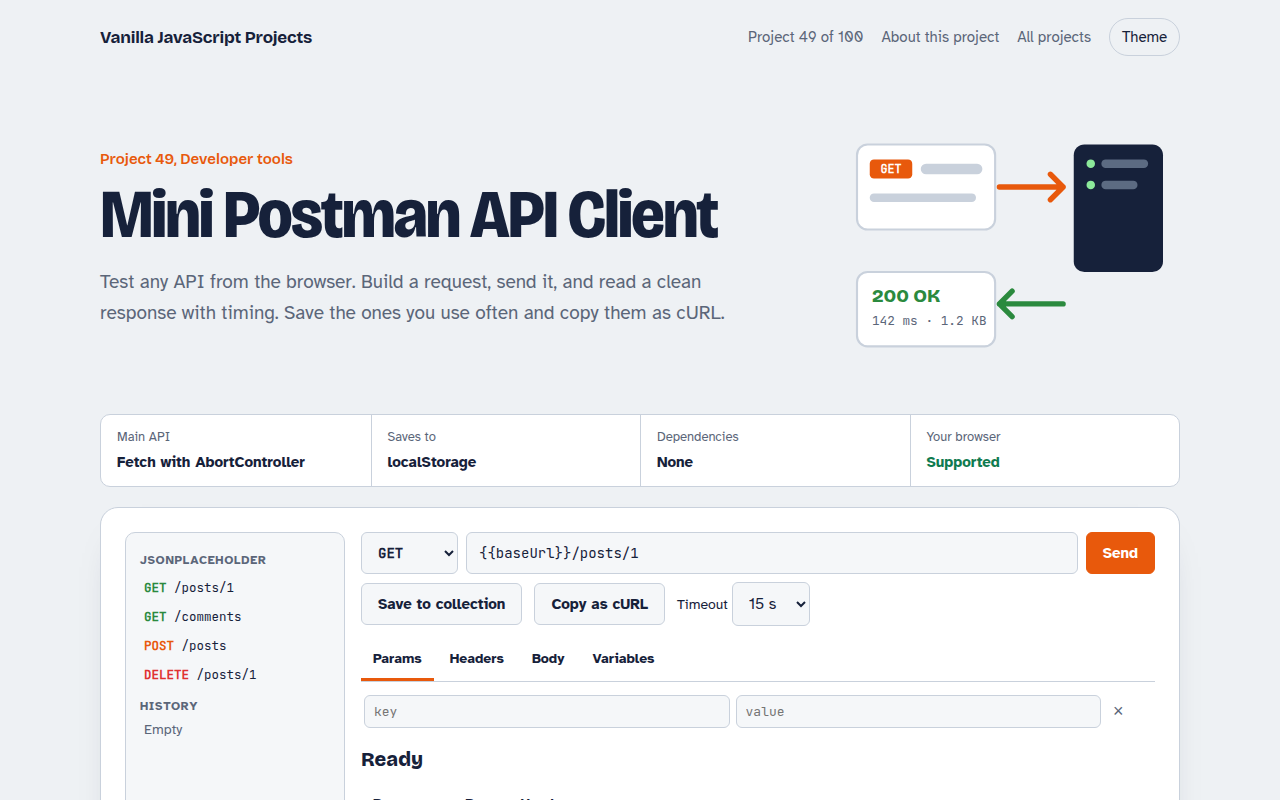
Test any API from the browser. Build a request with query params, headers and a body, send it, and read a clean response with status, time and size. Save the ones you use often and copy them as cURL.
Requests use fetch with an AbortSignal for the timeout and the Cancel button. The response body is streamed to count bytes, and variables like {{baseUrl}} are filled in before sending.
Good for
- Testing your own APIs
- Learning how HTTP requests work
- Sharing requests as cURL
- A lightweight tool with no account
What this project does
- Methods, params table, headers table and JSON, form or raw body
- Response status, time, size, headers and highlighted JSON
- Timeout and a Cancel button
- History of the last 30 requests and named collections
- Environment variables like {{baseUrl}} and cURL export
How it works
- Build the requestThe URL, params, headers and body are combined, and {{variables}} are filled in from the environment.
- Send with limitsfetch runs with a signal that aborts on your timeout or when you press Cancel.
- Read the responseThe body is streamed to count bytes and show progress, then shown as pretty JSON or plain text.
The key JavaScript
This is the heart of the project. The full file has the rest, including the screen layout and error handling.
const controller = new AbortController();
const signal = AbortSignal.any([controller.signal, AbortSignal.timeout(15000)]);
const t0 = performance.now();
const res = await fetch(url, { method, headers, body, signal });

let bytes = 0; const chunks = [];
const reader = res.body.getReader();
for (let r; !(r = await reader.read()).done; ) { chunks.push(r.value); bytes += r.value.length; }
const text = new TextDecoder().decode(await new Blob(chunks).arrayBuffer());
show(res.status, performance.now() - t0, bytes, text, [...res.headers]);
// Cancel button: controller.abort()
How to use it
- Click Download HTML file above.
- Open the file in a code editor, like VS Code.
- Run it from a local server with
npx serve .so the camera, microphone and AI features are allowed. - Change the text and colors, then upload it to GitHub Pages, Netlify or your own site. It is one file with no build step.
Questions people ask
Why do some APIs fail with a CORS error?
Browsers block requests to sites that do not allow them. Public APIs usually allow it, private ones often need a proxy.
Where are my requests saved?
History and collections are stored in localStorage in your browser.
Can I use environment variables?
Yes. Add them in the Variables tab and use {{name}} in the URL, params, headers or body.