Home / Developer Tools / Regex Tester
Regex Tester in JavaScript, Free with Live Demo
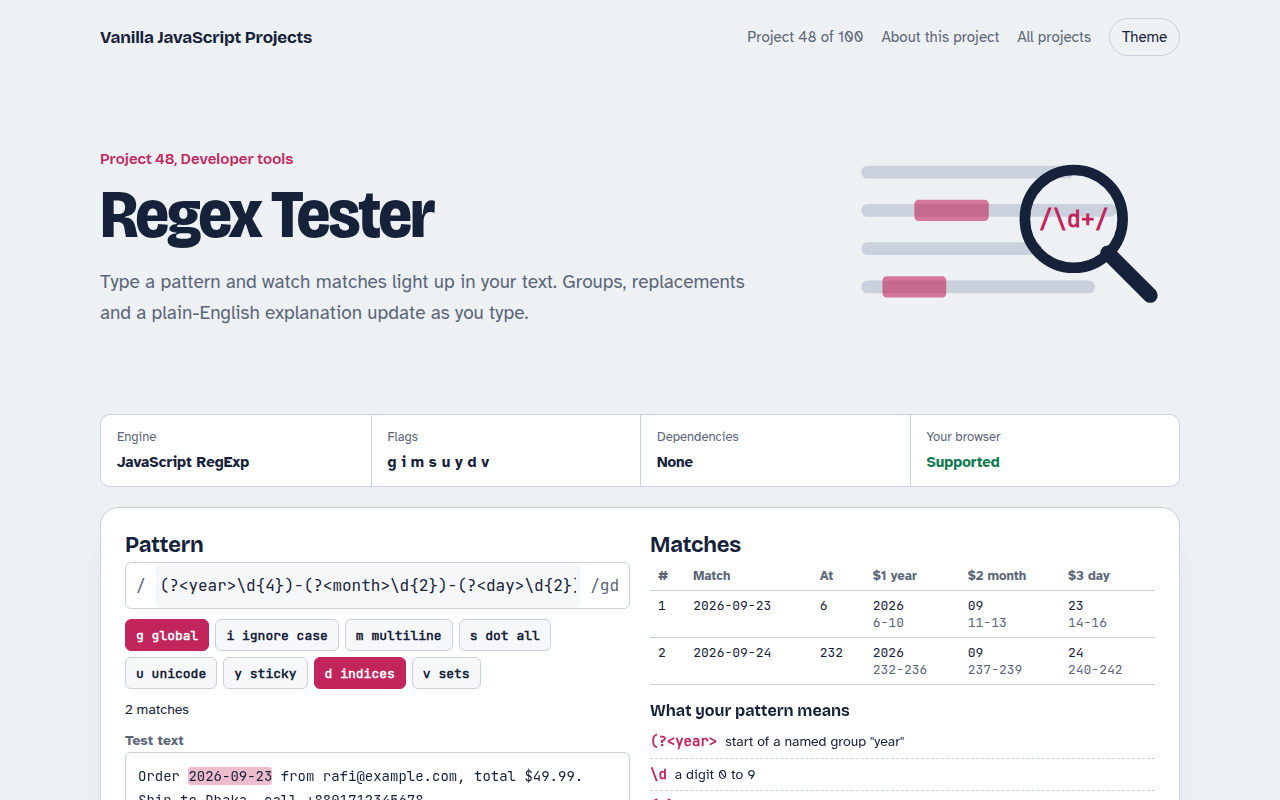
Free regex tester in plain JavaScript. See matches highlighted live, groups in a table, flags as toggles, a replace preview, a simple explanation of each part and common patterns.
Runs on: JavaScript RegExp. Every modern browser. The v flag needs Chrome 112+, Safari 17+ or Firefox 116+.
What is the Regex Tester?
Type a pattern and every match lights up in your text. Capture groups and named groups fill a table, the replace box shows the result, and a short list explains what each part of the pattern means.
Matching runs in a Web Worker with a one second limit, so a runaway pattern stops instead of freezing the page. There is a cheat sheet and ten ready patterns for emails, URLs, dates, phones and more.
Good for
- Writing validation rules
- Search and replace in data
- Learning regular expressions
- Checking patterns before shipping
What this project does
- Live highlight of every match, with alternating colors
- Table of matches with index, capture groups and named groups
- Flag toggles, including d for match indices and v for sets
- Replace preview with $1, $<name> and $& support
- Plain-English explanation, cheat sheet and 10 common patterns
How it works
- Build the RegExpThe pattern and flags make a new RegExp. A syntax error is shown instead of crashing.
- Find matches safelymatchAll runs inside a Worker. If a pattern takes more than a second, the worker is stopped so the page never hangs.
- Show resultsMatch positions become highlighted spans. Groups fill the table and the replace preview runs on the same text.
The key JavaScript
This is the heart of the project. The full file has the rest, including the screen layout and error handling.
const re = new RegExp(pattern, "gd");            // d = give match indices
for (const m of text.matchAll(re)) {
  console.log(m[0], m.index, m.groups);           // full match, where, named groups
  console.log(m.indices[1]);                      // start and end of group 1
}
// Stop runaway patterns like /(a+)+$/ from freezing the page
const w = new Worker(url); w.postMessage({ pattern, flags, text });
const t = setTimeout(() => { w.terminate(); showError("Too slow, stopped"); }, 1000);
How to use it
- Click Download HTML file above.
- Open the file in a code editor, like VS Code.
- Run it from a local server with
npx serve .so the camera, microphone and AI features are allowed. - Change the text and colors, then upload it to GitHub Pages, Netlify or your own site. It is one file with no build step.
Questions people ask
Which regex engine does it use?
Your browser's JavaScript RegExp, so what works here works in your JavaScript code.
What is catastrophic backtracking?
Some patterns, like (a+)+$, take exponential time on certain text. The tester stops those after one second.
How do named groups work?
Write (?<year>\d{4}) and the match has groups.year. Use $<year> in the replace box to reuse it.