Home / Motion / Morphing Blobs
Morphing Blobs CSS Template, Free with Live Demo
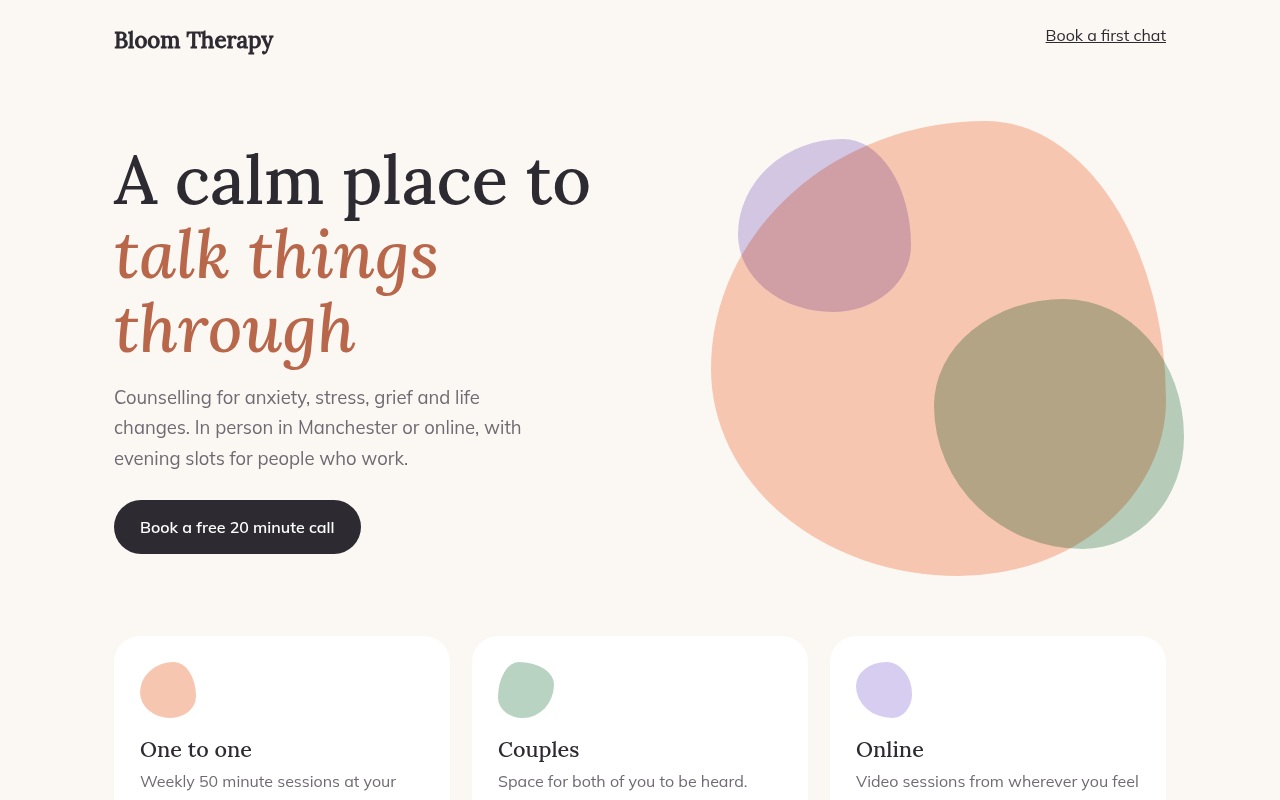
Free morphing blob template for a therapy practice. Soft shapes slowly change form with animated border-radius and overlap with multiply. Pure CSS. Live demo. The example is Bloom, a therapy practice.
What is morphing blobs?
Morphing blobs are soft organic shapes that slowly change form, like drops of paint moving in water. They feel calm and human, which is why health, wellness and education brands use them.
The shape comes from border-radius with eight values. A keyframe animation changes those values over 14 seconds. Two blobs overlap with mix-blend-mode: multiply so their colors mix where they meet.
Good for
- Therapy, coaching and wellness
- Education and kids apps
- Soft SaaS hero sections
- Icons and avatar backgrounds
What you get in this template
- Three overlapping blobs that change shape
- Colors blend where blobs overlap
- Small blob icons on each service card
- Different speeds so they never sync
- Motion stops for reduced motion
The key CSS
This is the part that makes the morphing blobs look work. Copy it into your own project.
.blob {
  border-radius: 42% 58% 63% 37% / 41% 45% 55% 59%;
  animation: morph 14s ease-in-out infinite;
}
@keyframes morph {
  25% { border-radius: 61% 39% 45% 55% / 55% 62% 38% 45%; }
  50% { border-radius: 37% 63% 56% 44% / 64% 40% 60% 36%; }
  75% { border-radius: 55% 45% 34% 66% / 43% 58% 42% 57%; }
}
How to use it
- Click Download HTML file above.
- Open the file in any code editor, like VS Code.
- Change the text, colors and links to match your project. Colors are at the top of the style tag.
- Upload it to any host, such as GitHub Pages, Netlify or your own server. It is one file with no build step.
Questions people ask
How do you make a morphing blob in CSS?
Give an element an eight value border-radius, like 42% 58% 63% 37% / 41% 45% 55% 59%, and animate between a few different sets of values.
Can I use SVG instead?
Yes, but the CSS way is lighter and easier to recolor. SVG paths give more complex shapes.
Will blob animations slow the page?
Animating border-radius on a few elements is fine. Avoid dozens of large blobs on one page.
More Motion designs
061. Scroll Driven Animation
Volt Ride, an e-bike product page
062. View Transitions
Fork and Field, a recipe site
063. Micro Interactions
Streak, a habit tracker
064. Layered Parallax
Pinecrest, a campground
065. Marquee Ticker
Northline, a design studio
067. Hover Reveal
Studio Halden, an interior design studio
068. Staggered Entrance
Pipeline, a CRM landing page
069. Skeleton Loaders
Morning Brief, a news app