Home / Flow and Network / Org Chart
Org Chart in HTML, CSS and JavaScript
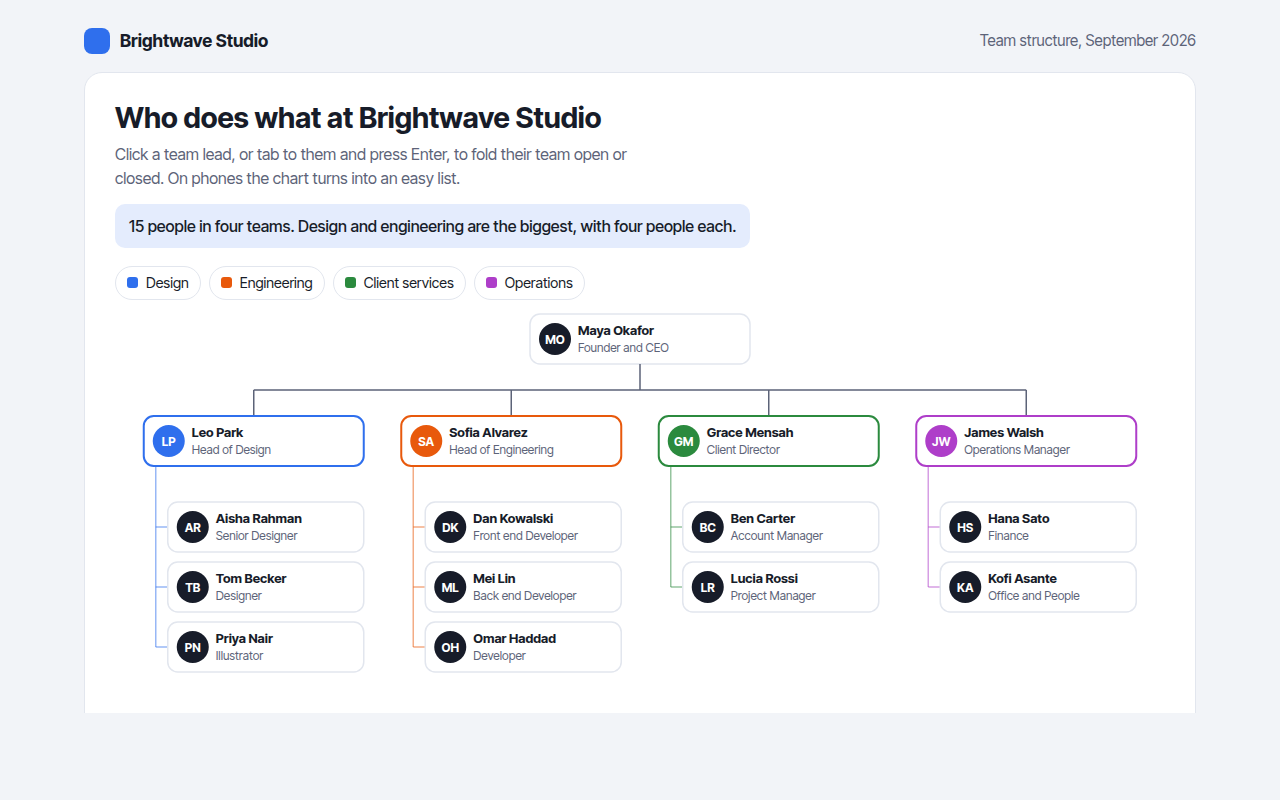
An org chart, short for organization chart, shows who works in a company and who reports to whom. This free template draws one with plain SVG and vanilla JavaScript, no chart library. The example shows the team structure of a design studio.
What is a org chart?
An org chart, short for organization chart, shows who works in a company and who reports to whom. The leader sits at the top, team leads below, and their team members below them.
A good org chart helps new staff, clients and partners find the right person fast. Folding teams keeps a big company readable, and a list view makes it work on a phone.
At a glance
- Best for
- People, roles and reporting lines
- Data you need
- A name, role and manager for each person
- Skip it when
- Very large companies without folding or search.
- Made with
- HTML, CSS and vanilla JavaScript. No library.
When to use a org chart
- Company about and team pages
- Onboarding guides for new staff
- Project team structures
- Clubs, schools and volunteer groups
When to pick another chart
- Tree Diagram: you are showing pages, files or categories
- Circle Packing Chart: you only need team sizes, not names
What you get in this template
- Cards with initials, name and role for every person
- Each team has its own color
- Click a team lead, or press Enter, to fold the team
- Folded teams show how many people are hidden
- Turns into an indented list on phones
- A table of everyone and who they report to
How the code works
Here is a short version of the idea behind this org chart. The full file adds the axis, labels, tooltips, sorting and resizing on top of it.
const ceo = { n: 'Maya Okafor', r: 'CEO' };
const leads = [{ n: 'Leo Park', r: 'Design' }, { n: 'Sofia Alvarez', r: 'Engineering' }, { n: 'Grace Mensah', r: 'Clients' }];
const card = (x, y, p) => { drawRect(x, y, 150, 46, '#e4ecfd'); drawText(x + 10, y + 20, p.n); drawText(x + 10, y + 37, p.r); };

card(225, 10, ceo);
drawLine(300, 56, 300, 80, '#5c6378', 1.5);
drawLine(95, 80, 505, 80, '#5c6378', 1.5);
leads.forEach((p, i) => { const x = 20 + i * 205; drawLine(x + 75, 80, x + 75, 100, '#5c6378', 1.5); card(x, 100, p); });
The example uses four tiny helpers that create SVG shapes. Put them above the code and it runs as is.
const svg = document.querySelector('svg');
function make(tag, attrs) {
  const n = document.createElementNS('http://www.w3.org/2000/svg', tag);
  for (const k in attrs) n.setAttribute(k, attrs[k]);
  svg.appendChild(n);
  return n;
}
function drawRect(x, y, width, height, fill) { return make('rect', { x, y, width, height, fill }); }
function drawCircle(cx, cy, r, fill) { return make('circle', { cx, cy, r, fill }); }
function drawLine(x1, y1, x2, y2, stroke, width, dash) {
  return make('line', { x1, y1, x2, y2, stroke, 'stroke-width': width || 1, 'stroke-dasharray': dash || 'none' });
}
function drawText(x, y, str, anchor) {
  const t = make('text', { x, y, 'text-anchor': anchor || 'start' });
  t.textContent = str;
  return t;
}
How to add it to your website
- Download the file. Click Download HTML file above. You get one file called org-chart.html with everything inside.
- Change the data. Open the file in any code editor and find the DATA list near the bottom. Replace the names and numbers with your own.
- Change the colors and text. Colors are at the top of the style tag. The title, subtitle and main point are plain HTML near the top of the body.
- Put it online. Upload the file to any host, such as GitHub Pages, Netlify or your own server, or paste it into your site. There is no build step.
Questions people ask
What is an org chart?
An org chart is a diagram that shows the people in an organization, their roles and who reports to whom.
How do I make an org chart in HTML?
Lay out cards in rows by level, draw lines from each manager to their team, and add folding so big teams stay readable. This template does all of that in plain JavaScript.
How do I make an org chart work on a phone?
Switch to an indented list below a certain width, with each team listed under its lead. This template does that automatically.
What should each card show?
At least a name and a role. A photo or initials helps people recognize each other. Keep extra details, like email, for a tooltip or a profile page.
More flow and network
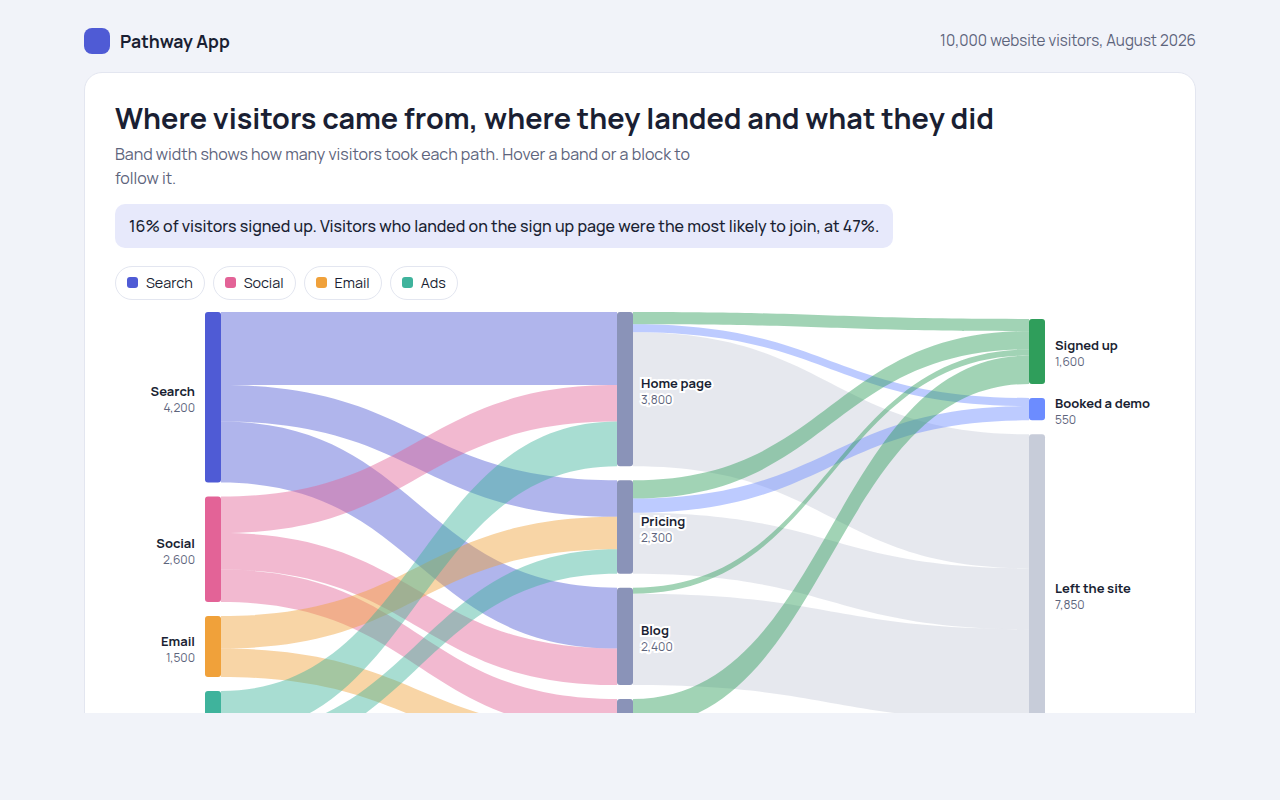
051. Sankey Diagram
Example: website visitors from source to landing page to outcome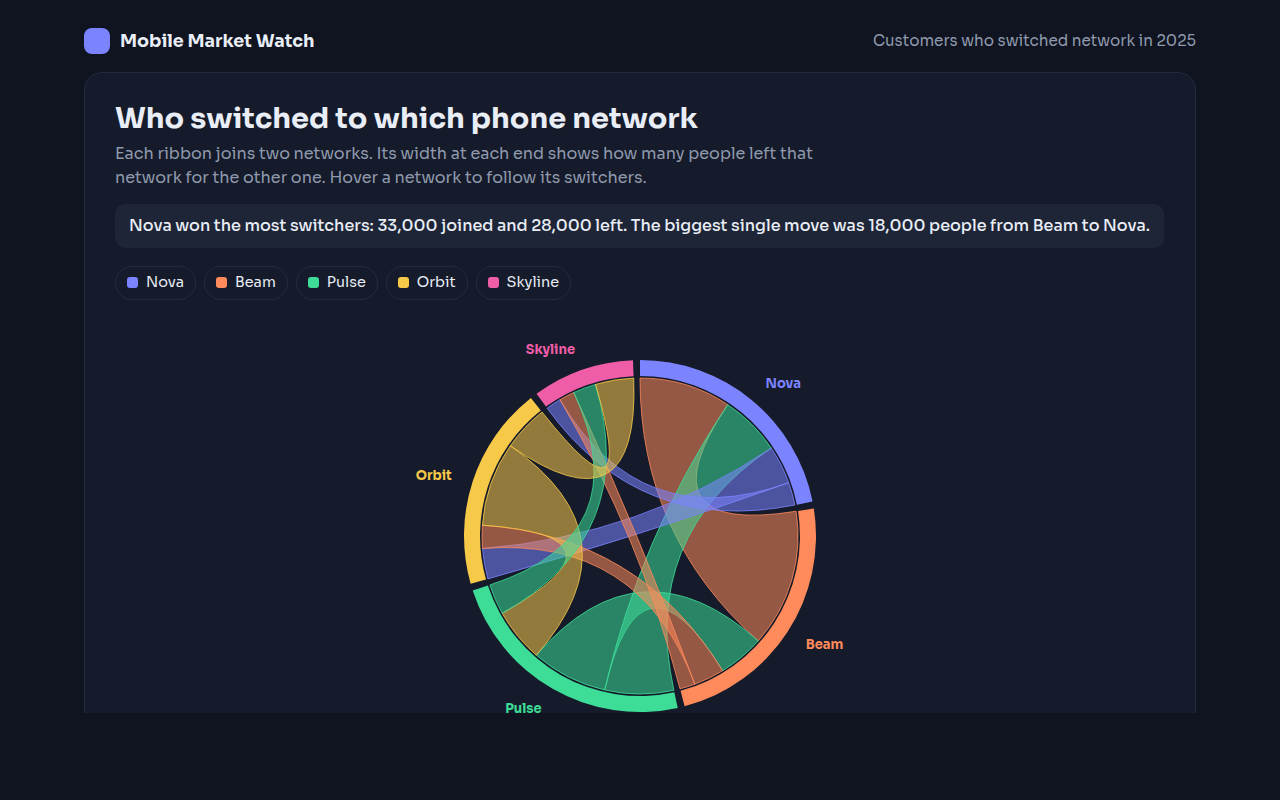
052. Chord Diagram
Example: customers switching between five phone networks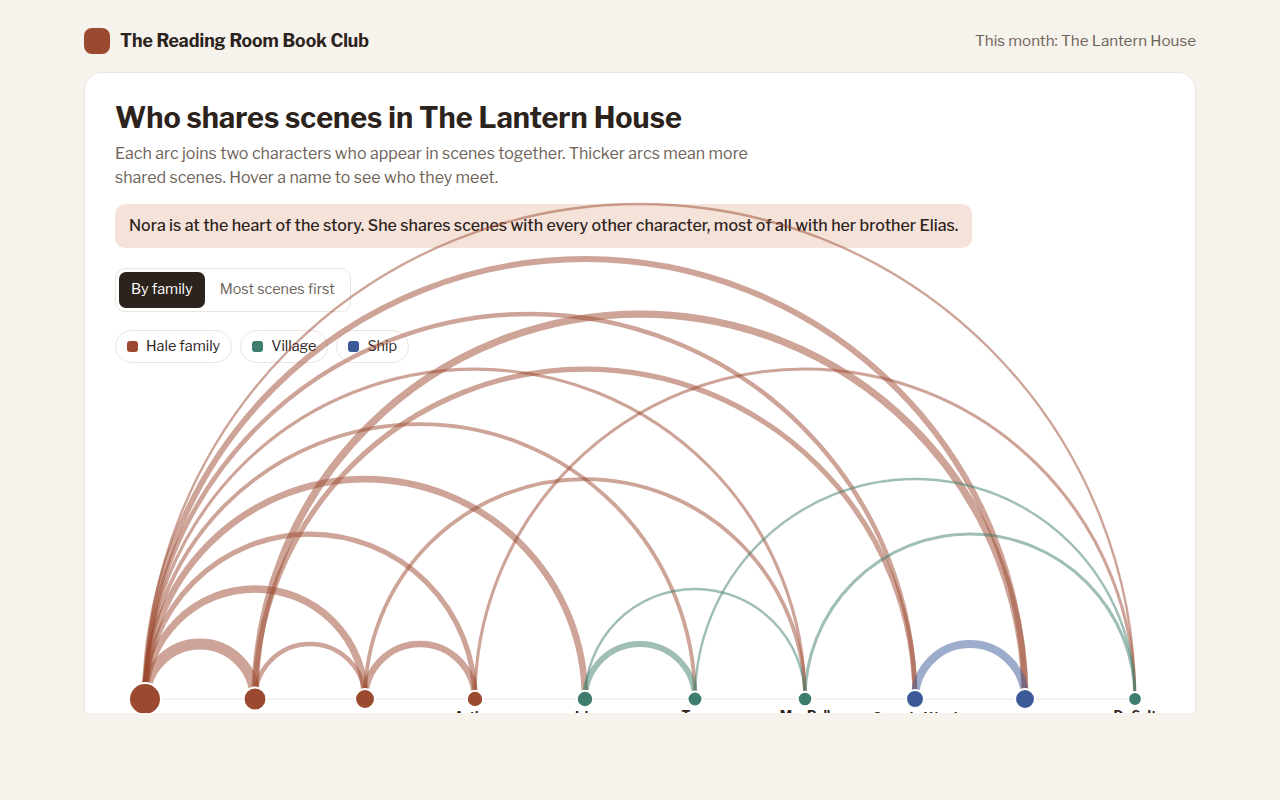
053. Arc Diagram
Example: characters who share scenes in a novel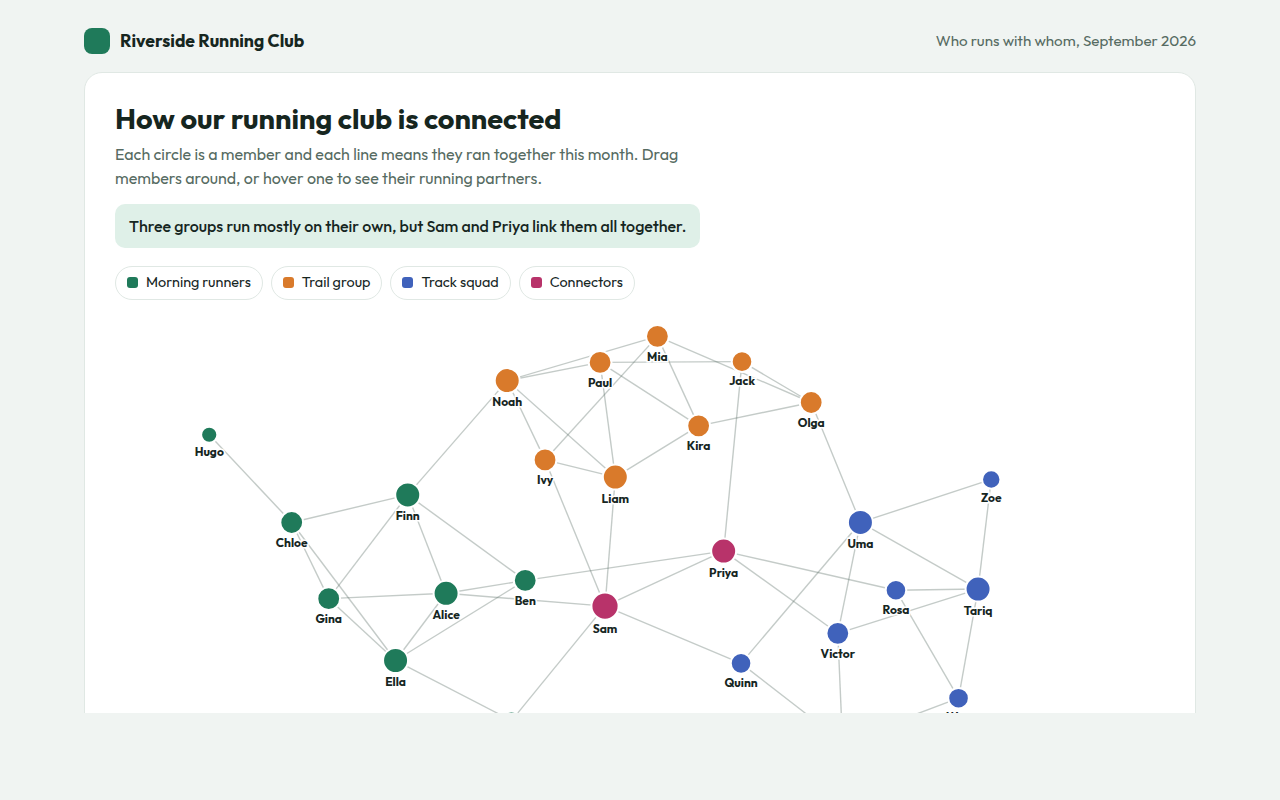
054. Network Graph
Example: who runs with whom in a running club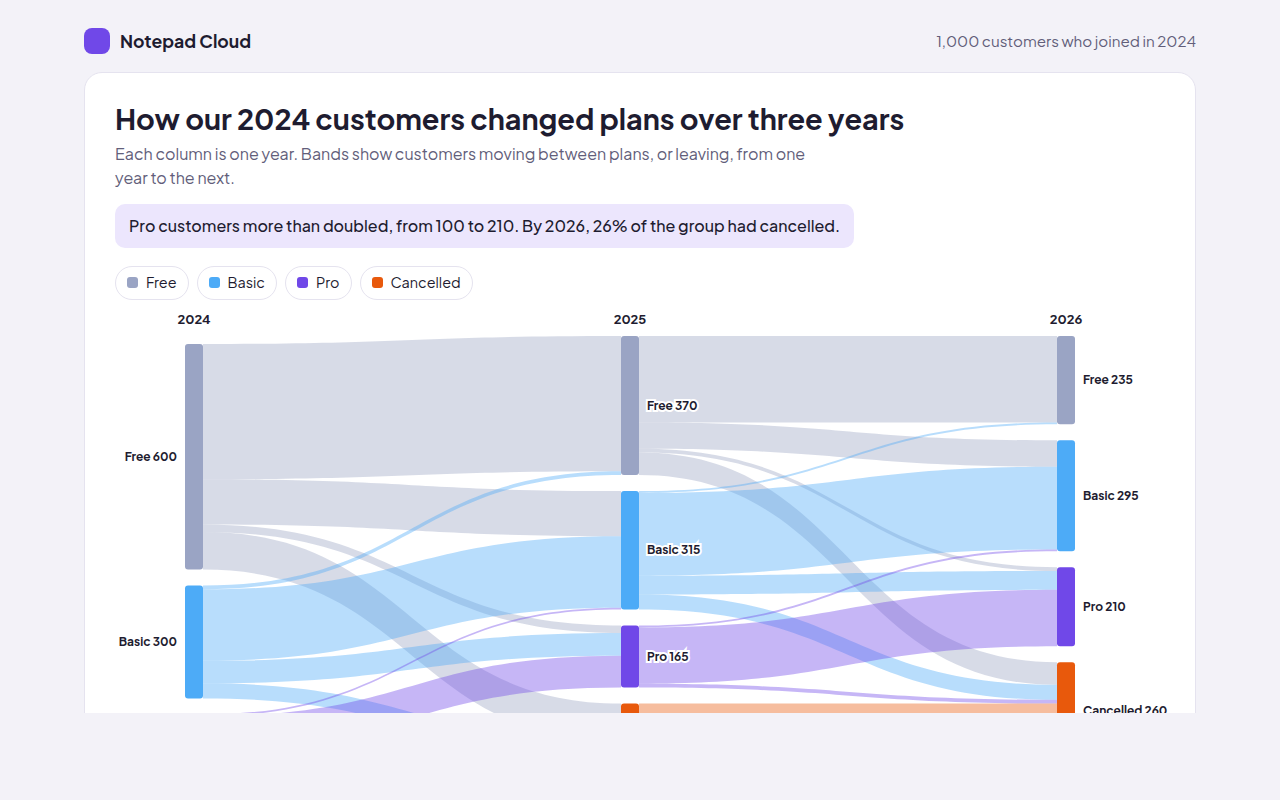
055. Alluvial Diagram
Example: customers changing plans over three years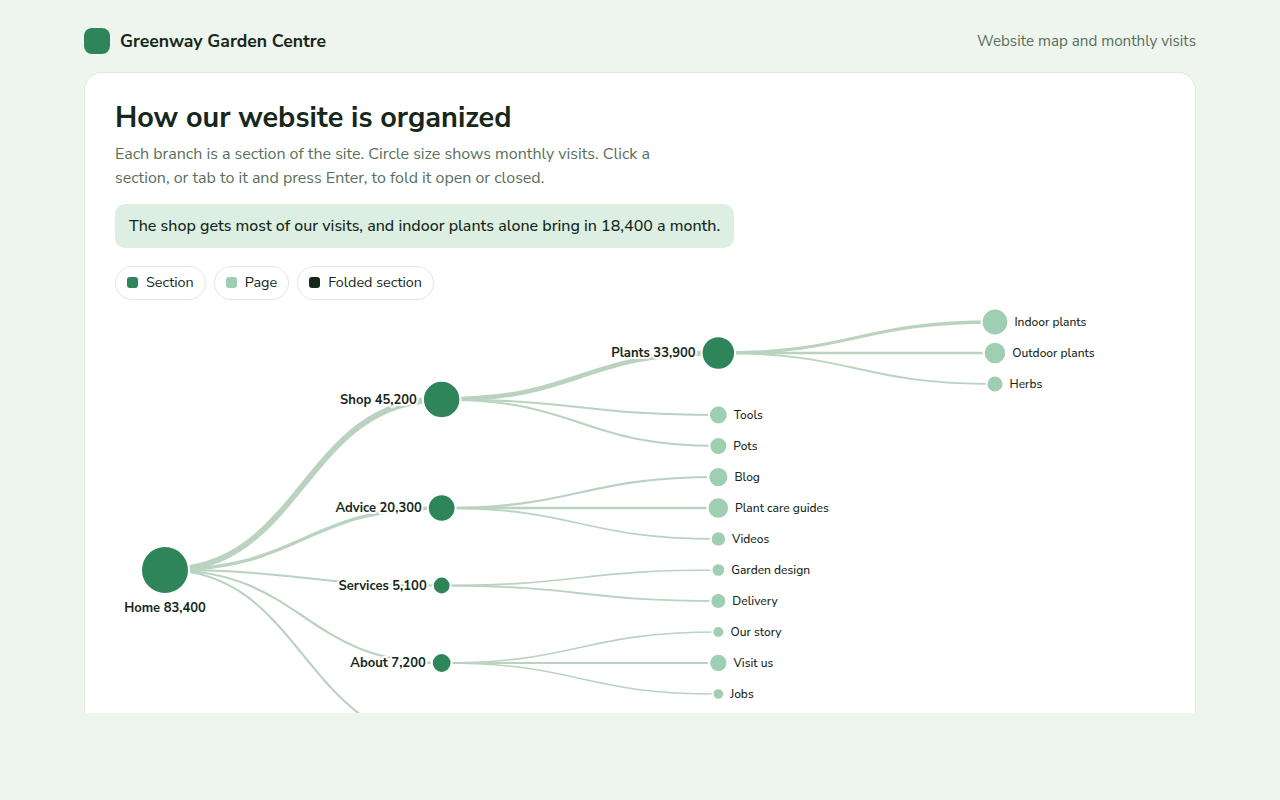
056. Tree Diagram
Example: a garden centre website map with monthly visits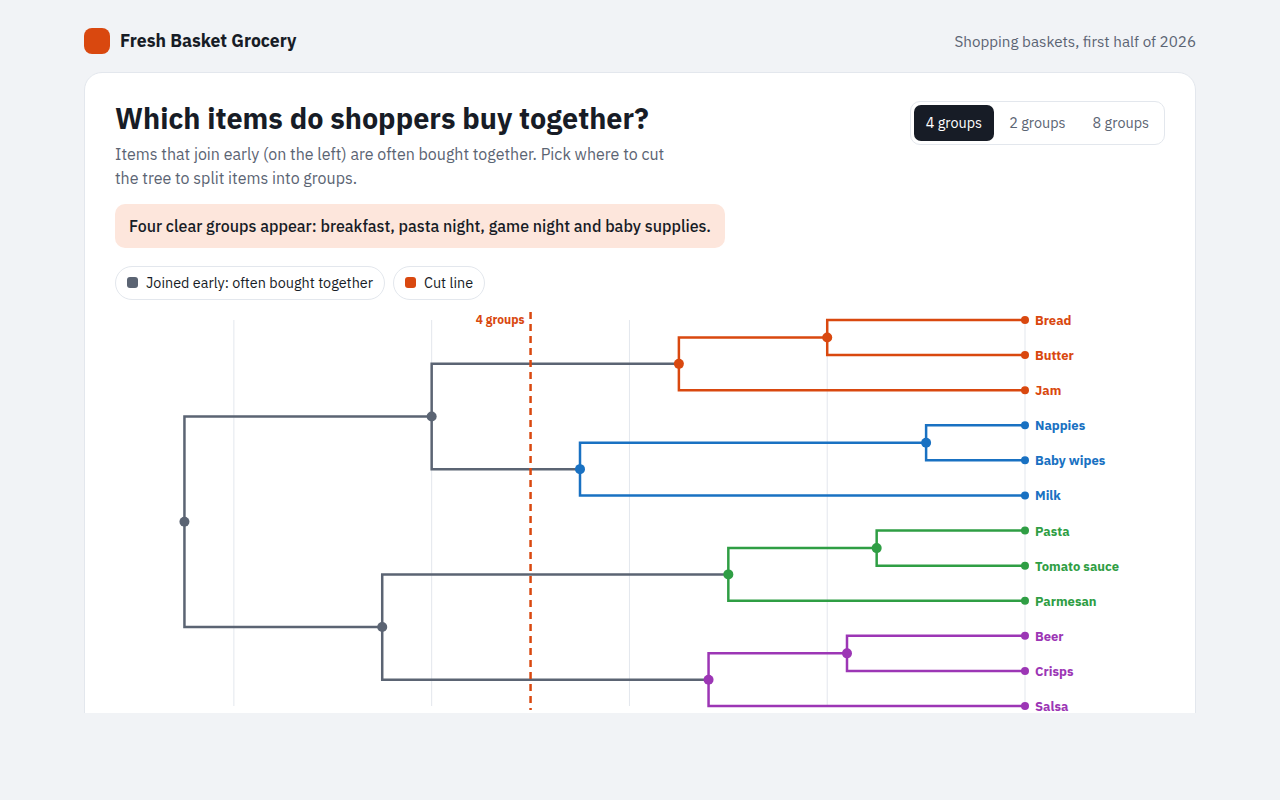
057. Dendrogram
Example: grocery items that shoppers buy together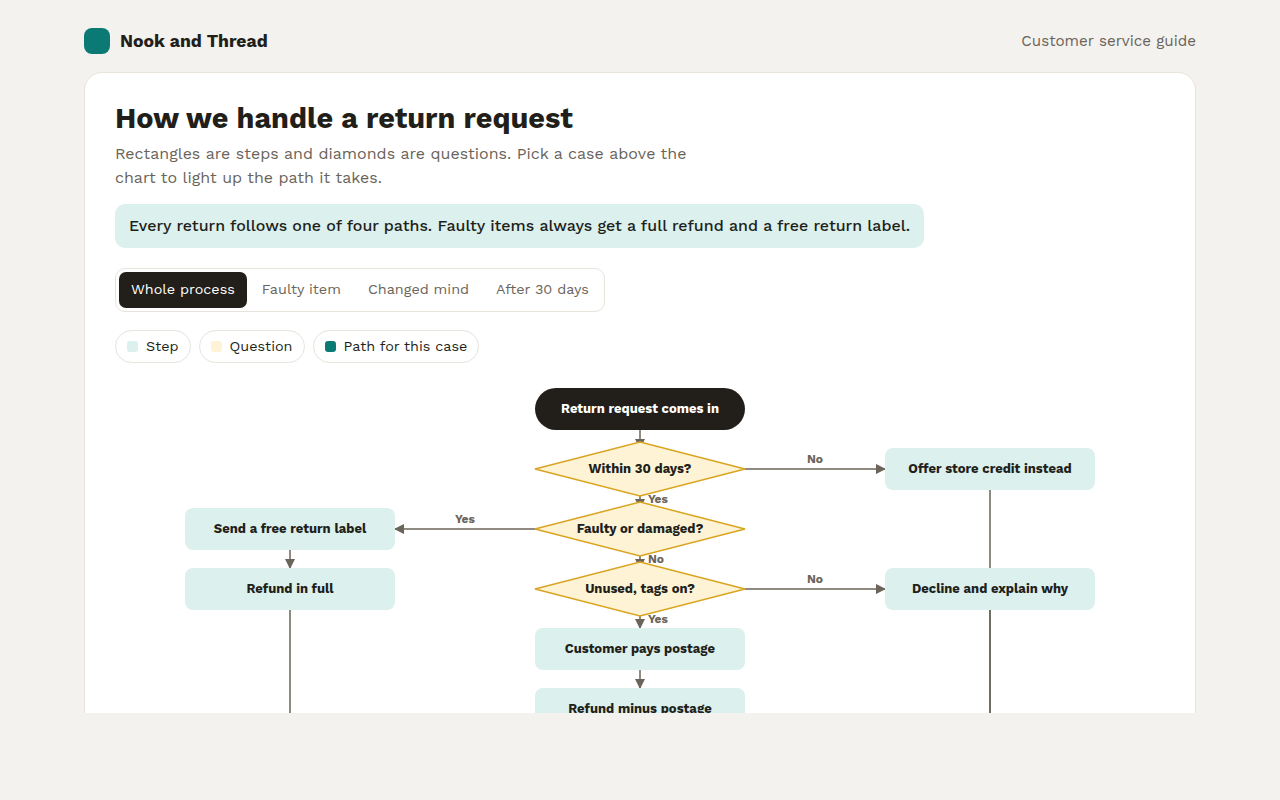
059. Flowchart
Example: how an online shop handles a return request