Home / Flow and Network / Radial Tree
Radial Tree in HTML, CSS and JavaScript
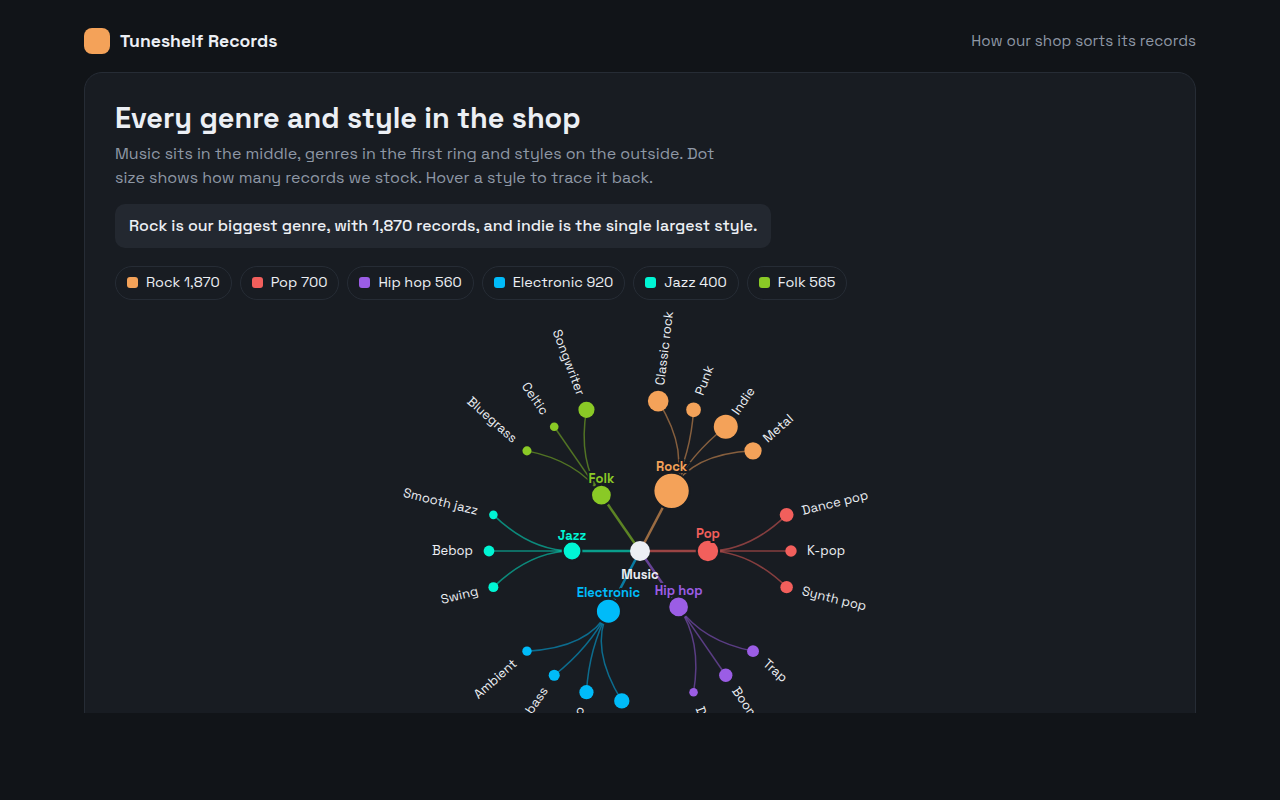
A radial tree is a tree diagram wrapped into a circle. This free template draws one with plain SVG and vanilla JavaScript, no chart library. The example shows every music genre and style in a record shop.
What is a radial tree?
A radial tree is a tree diagram wrapped into a circle. The root sits in the middle, the first level forms an inner ring, and the end items spread around the outside.
Wrapping the tree gives the outer ring far more room than a straight line would, so it can hold many end items in a compact, eye catching layout.
At a glance
- Best for
- Hierarchies with many end items
- Data you need
- A nested list with a value for each end item
- Skip it when
- When people need to scan names quickly in a list.
- Made with
- HTML, CSS and vanilla JavaScript. No library.
When to use a radial tree
- Music, book or film categories
- Product ranges in a shop
- Topics and subtopics of a course
- Family trees and language families
When to pick another chart
- Tree Diagram: you want names in an easy top to bottom list
- Sunburst Chart: sizes matter more than the links
What you get in this template
- A tree laid out around a circle with curved branches
- Genre circles sized by records in stock
- Style labels turn to follow the circle and flip so they are never upside down
- Hover a style to trace its path back to the middle
- Dark theme with a color for each genre
- A table of every style with its stock
How the code works
Here is a short version of the idea behind this radial tree. The full file adds the axis, labels, tooltips, sorting and resizing on top of it.
const genres = [['Rock', ['Punk', 'Indie', 'Metal']], ['Jazz', ['Swing', 'Bebop']], ['Pop', ['Dance', 'K-pop']]];
const cx = 200, cy = 160, inner = 60, outer = 130;
const all = genres.flatMap(g => g[1]);
const at = (r, a) => [cx + r * Math.sin(a), cy - r * Math.cos(a)];
let i = 0;

drawCircle(cx, cy, 8, '#333');
genres.forEach(([name, styles]) => {
  const angles = styles.map(() => (i++ + 0.5) / all.length * Math.PI * 2);
  const [gx, gy] = at(inner, (angles[0] + angles[angles.length - 1]) / 2);
  drawLine(cx, cy, gx, gy, '#f4a259', 2); drawCircle(gx, gy, 6, '#f4a259');
  angles.forEach((a, k) => { const [x, y] = at(outer, a); drawLine(gx, gy, x, y, '#f4a259'); drawCircle(x, y, 4, '#f4a259'); drawText(...at(outer + 12, a), styles[k], 'middle'); });
});
The example uses four tiny helpers that create SVG shapes. Put them above the code and it runs as is.
const svg = document.querySelector('svg');
function make(tag, attrs) {
  const n = document.createElementNS('http://www.w3.org/2000/svg', tag);
  for (const k in attrs) n.setAttribute(k, attrs[k]);
  svg.appendChild(n);
  return n;
}
function drawRect(x, y, width, height, fill) { return make('rect', { x, y, width, height, fill }); }
function drawCircle(cx, cy, r, fill) { return make('circle', { cx, cy, r, fill }); }
function drawLine(x1, y1, x2, y2, stroke, width, dash) {
  return make('line', { x1, y1, x2, y2, stroke, 'stroke-width': width || 1, 'stroke-dasharray': dash || 'none' });
}
function drawText(x, y, str, anchor) {
  const t = make('text', { x, y, 'text-anchor': anchor || 'start' });
  t.textContent = str;
  return t;
}
How to add it to your website
- Download the file. Click Download HTML file above. You get one file called radial-tree.html with everything inside.
- Change the data. Open the file in any code editor and find the DATA list near the bottom. Replace the names and numbers with your own.
- Change the colors and text. Colors are at the top of the style tag. The title, subtitle and main point are plain HTML near the top of the body.
- Put it online. Upload the file to any host, such as GitHub Pages, Netlify or your own server, or paste it into your site. There is no build step.
Questions people ask
What is a radial tree?
A radial tree is a tree diagram arranged in a circle, with the root in the center and each level forming a ring further out.
Why use a radial tree instead of a normal tree?
The outer ring has much more room than a straight edge, so a radial tree fits many end items in a square space.
How do you keep labels readable in a radial tree?
Rotate each label to point away from the center, and flip labels on the left half so they read left to right. This template does both.
Is a radial tree the same as a sunburst chart?
They show the same kind of data. A radial tree draws branches and dots, while a sunburst fills rings with sized pieces.
More flow and network
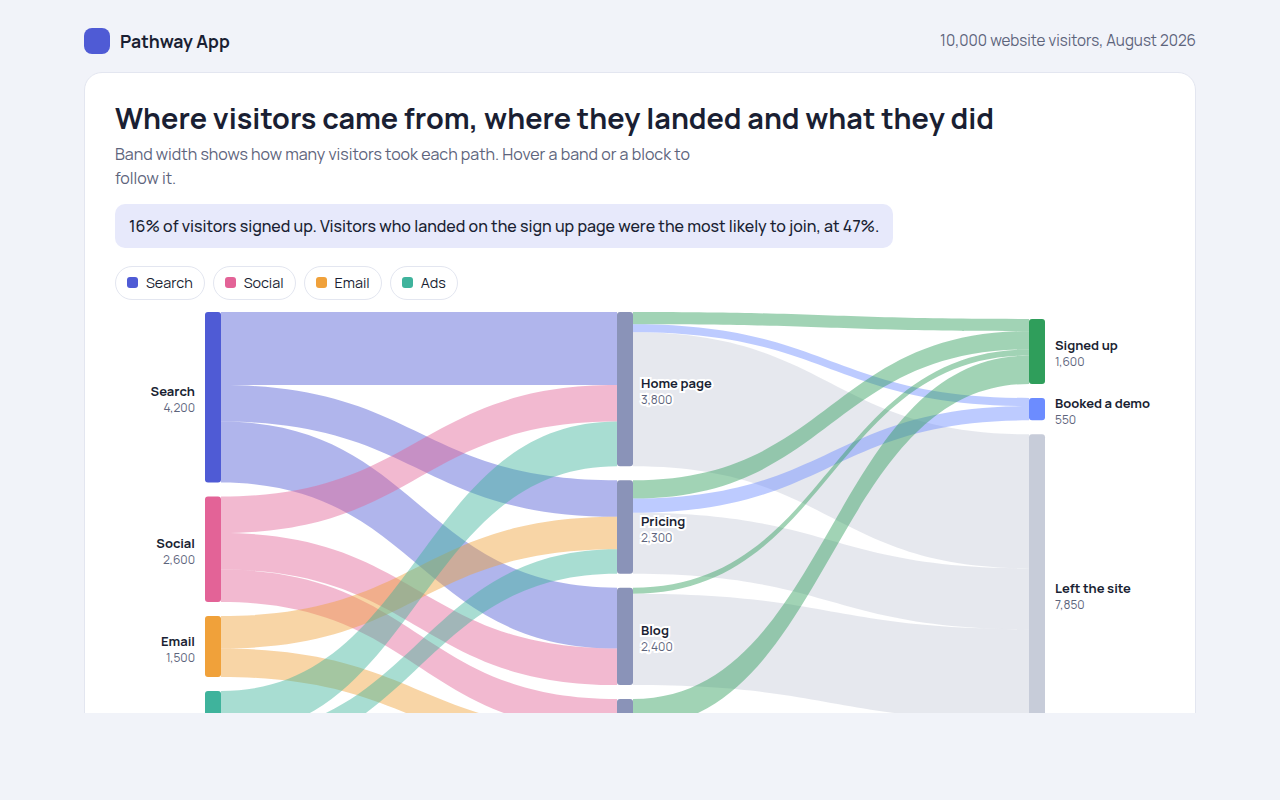
051. Sankey Diagram
Example: website visitors from source to landing page to outcome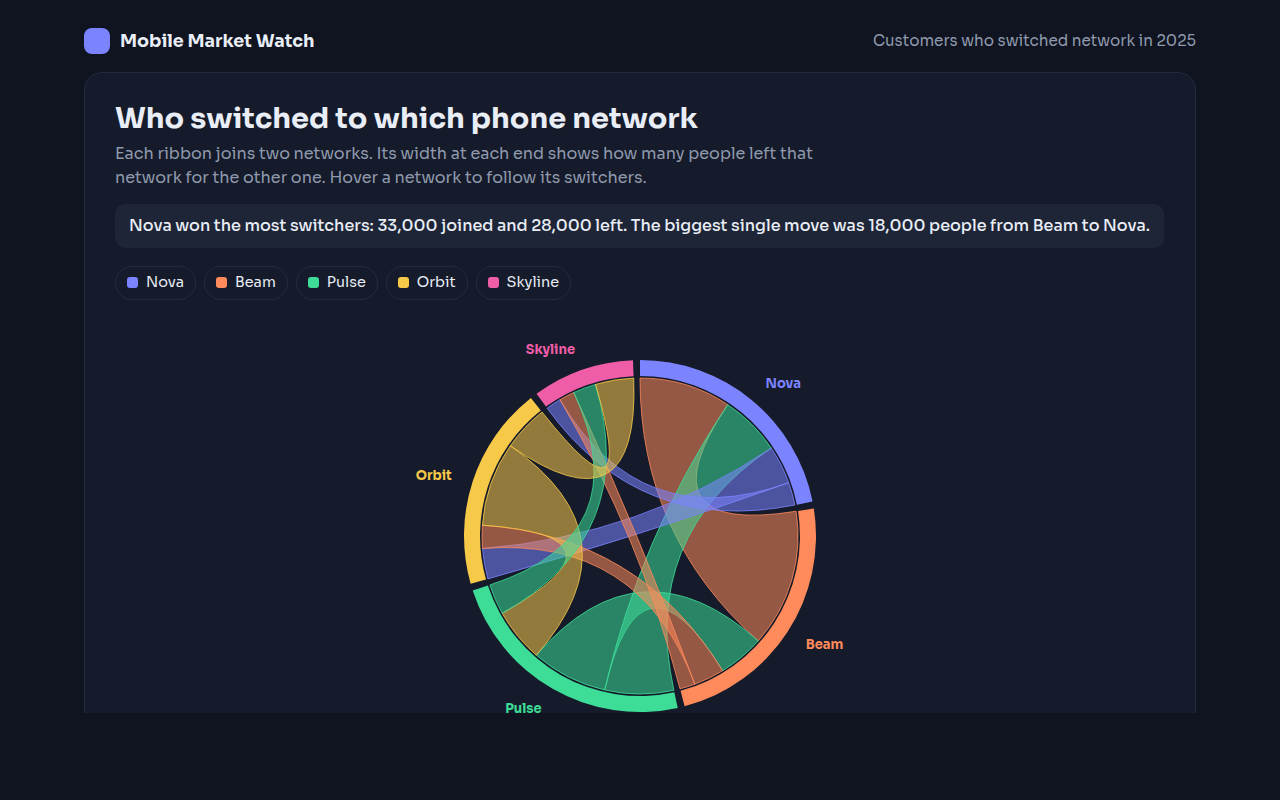
052. Chord Diagram
Example: customers switching between five phone networks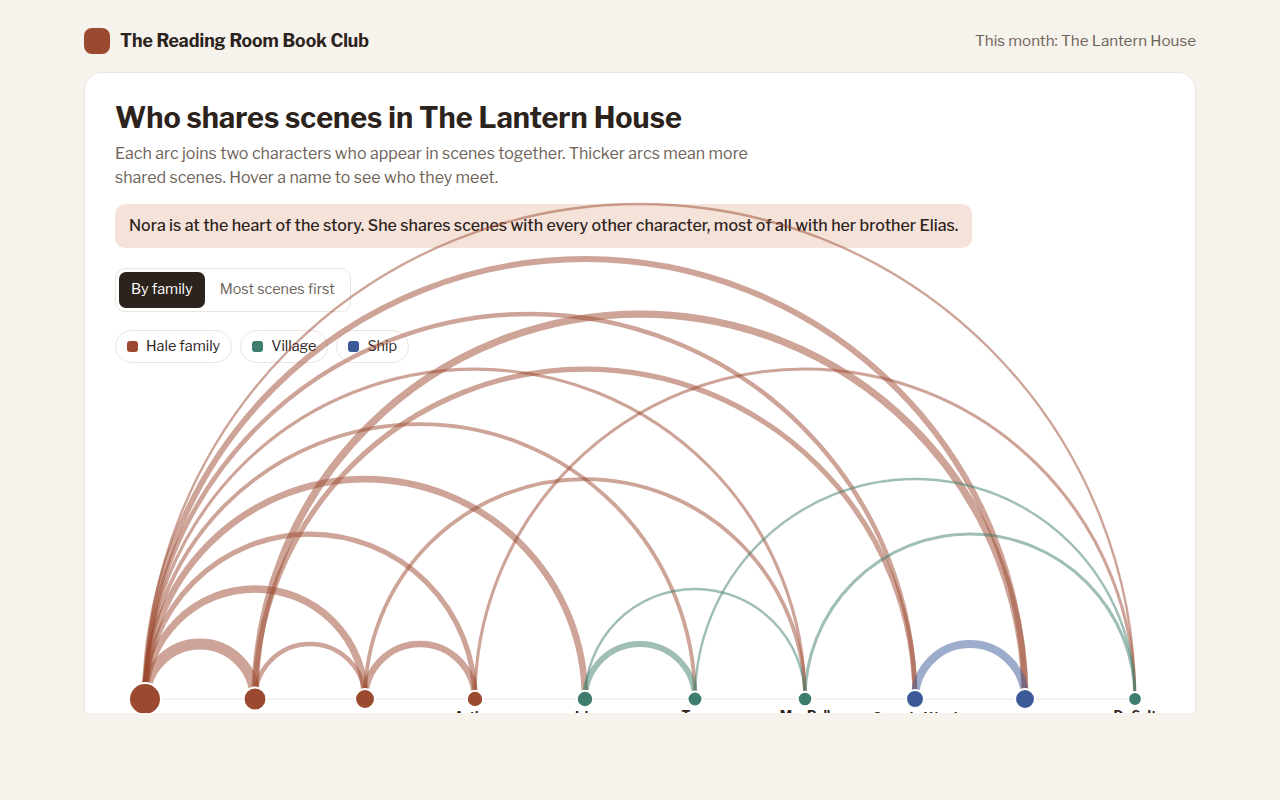
053. Arc Diagram
Example: characters who share scenes in a novel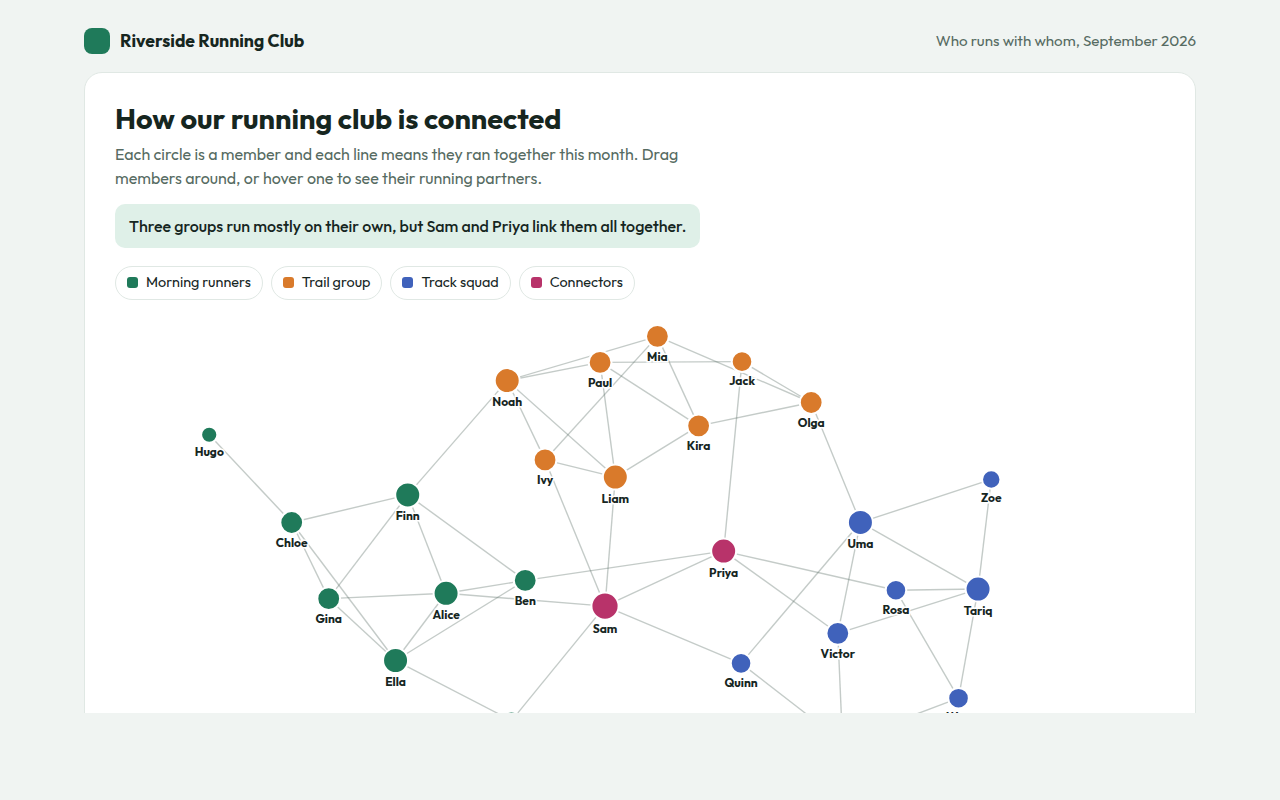
054. Network Graph
Example: who runs with whom in a running club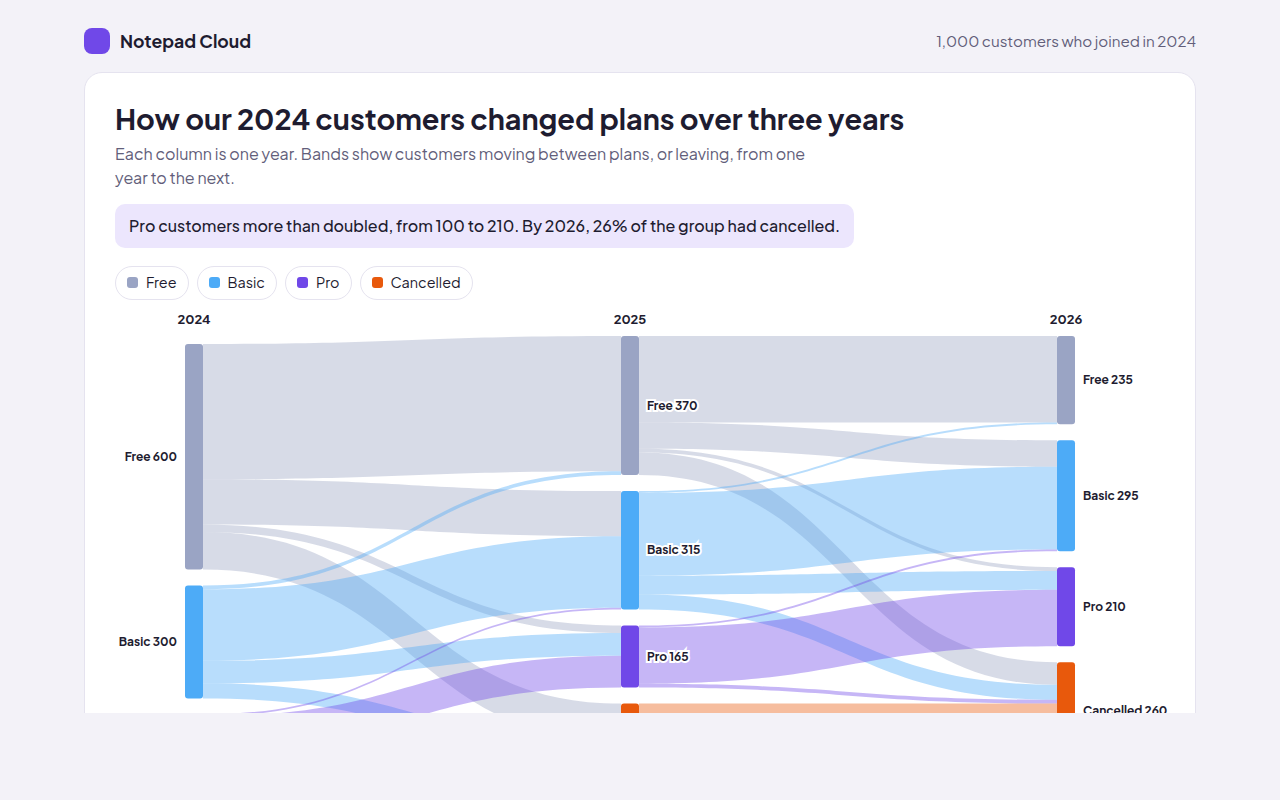
055. Alluvial Diagram
Example: customers changing plans over three years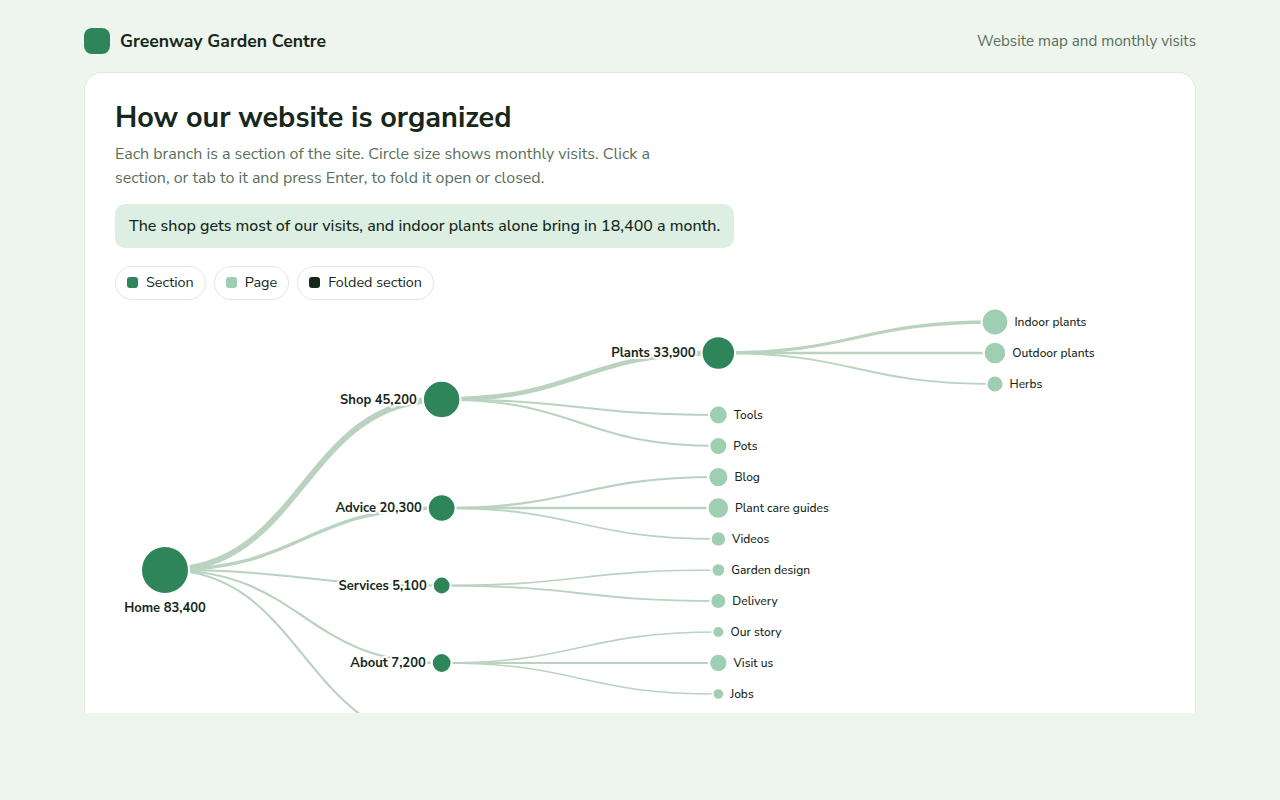
056. Tree Diagram
Example: a garden centre website map with monthly visits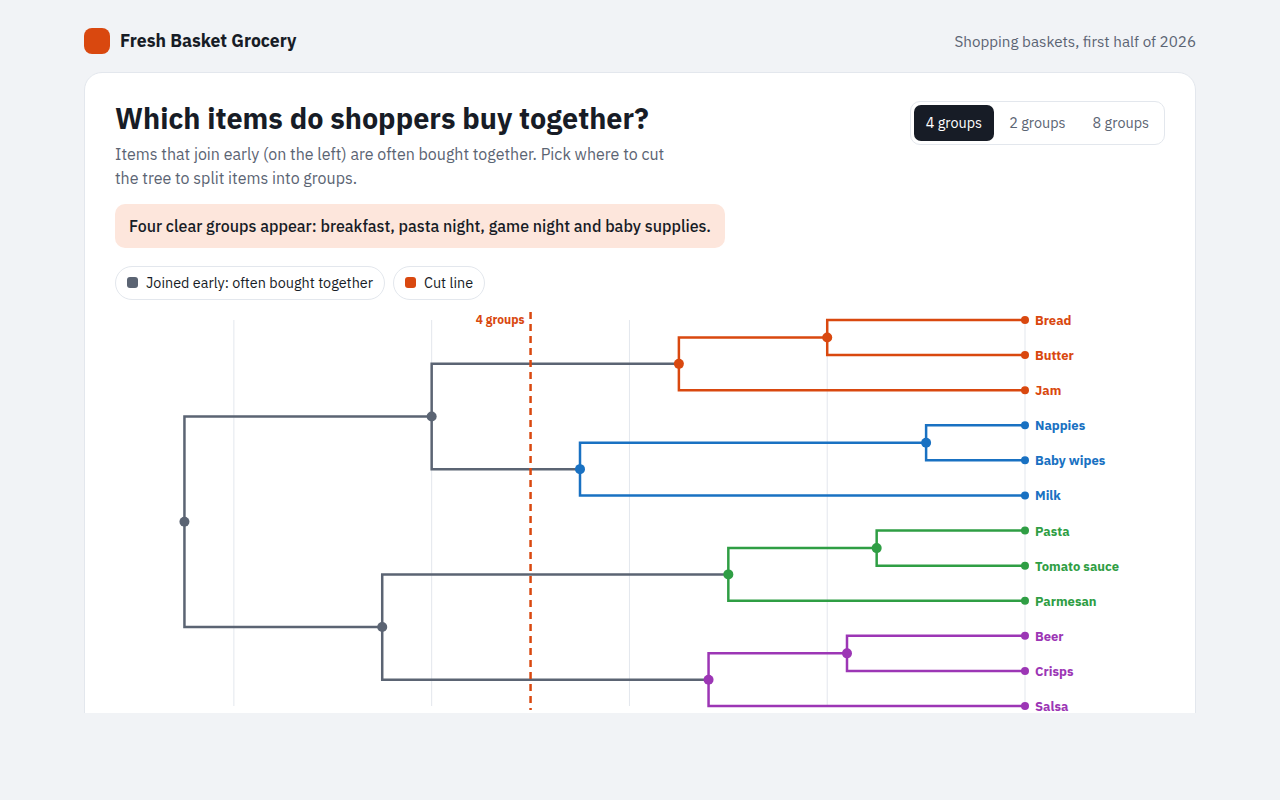
057. Dendrogram
Example: grocery items that shoppers buy together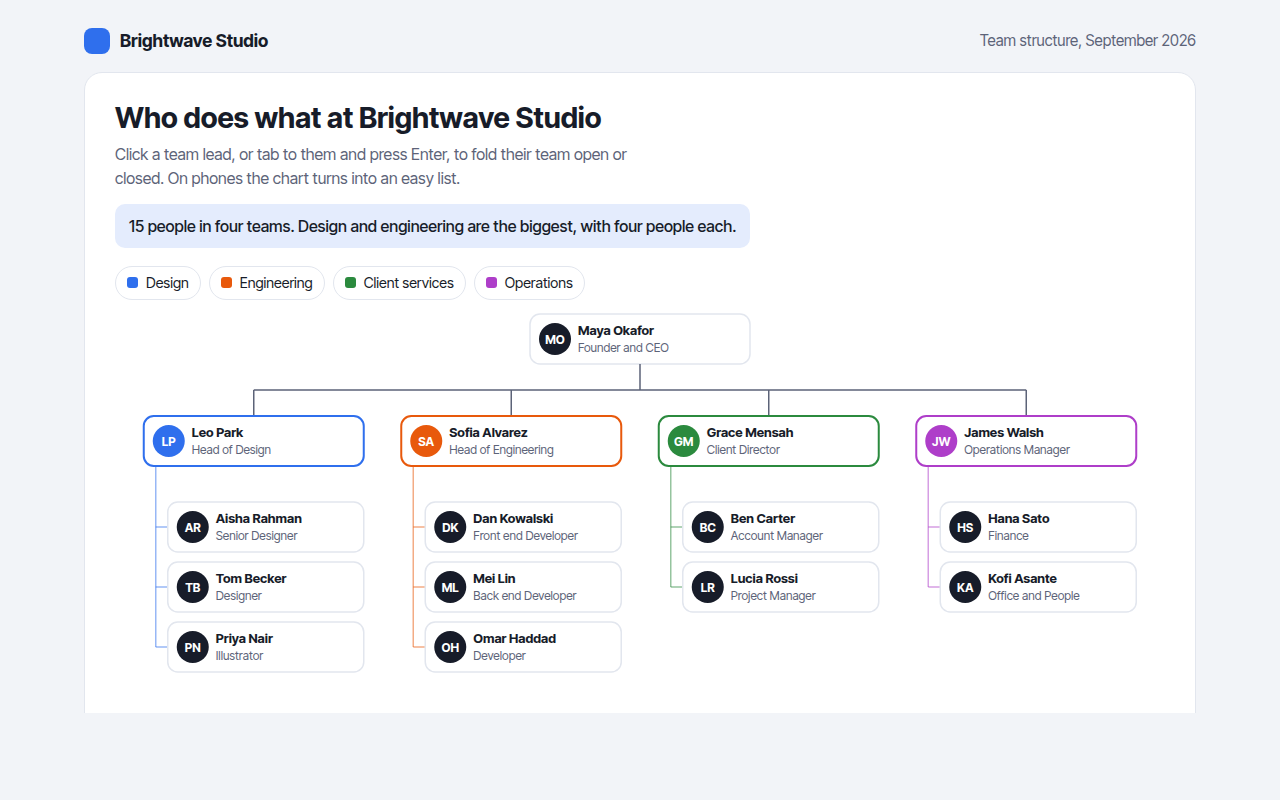
058. Org Chart
Example: the team structure of a design studio