Home / AI in the Browser / Local AI Chatbot
Local AI Chatbot in JavaScript, Free with Live Demo
Free local AI chatbot in plain JavaScript. It runs Llama and Qwen models on your own graphics card with WebGPU and WebLLM, with streaming replies and no API key.
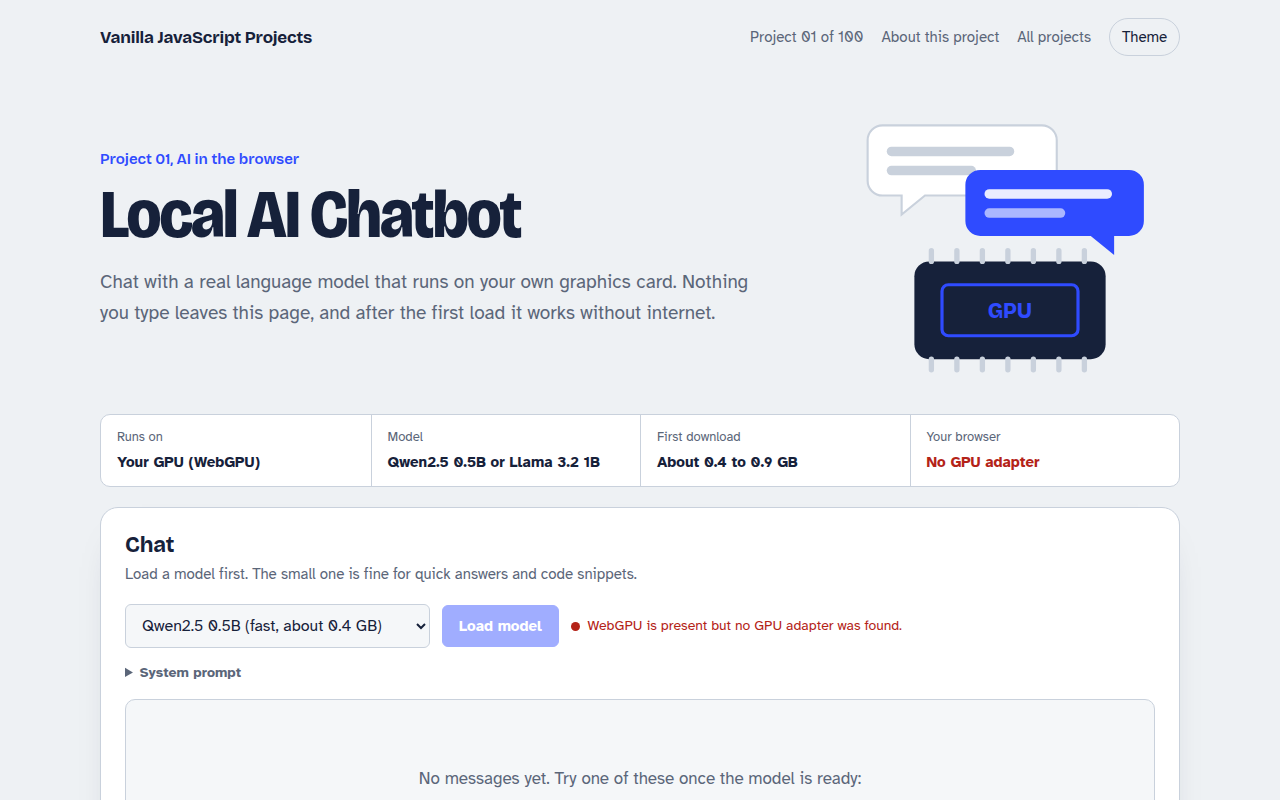
Runs on: Your GPU (WebGPU). Chrome, Edge and other Chromium browsers 113 or newer on desktop. Safari 26 and Firefox 141 or newer on Windows have WebGPU too. You need about 1 to 2 GB of free GPU memory.
What is the Local AI Chatbot?
This is a chatbot like the ones you already use, with one big difference: the AI model runs on your own computer. The page downloads a small language model once, keeps it in the browser cache, and then answers every question using your graphics card. Nothing you type is sent anywhere.
It works because of WebGPU, a new browser feature that lets JavaScript use the graphics card for heavy math. The WebLLM library takes care of loading the model and turning your messages into replies, so the project code stays small and easy to follow.
Good for
- Private assistants for notes, email drafts and ideas
- Apps that must work offline
- Learning how language models stream text
- Portfolio projects that show modern browser skills
What this project does
- Streams the reply word by word, like hosted chatbots
- Pick a small fast model or a larger smarter one
- Stop a reply mid-way
- Custom system prompt
- Chat history saved in your browser
- Model is cached, so the second visit loads in seconds and works offline
How it works
- Check the GPUThe page asks the browser for a WebGPU adapter and checks for 16-bit float support to pick the right model build.
- Download onceWebLLM fetches the model weights and stores them in the browser cache. Later visits skip this step.
- Stream the replyYour messages go to the engine as a normal chat completion request, and tokens stream back as they are generated.
The key JavaScript
This is the heart of the project. The full file has the rest, including the screen layout and error handling.
import * as webllm from "https://cdn.jsdelivr.net/npm/@mlc-ai/web-llm@0.2.85/+esm";

// 1. Load the model (cached after the first time)
const engine = await webllm.CreateMLCEngine("Qwen2.5-0.5B-Instruct-q4f16_1-MLC", {
  initProgressCallback: (r) => console.log(r.text),
});

// 2. Ask it something, same shape as the OpenAI API
const stream = await engine.chat.completions.create({
  messages: [{ role: "user", content: "Hello!" }],
  stream: true,
});

// 3. Print tokens as they arrive
for await (const chunk of stream) {
  console.log(chunk.choices[0]?.delta?.content ?? "");
}
How to use it
- Click Download HTML file above.
- Open the file in a code editor, like VS Code.
- Run it from a local server with
npx serve .so the camera, microphone and AI features are allowed. - Change the text and colors, then upload it to GitHub Pages, Netlify or your own site. It is one file with no build step.
Questions people ask
Do I need an API key to use this chatbot?
No. The model runs in your browser on your own graphics card, so there is no API, no key and no monthly bill. The only download is the model itself, which is saved for next time.
How big is the model download?
The small Qwen model is about 400 MB and the larger Llama model is about 900 MB. After the first visit it loads from the browser cache in a few seconds, even with no internet.
Which browsers can run it?
Chrome and Edge 113 or newer on desktop work best. Newer Safari and Firefox builds also support WebGPU. Phones usually do not have enough memory for these models yet.
More AI in the Browser projects
002. Image Classifier
Drop a photo and see what the AI thinks it is
003. Speech to Text Notes
A voice notes app that writes down what you say
004. AI Text Summarizer
Paste a long article and get the key points
005. Smart Writing Assistant
A writing helper that drafts, rewrites and checks your text
006. Live Translator
A translator that works as you type, in 15 languages