Home / AI in the Browser / Image Classifier
Image Classifier in JavaScript, Free with Live Demo
Free image classifier in plain JavaScript. Drop a photo and a Vision Transformer model names what is in it, with confidence bars. Runs in the browser with Transformers.js.
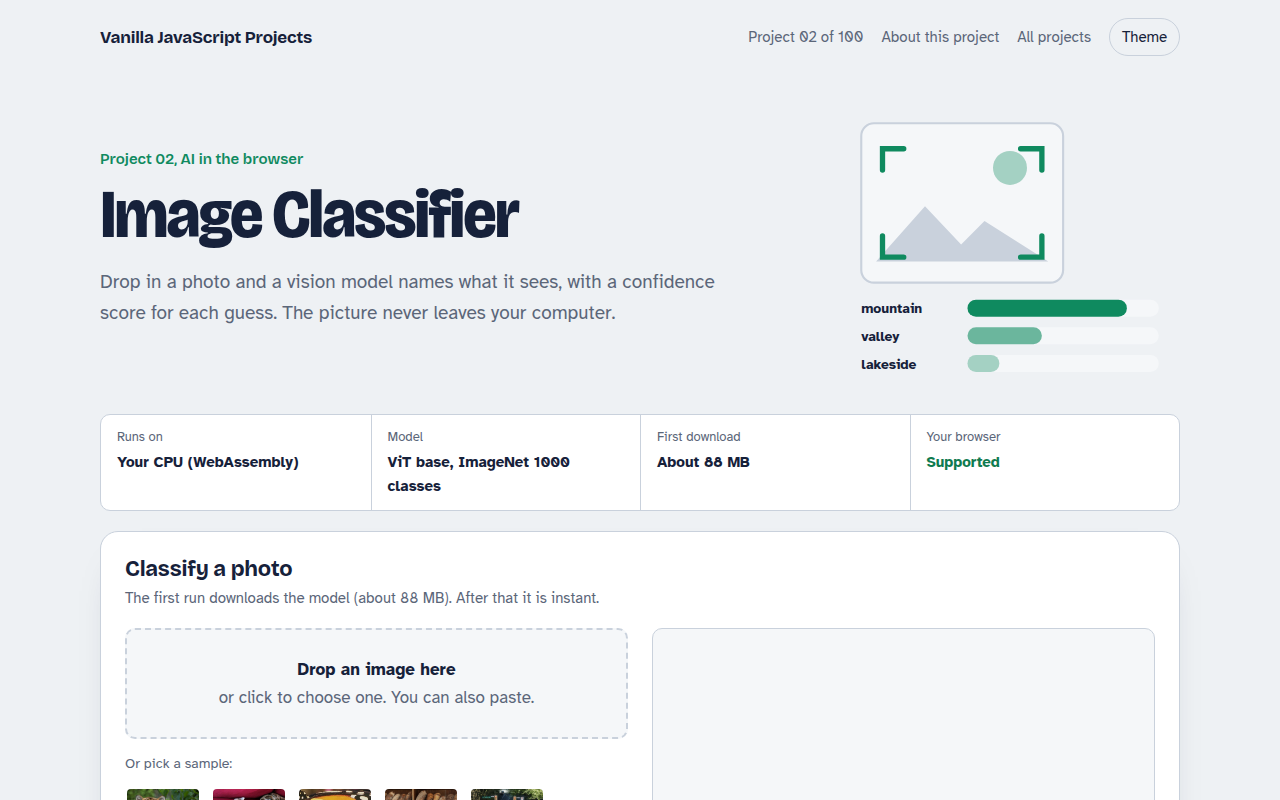
Runs on: Your CPU (WebAssembly). Any current Chrome, Edge, Firefox or Safari on desktop or mobile. Needs about 300 MB of free memory.
What is the Image Classifier?
An image classifier looks at a photo and tells you what is in it: a tiger, a pizza, a sports car. This project uses a well known model called ViT, short for Vision Transformer, which was trained on more than a million photos across 1,000 everyday categories.
The model runs in your browser through Transformers.js and WebAssembly. You drop in a picture, and a few moments later you get the top five guesses, each with a confidence score. The photo is never uploaded.
Good for
- Auto tagging photos in a gallery or shop
- Checking uploads before they are saved
- Teaching the basics of computer vision
- A first AI project for your portfolio
What this project does
- Drag and drop, file picker or paste from clipboard
- Six sample photos to try right away
- Top 5 guesses with confidence bars
- Shows how long the model took
- Model is cached after the first run
How it works
- Load the pipelineTransformers.js downloads the quantized ViT model once and keeps it in the browser cache.
- Prepare the imageThe image is resized to 224 by 224 pixels and turned into numbers the model understands.
- Rank the labelsThe model scores all 1000 ImageNet labels and the page shows the five highest.
The key JavaScript
This is the heart of the project. The full file has the rest, including the screen layout and error handling.
import { pipeline } from "https://cdn.jsdelivr.net/npm/@huggingface/transformers@3.8.1";

// 1. Create the classifier (downloads the model once)
const classify = await pipeline("image-classification", "Xenova/vit-base-patch16-224");

// 2. Give it an image URL, a blob URL or a canvas
const results = await classify("tiger.jpg", { top_k: 5 });

// 3. [{ label: "tiger, Panthera tigris", score: 0.94 }, ...]
console.table(results);
How to use it
- Click Download HTML file above.
- Open the file in a code editor, like VS Code.
- Run it from a local server with
npx serve .so the camera, microphone and AI features are allowed. - Change the text and colors, then upload it to GitHub Pages, Netlify or your own site. It is one file with no build step.
Questions people ask
How accurate is the image classifier?
For clear photos of common things like animals, food and vehicles it is right most of the time. It struggles with unusual objects, since it only knows 1,000 categories.
Does it upload my photos?
No. The model runs on your device, so the photo stays in your browser. You can even disconnect from the internet after the model loads.
Can I train it on my own categories?
Not in this project. To recognize your own products or labels you would fine tune a model in Python first, then load the result with Transformers.js the same way.
More AI in the Browser projects
001. Local AI Chatbot
A private chat assistant that runs on your graphics card
003. Speech to Text Notes
A voice notes app that writes down what you say
004. AI Text Summarizer
Paste a long article and get the key points
005. Smart Writing Assistant
A writing helper that drafts, rewrites and checks your text
006. Live Translator
A translator that works as you type, in 15 languages