Home / AI in the Browser / Semantic Search for Notes
Semantic Search for Notes in JavaScript, Free with Live Demo
Free semantic search project in plain JavaScript. Search notes by meaning using text embeddings and cosine similarity, with notes saved in IndexedDB. No server.
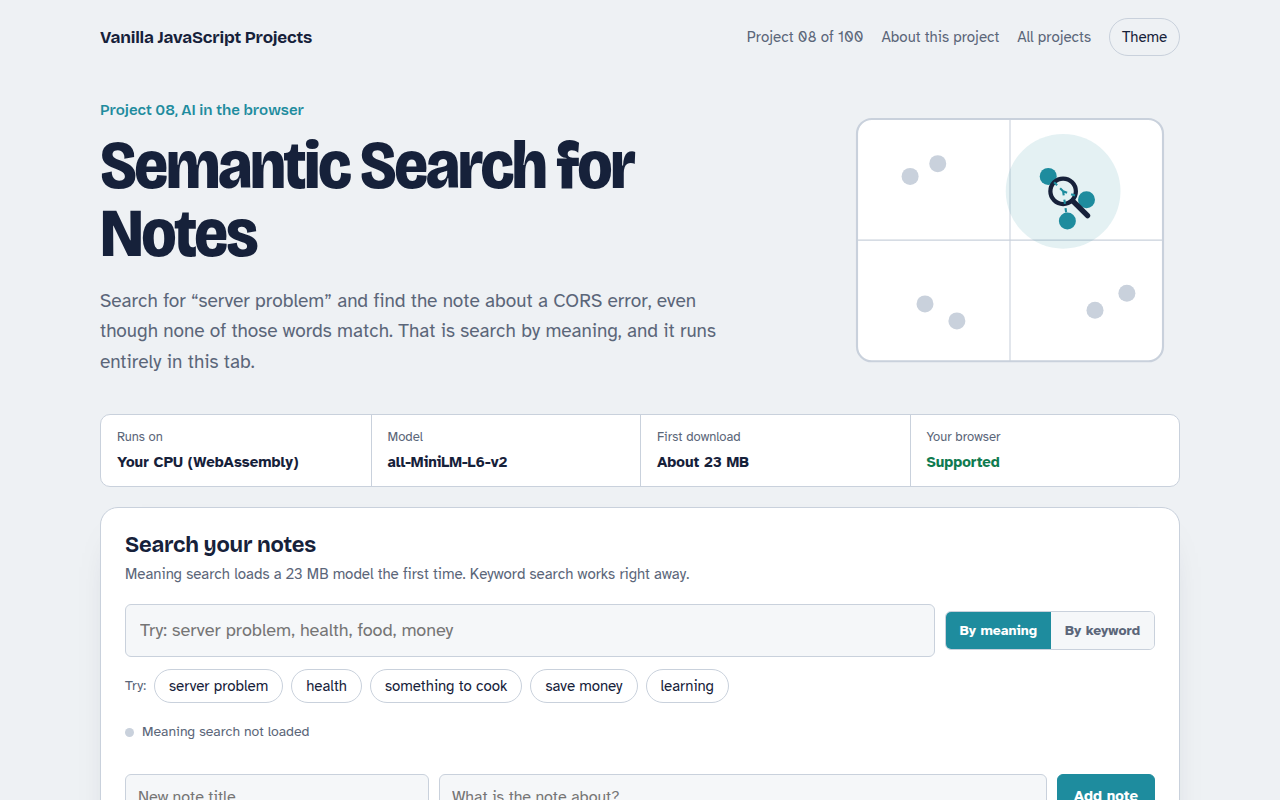
Runs on: Your CPU (WebAssembly). Any current Chrome, Edge, Firefox or Safari on desktop or mobile.
What is the Semantic Search for Notes?
Normal search only finds notes that contain the exact words you typed. Semantic search finds notes that mean the same thing. Search for car trouble and it finds the note about the engine light, even if the word car never appears.
Each note is turned into a list of 384 numbers, called an embedding, by a small model named all MiniLM. Notes with similar meaning get similar numbers. The page compares your search with every note using cosine similarity and shows the closest matches.
Good for
- Personal notes and journals
- Help centers and FAQ search
- Finding related posts on a blog
- Learning how vector search works
What this project does
- Search by meaning with a similarity score for every result
- Switch to plain keyword search to see the difference
- Add and delete notes, stored in IndexedDB
- Twelve sample notes to try right away
- Export all notes and their vectors as JSON
How it works
- Turn text into numbersEach note becomes a list of 384 numbers that describes its meaning. Similar ideas get similar numbers.
- Store the vectorsNotes and their vectors are saved in IndexedDB, so they survive a page reload.
- CompareYour search is turned into a vector too, and every note is ranked by how close its vector is.
The key JavaScript
This is the heart of the project. The full file has the rest, including the screen layout and error handling.
import { pipeline } from "https://cdn.jsdelivr.net/npm/@huggingface/transformers@3.8.1";

const embed = await pipeline("feature-extraction", "Xenova/all-MiniLM-L6-v2");

// 384 numbers that describe the meaning of the text
const toVec = async (t) => Array.from((await embed(t, { pooling: "mean", normalize: true })).data);

const a = await toVec("Fix CORS error on the staging API");
const b = await toVec("server problem");

// Vectors are normalized, so cosine similarity is just a dot product
const score = a.reduce((sum, x, i) => sum + x * b[i], 0); // about 0.4
How to use it
- Click Download HTML file above.
- Open the file in a code editor, like VS Code.
- Run it from a local server with
npx serve .so the camera, microphone and AI features are allowed. - Change the text and colors, then upload it to GitHub Pages, Netlify or your own site. It is one file with no build step.
Questions people ask
What is the difference between semantic search and keyword search?
Keyword search matches words. Semantic search matches meaning. The demo lets you switch between them so you can see the difference on the same notes.
Do I need a vector database?
Not for a few thousand notes. Comparing vectors in plain JavaScript is fast enough. A vector database helps when you reach hundreds of thousands of items.
Where are the notes stored?
In IndexedDB, a database built into the browser. They stay on your device, and you can export them as JSON.
More AI in the Browser projects
001. Local AI Chatbot
A private chat assistant that runs on your graphics card
002. Image Classifier
Drop a photo and see what the AI thinks it is
003. Speech to Text Notes
A voice notes app that writes down what you say
004. AI Text Summarizer
Paste a long article and get the key points
005. Smart Writing Assistant
A writing helper that drafts, rewrites and checks your text