Home / Media and Real Time / Online Code Playground
Online Code Playground in JavaScript, Free with Live Demo
Free online code playground in plain JavaScript. HTML, CSS and JS editors, a live sandboxed preview, a working console, templates and share links stored in the URL.
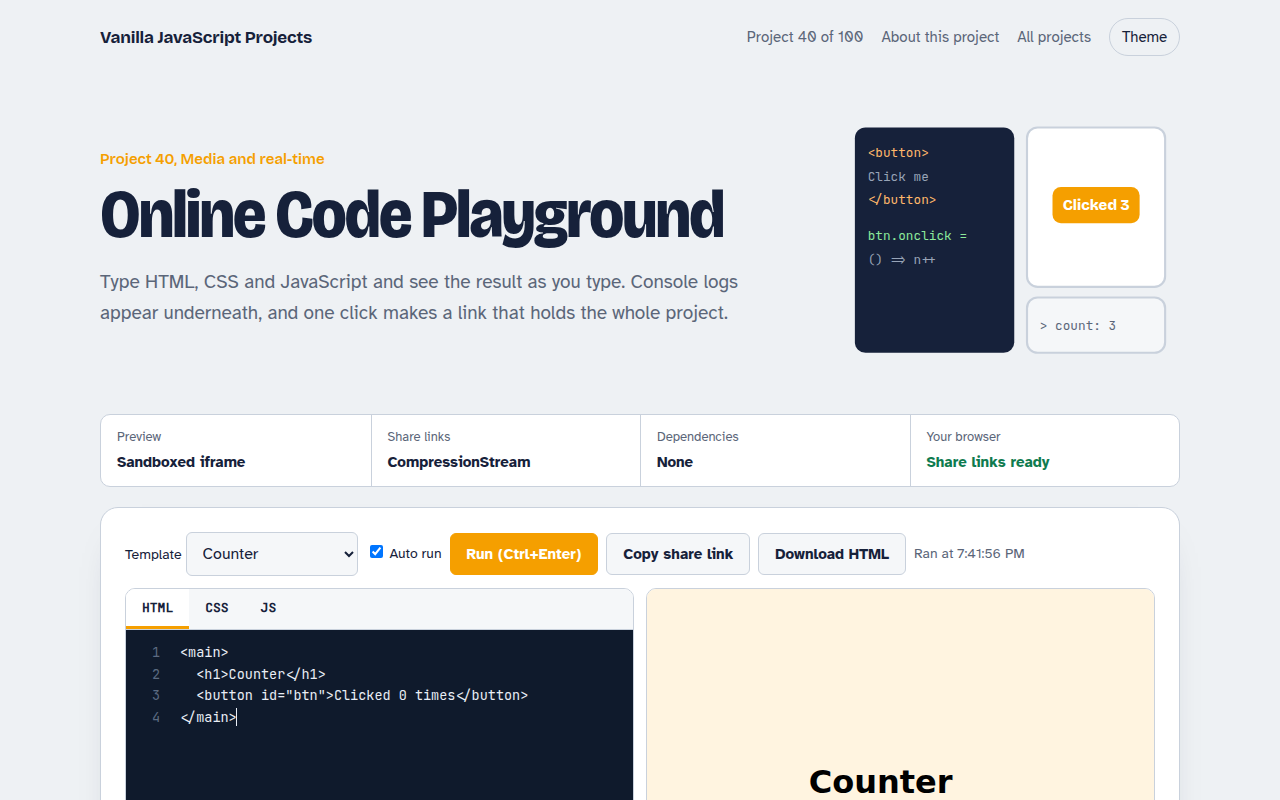
Runs on: Sandboxed iframe. Every modern browser. CompressionStream share links need Chrome 80+, Safari 16.4+ or Firefox 113+.
What is the Online Code Playground?
Type HTML, CSS and JavaScript and see the result as you type. Console logs and errors show under the preview, and one click makes a link that holds the whole project.
The code runs in a sandboxed iframe using srcdoc, so it cannot touch this page. A small bridge script forwards console calls with postMessage. Share links gzip the project with CompressionStream and put it after the #.
Good for
- Teaching HTML, CSS and JavaScript
- Quick experiments and bug demos
- Embedding live examples in docs
- Learning how CodePen works
What this project does
- Three editors with tab indent and line numbers
- Live preview that updates as you type, or on Ctrl+Enter
- Console panel that shows logs, warnings and errors from the preview
- Starter templates: counter, canvas animation, fetch demo
- Share link: the project is gzipped and stored in the URL hash
How it works
- Build the pageThe three editors are joined into one HTML document with a small console bridge script at the top.
- Run it safelyThe document goes into an iframe with sandbox="allow-scripts", so it cannot touch this page, its storage or cookies.
- ShareThe project JSON is gzipped with CompressionStream, base64url encoded and placed after the # in the link.
The key JavaScript
This is the heart of the project. The full file has the rest, including the screen layout and error handling.
const bridge = `<script>
  for (const k of ["log", "warn", "error", "info"]) {
    const orig = console[k];
    console[k] = (...a) => { parent.postMessage({ k, a: a.map(String) }, "*"); orig(...a); };
  }
  onerror = (m, s, line) => parent.postMessage({ k: "error", a: [m + " (line " + line + ")"] }, "*");
<\/script>`;
iframe.srcdoc = bridge + html + `<style>${css}</style><script>${js}<\/script>`;
addEventListener("message", (e) => { if (e.source === iframe.contentWindow) showInConsole(e.data); });
How to use it
- Click Download HTML file above.
- Open the file in a code editor, like VS Code.
- Run it from a local server with
npx serve .so the camera, microphone and AI features are allowed. - Change the text and colors, then upload it to GitHub Pages, Netlify or your own site. It is one file with no build step.
Questions people ask
Is running code in an iframe safe?
With sandbox set to allow-scripts only, the code cannot reach this page, its cookies or its storage.
Where is my code saved?
In localStorage, and in the share link itself. No server stores anything.
How long can a share link be?
Browsers handle very long URLs, and gzip keeps small projects to a few hundred characters.
More Media and Real Time projects
032. Video Call App
A peer to peer video call between two browsers
033. Screen Recorder
Record your screen with your voice and your face in the corner
034. Browser Video Editor
Trim a clip, add a filter and a title, and export an MP4
035. Collaborative Whiteboard
A shared drawing board with live cursors
036. Music Visualizer
Turn music into moving bars, waves and a glowing ring